Crisis Event Show Parc des Princes / Guided scenario
Three incidents at the Parc des Princes
The full tour of r-io on a stadium event: load the project, look at its partners and maps, then play the three incidents of the game scenario — a door breakdown, a broken seat, a metro line breakdown. Each one is detected, solved by a deduced and supervised process whose human tasks are completed in r-ioga, then closed by the expert in r-iota.
What this scenario demonstrates
The basic loop of r-io, three times in a row: detection (a CEP rule of a sensor activates an actuality), deduction (the Crisis strategy builds a collaborative process for the objectives that treat it), orchestration (each task becomes a human task of the to-do list) and supervision (r-iota follows the process live and lets the expert close the incident). The status circles tell the story: red when an incident is detected, blue while it is handled, orange when the process is over and waits for the expert.
01 · Step
Load the project
Everything starts from r-ioga: the use case is loaded into the knowledge space, then every other application is opened from the project row, so that it works in the context of the project.
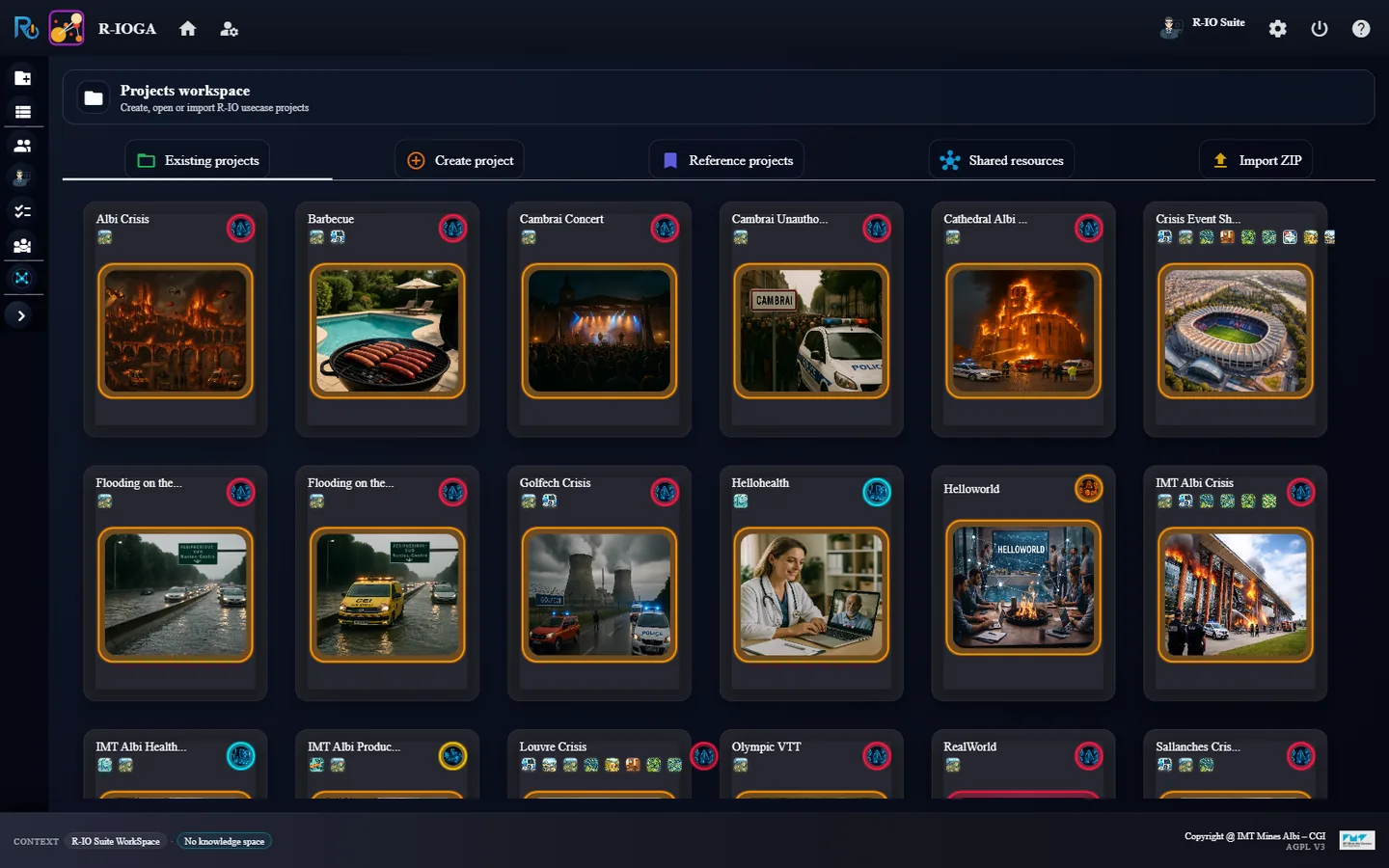
In r-ioga, Projects workspace, click the card Crisis Event Show Parc des Princes.
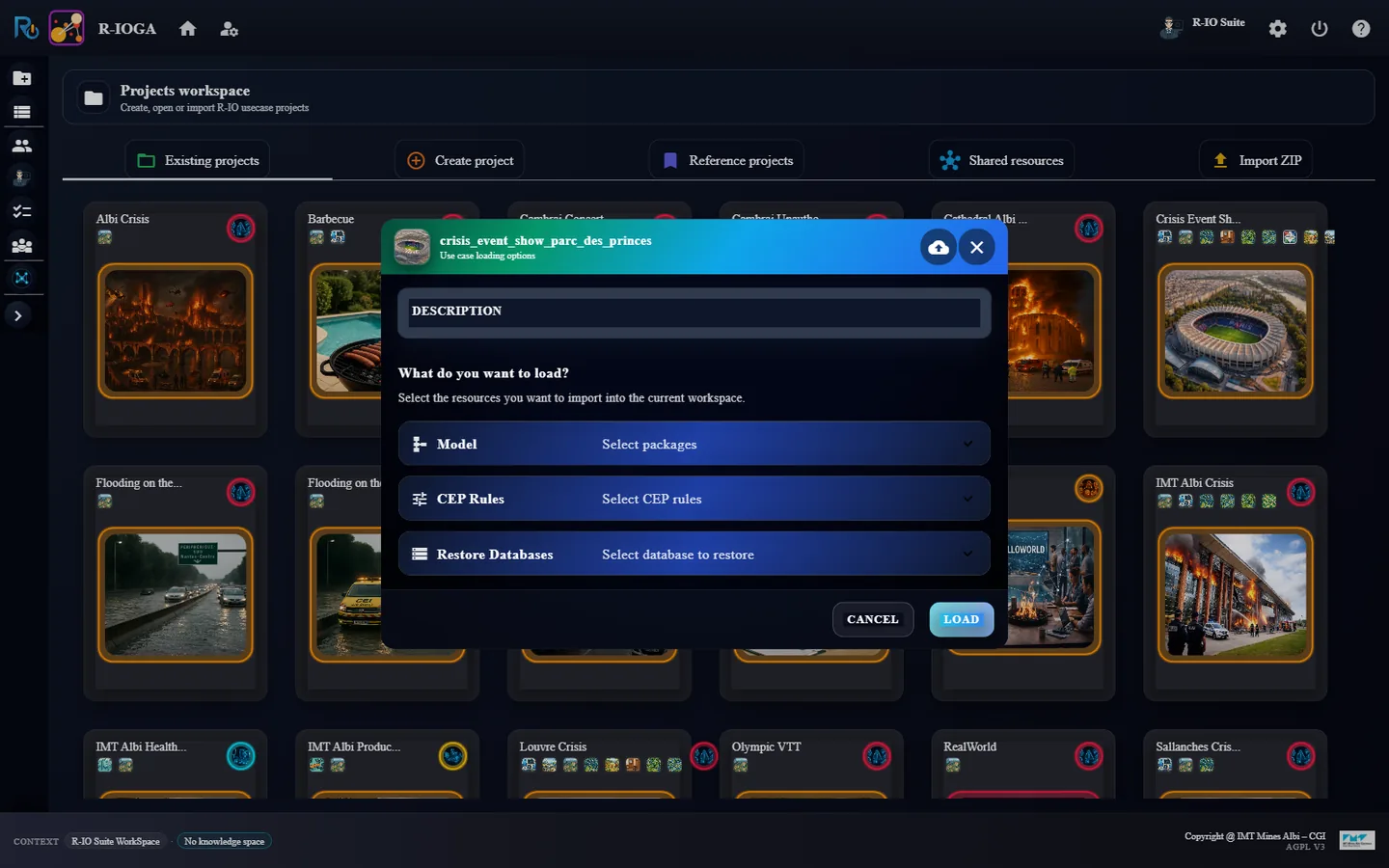
In Use case loading options, click Load without changing anything. When asked whether to create a specific collaboration for the predefined users, answer No.
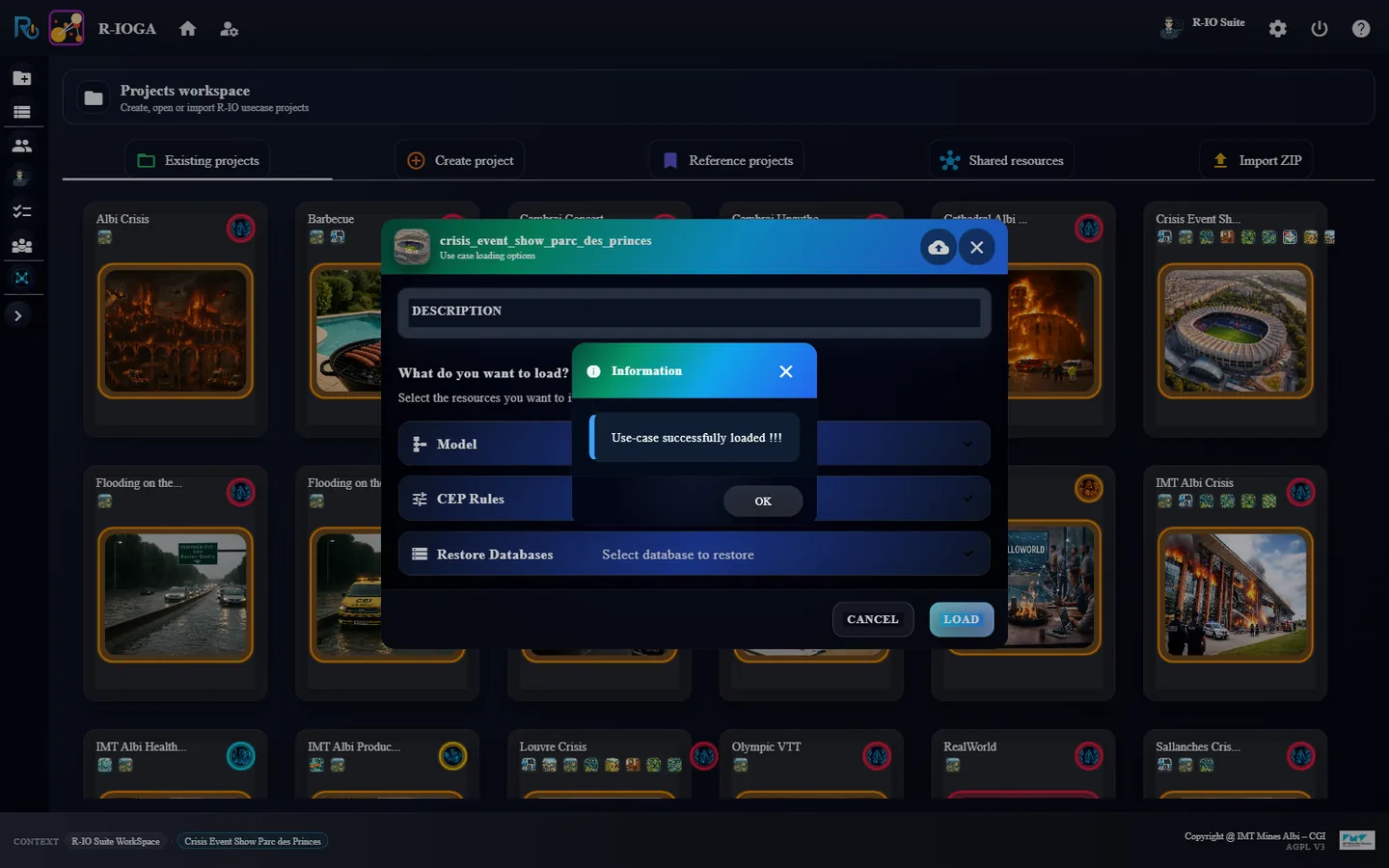
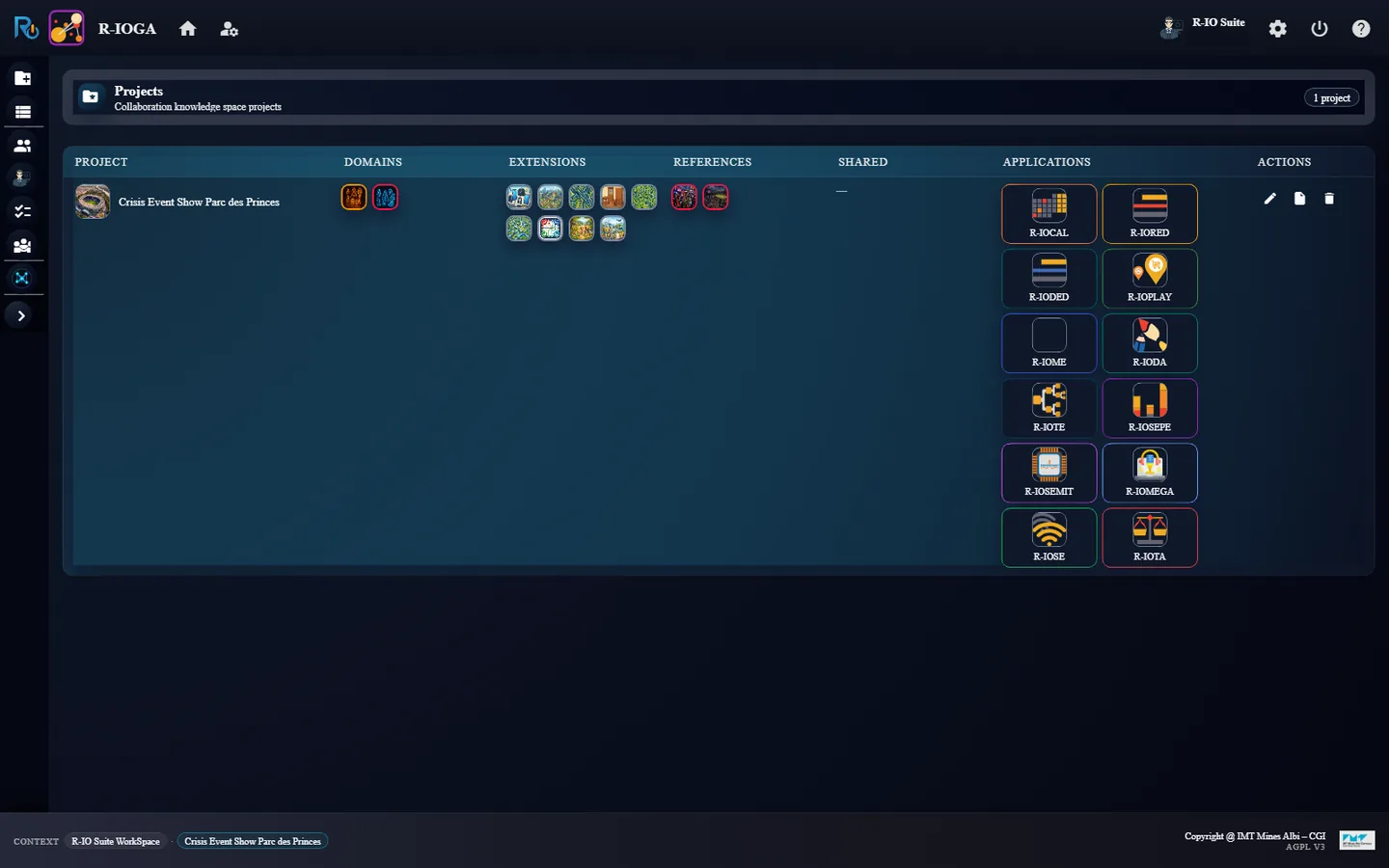
Close Use-case successfully loaded !!! with OK: r-ioga opens Project List.
r-ioga Projects workspace: the Crisis Event Show Parc des Princes card.Use case loading options: Load without changing anything.The use case is loaded.Project List: the project row and its twelve application launchers.
ResultThe project row shows the Collaborative and Crisis domains, nine model extensions (Electronic Tools, Urban, Road Network, Furniture, Electrical Network, Water Network, Urban Rail Network, Animal, Industry) and twelve launchers in the Applications column.
02 · Step
Look at the partners in r-ioda
The context of the event is a stadium in Paris and the staff who run it: spectator services, security, technical services, reception, ticketing, each person with a role.
In Project List, launch r-ioda.
Open the Context And Partners tab, then zoom out with the editor toolbar.
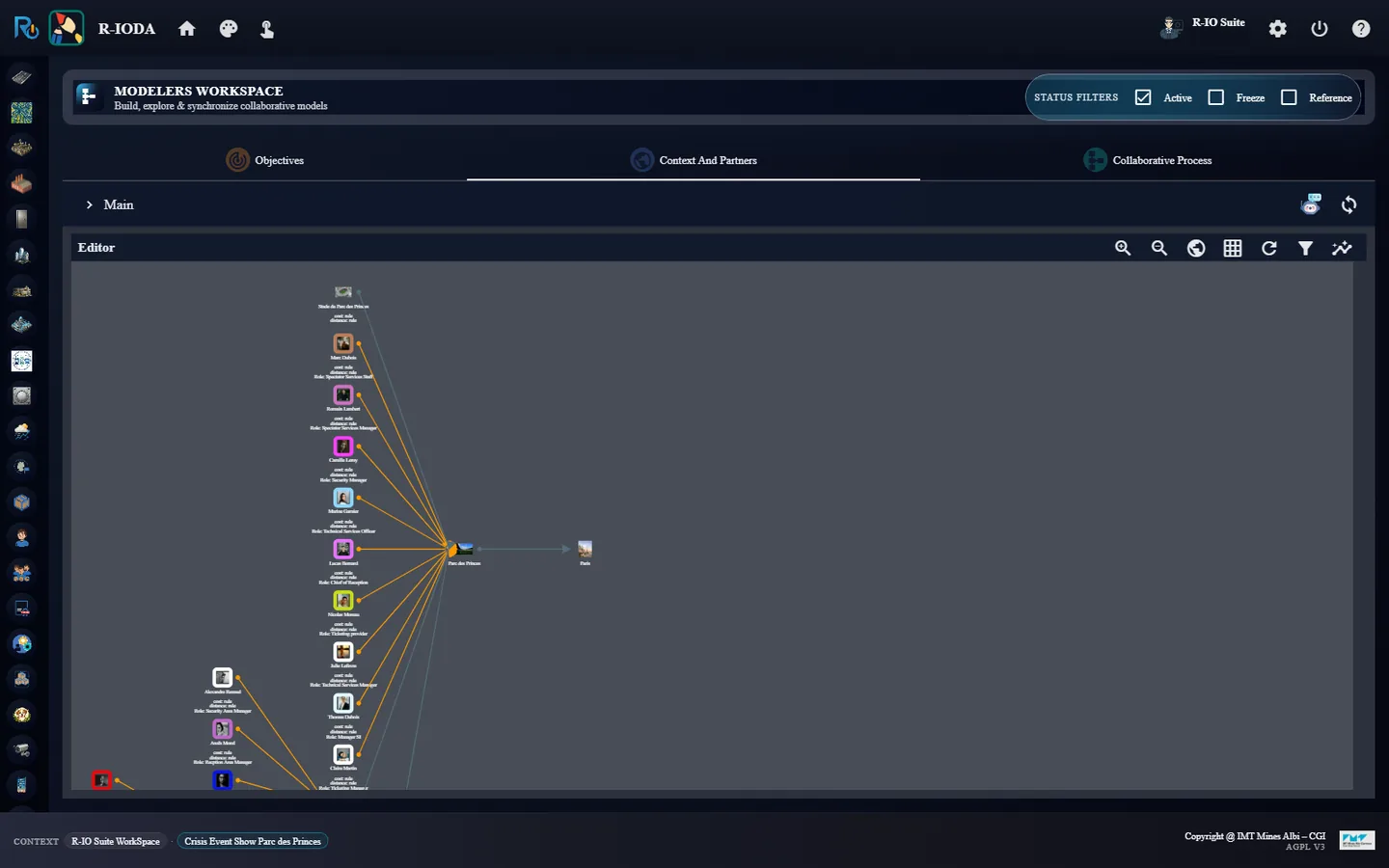
r-ioda Context And Partners: the stadium, Parc des Princes, Paris and the staff, each linked to its role.
ResultThe diagram shows Stade du Parc des Princes, the Parc des Princes site inside Paris, and the staff around it (Marc Dubois, Spectator Services Staff; Camille Leroy, Security Manager; Lucas Bernard, Chief of Reception…).
03 · Step
Explore the maps in r-ioplay
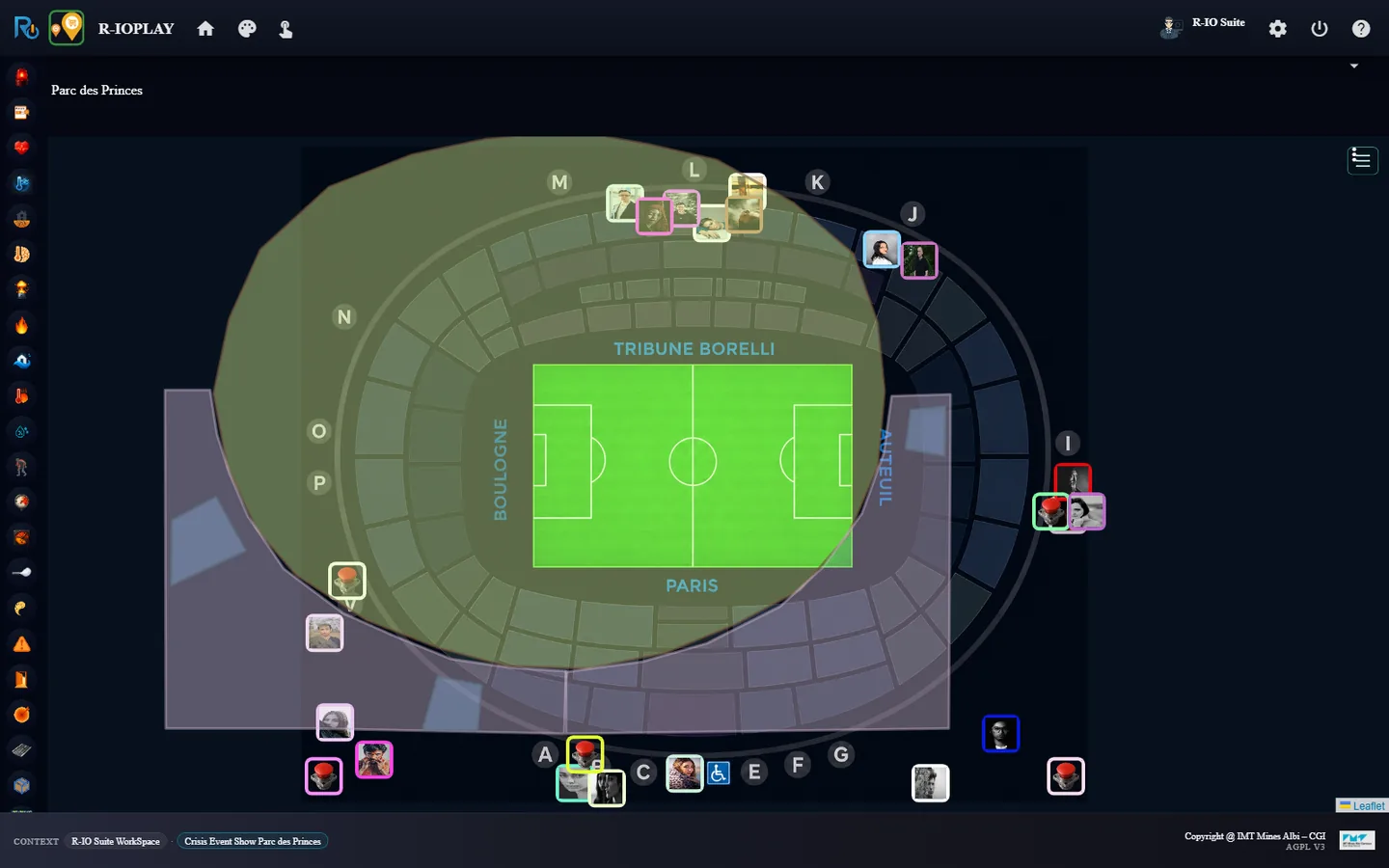
r-ioplay opens on the plan of the stadium, with its gates (A to P), the staff and the push buttons that act as sensors. The MAP selector switches to the world map or to the 3D views.
Launch r-ioplay from Project List.
In the MAP selector, choose World.
Then choose 3D Parc des Princes and zoom in with the mouse wheel.
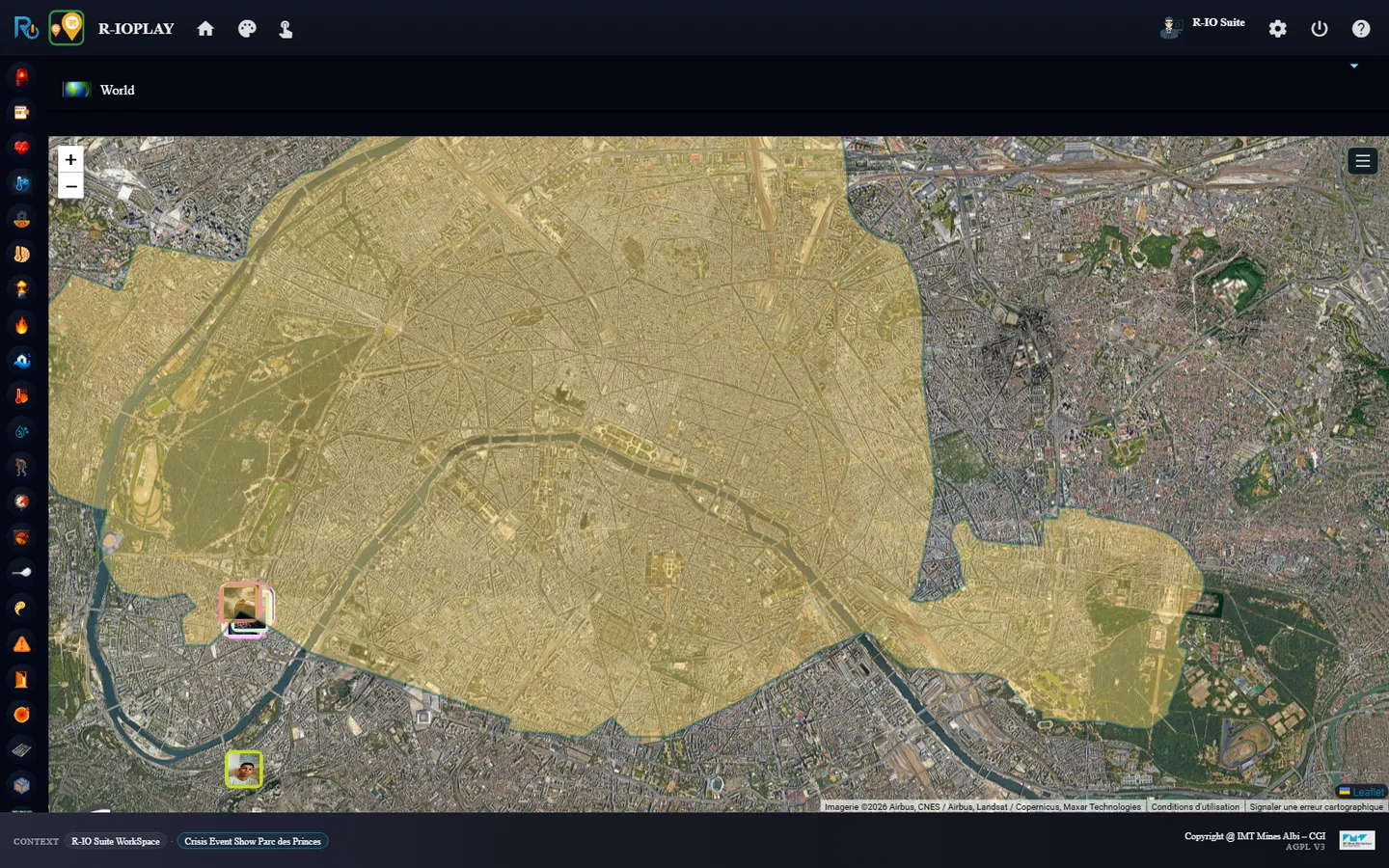
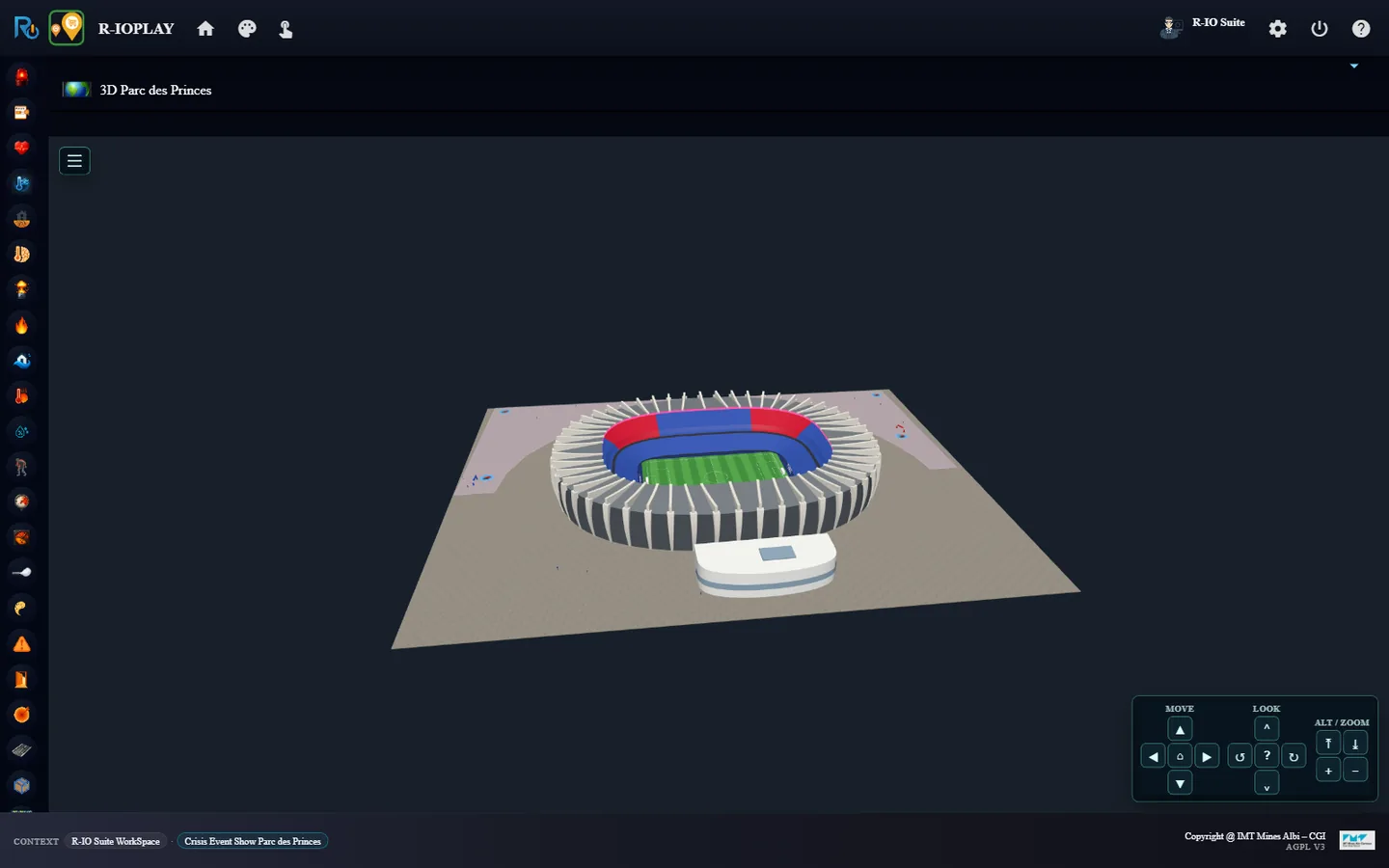
The Parc des Princes plan: gates, staff and push-button sensors.World: Paris, with the stadium at its south-west edge.3D Parc des Princes: the stadium model and its surroundings.
ResultThe map follows the selector without reloading the page; the 3D view comes with its MOVE / LOOK / ALT / ZOOM panel.
04 · Step
Check that all is calm in r-iota
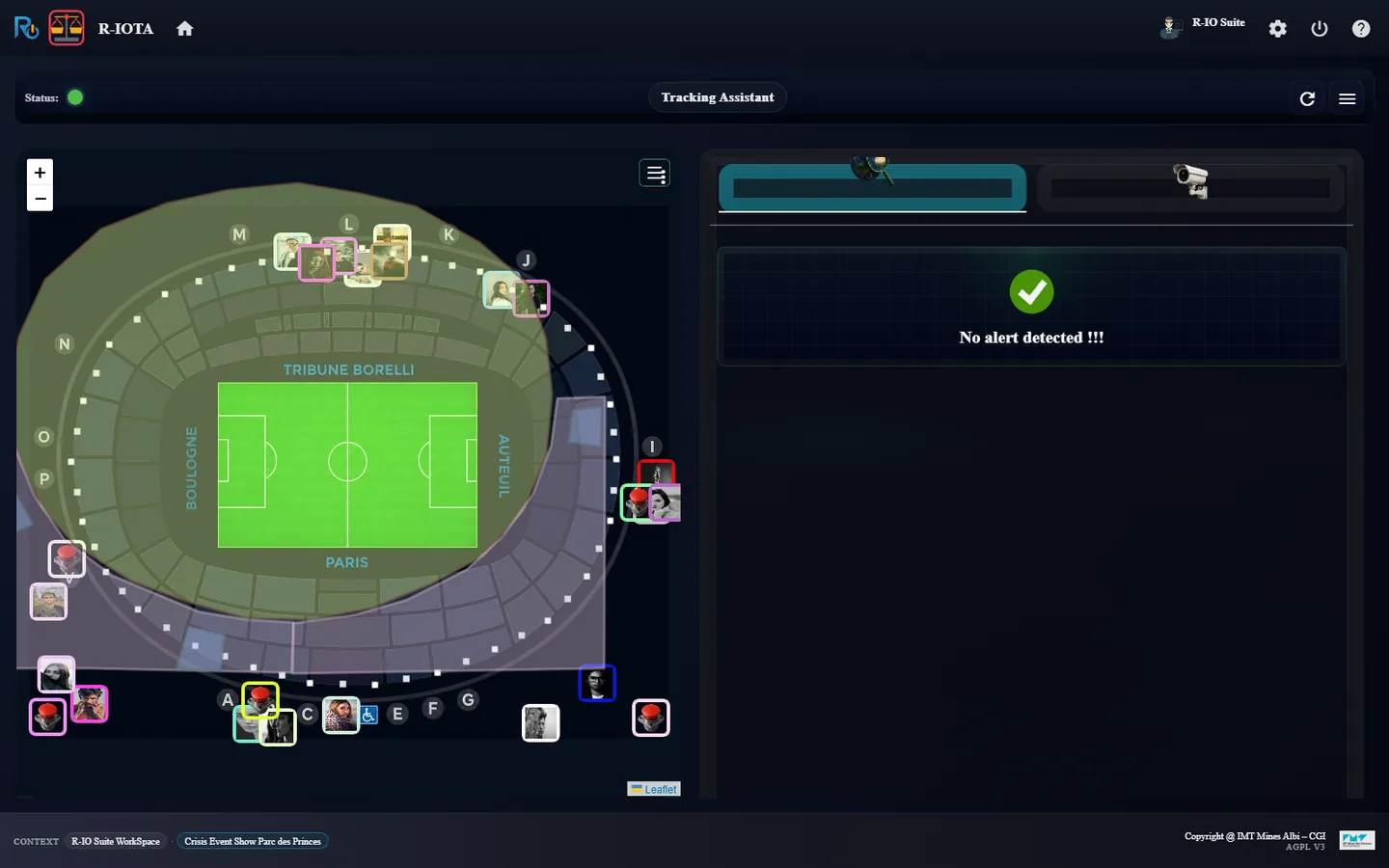
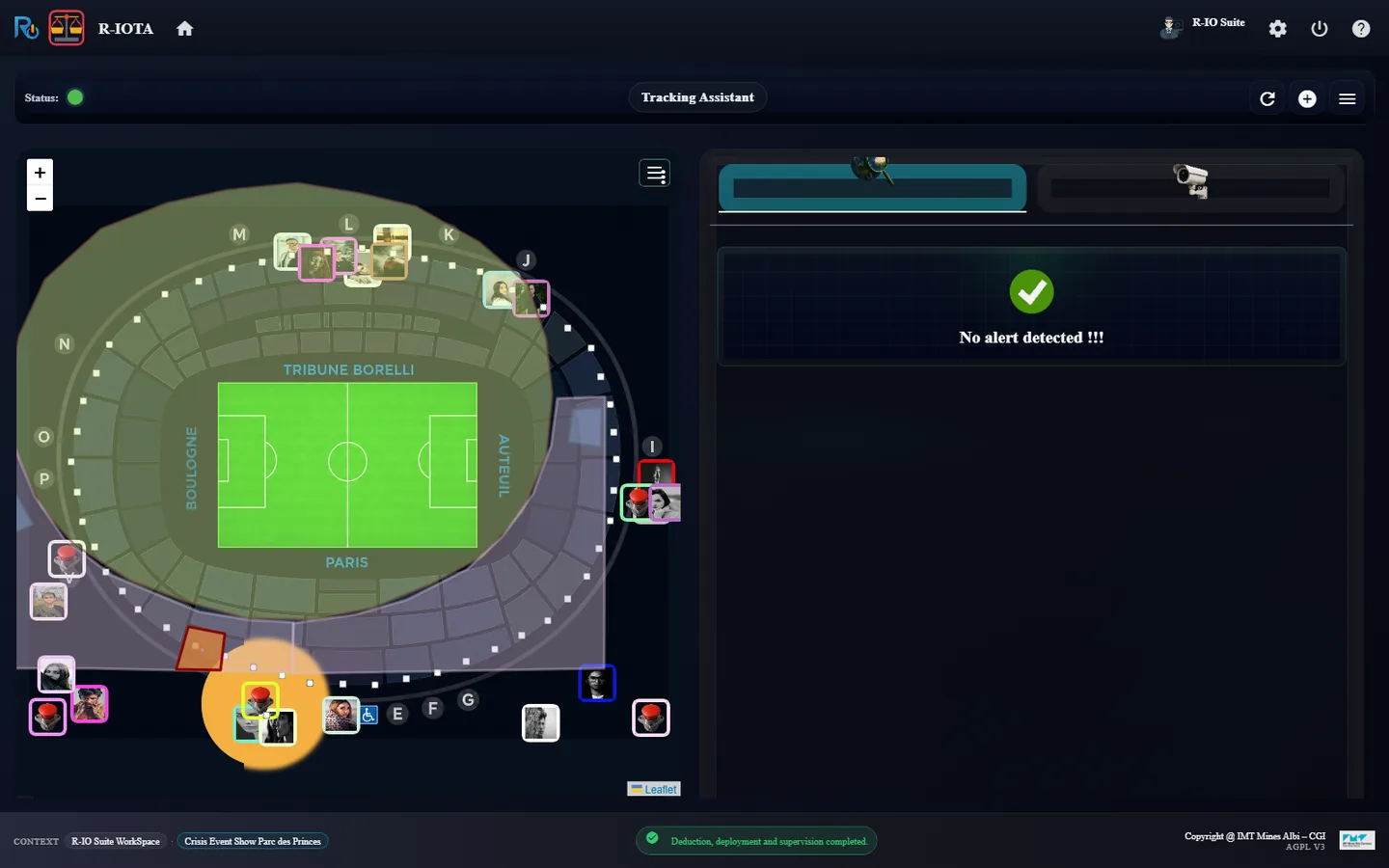
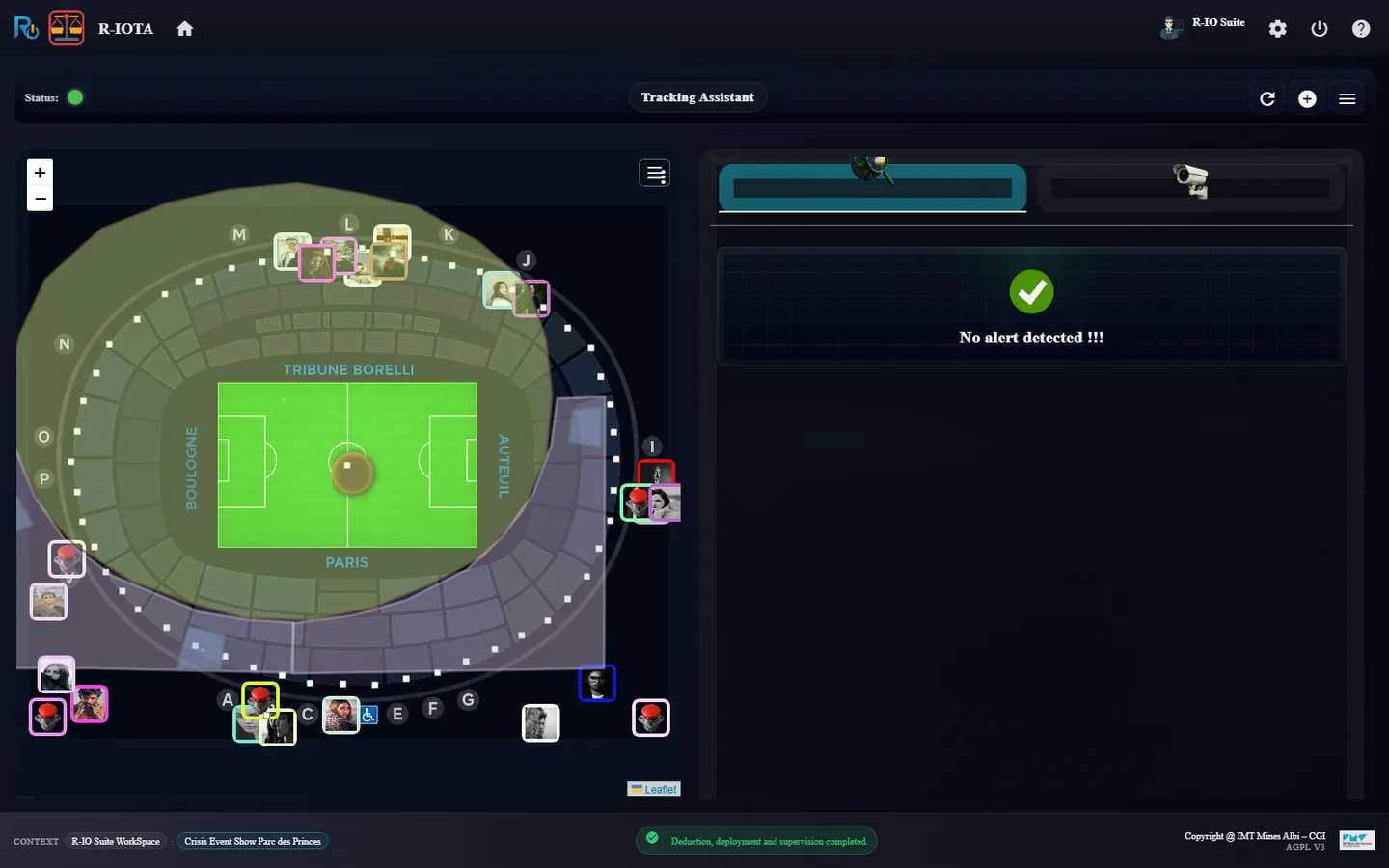
Before the first incident, r-iota, the crisis tracking cockpit, has nothing to report.
Launch r-iota from Project List and keep it open for the whole scenario.
r-iota before any incident: No alert detected, green status.
Resultr-iota shows No alert detected !!! and a green status.
05 · Step
Incident 1: a door breaks down on Gate B
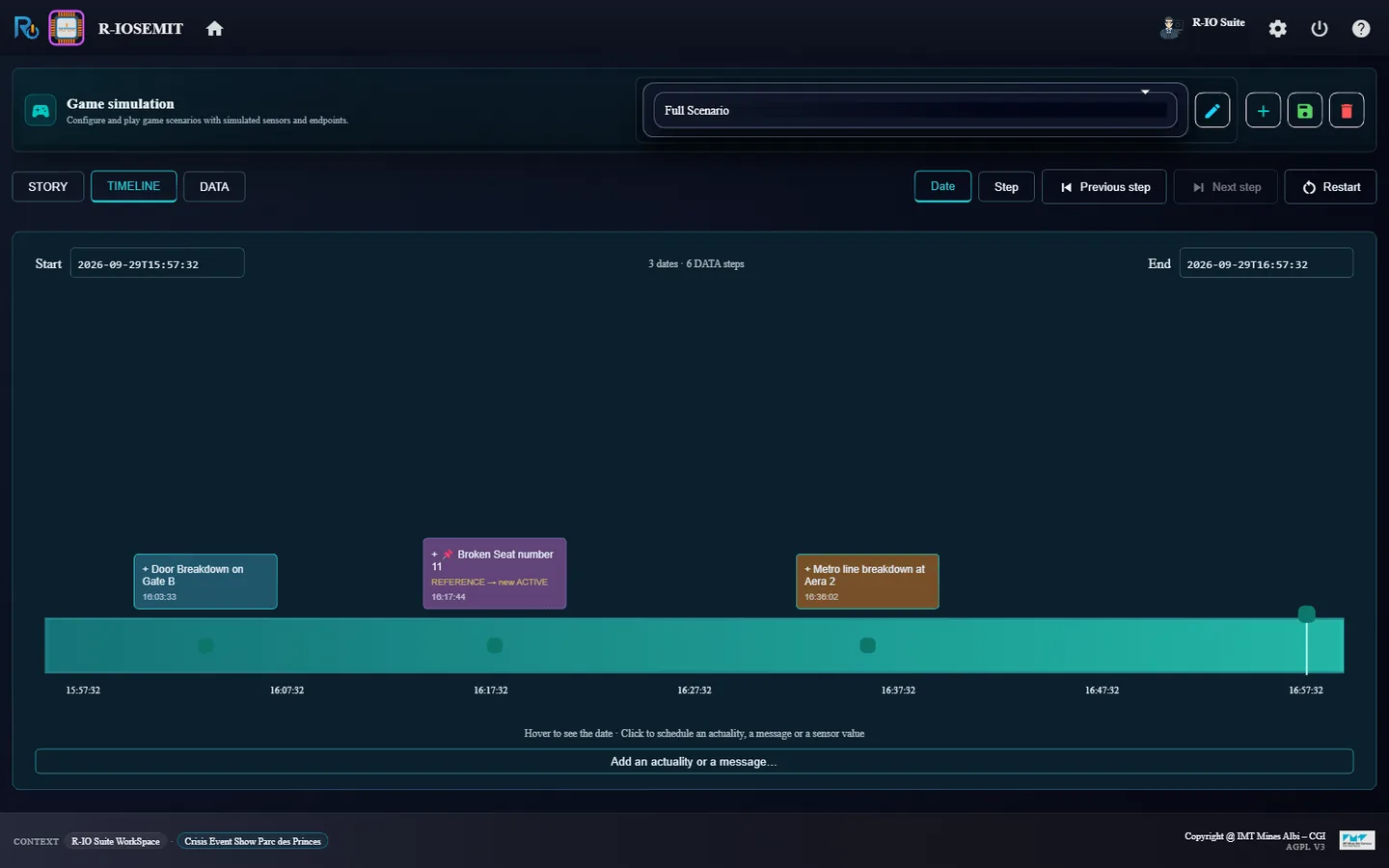
The Full scenario game scenario plans three incidents. The first one is the actuality Door Breakdown on Gate B, raised by the CEP rule of the Gate B sensor. Two objectives answer it: one treats the door itself, the other one redirects the crowd.
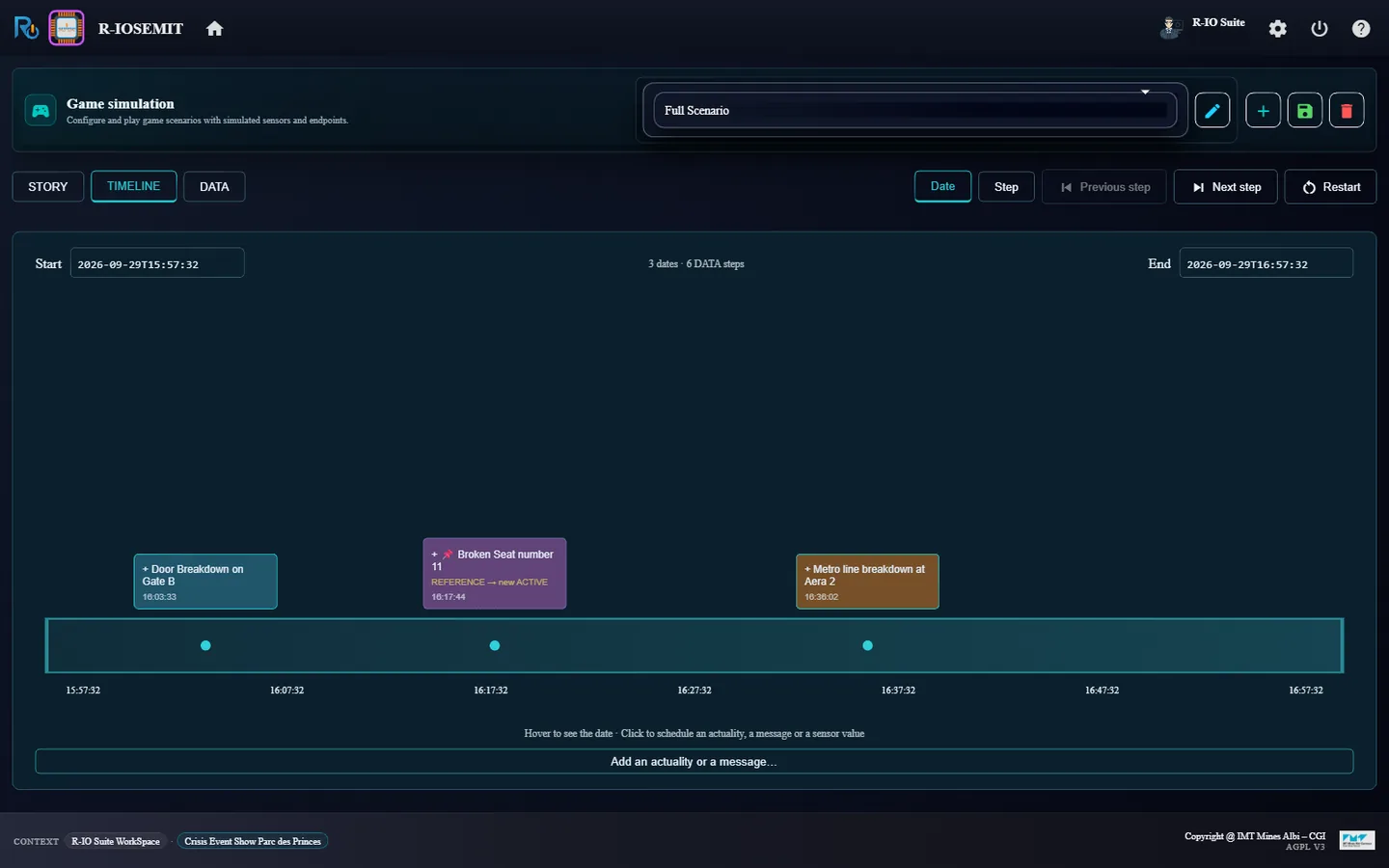
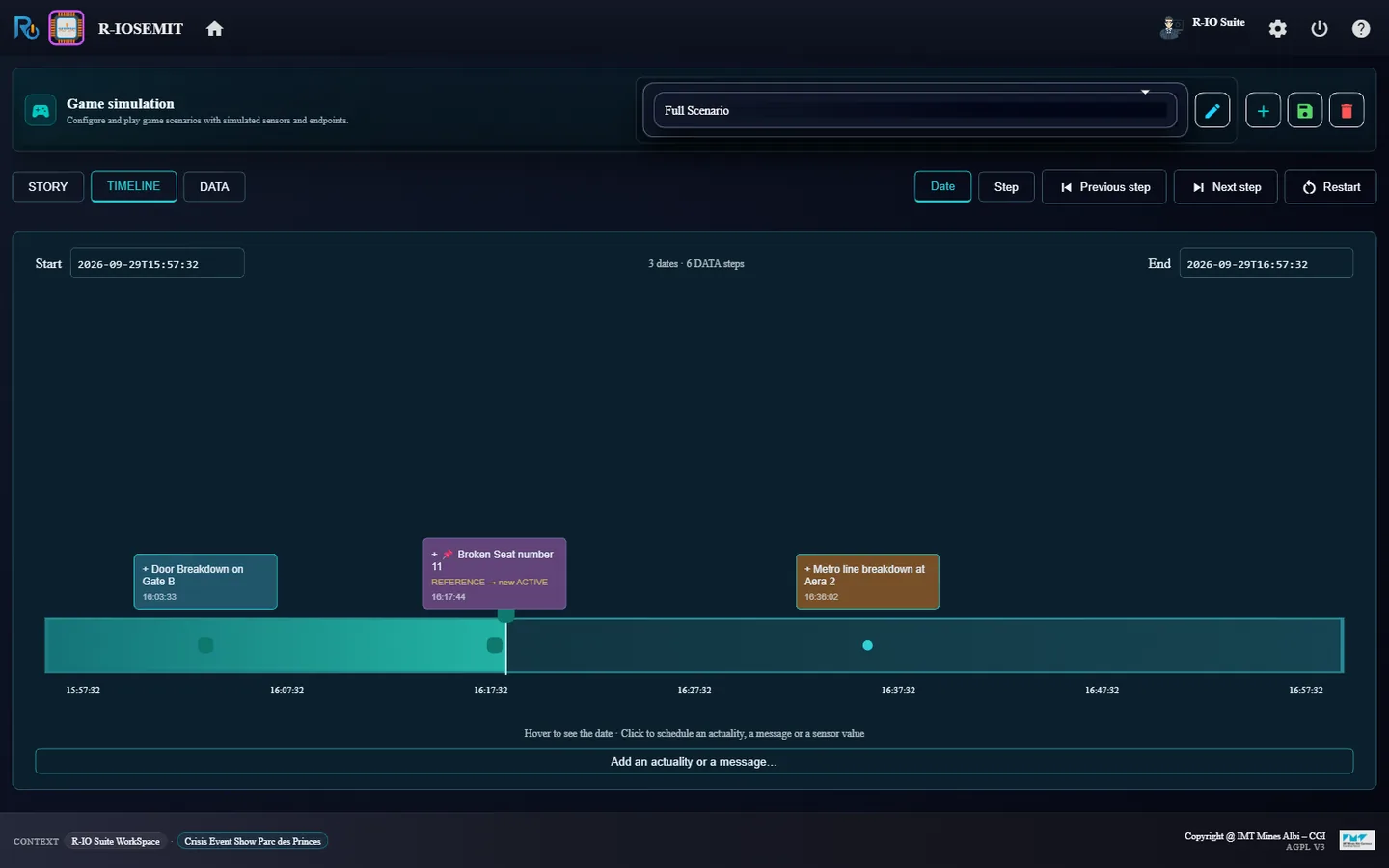
Launch r-iosemit: the timeline of Full Scenario shows 3 dates and 6 DATA steps.
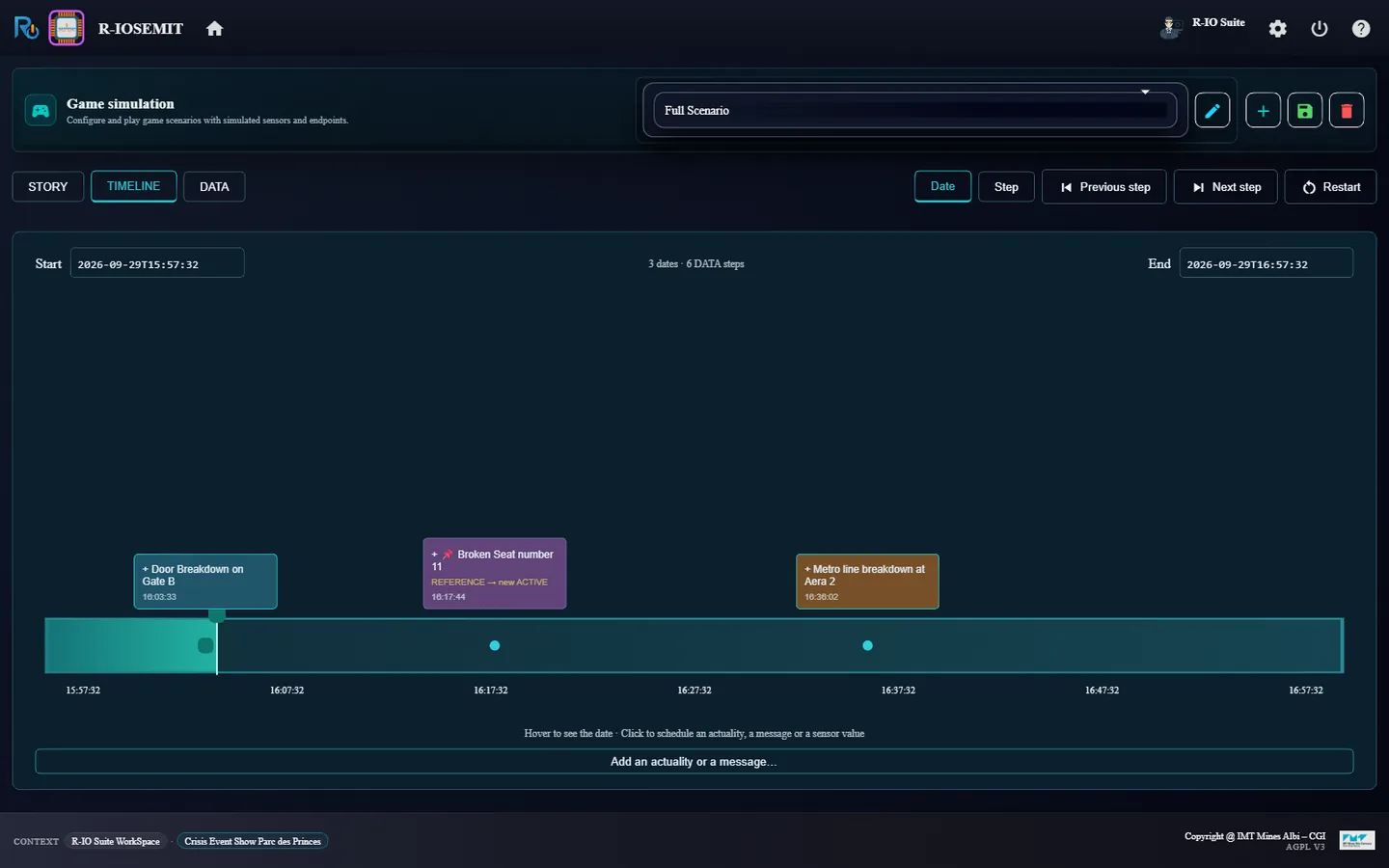
Click Next step (16:03:33, Door Breakdown on Gate B).
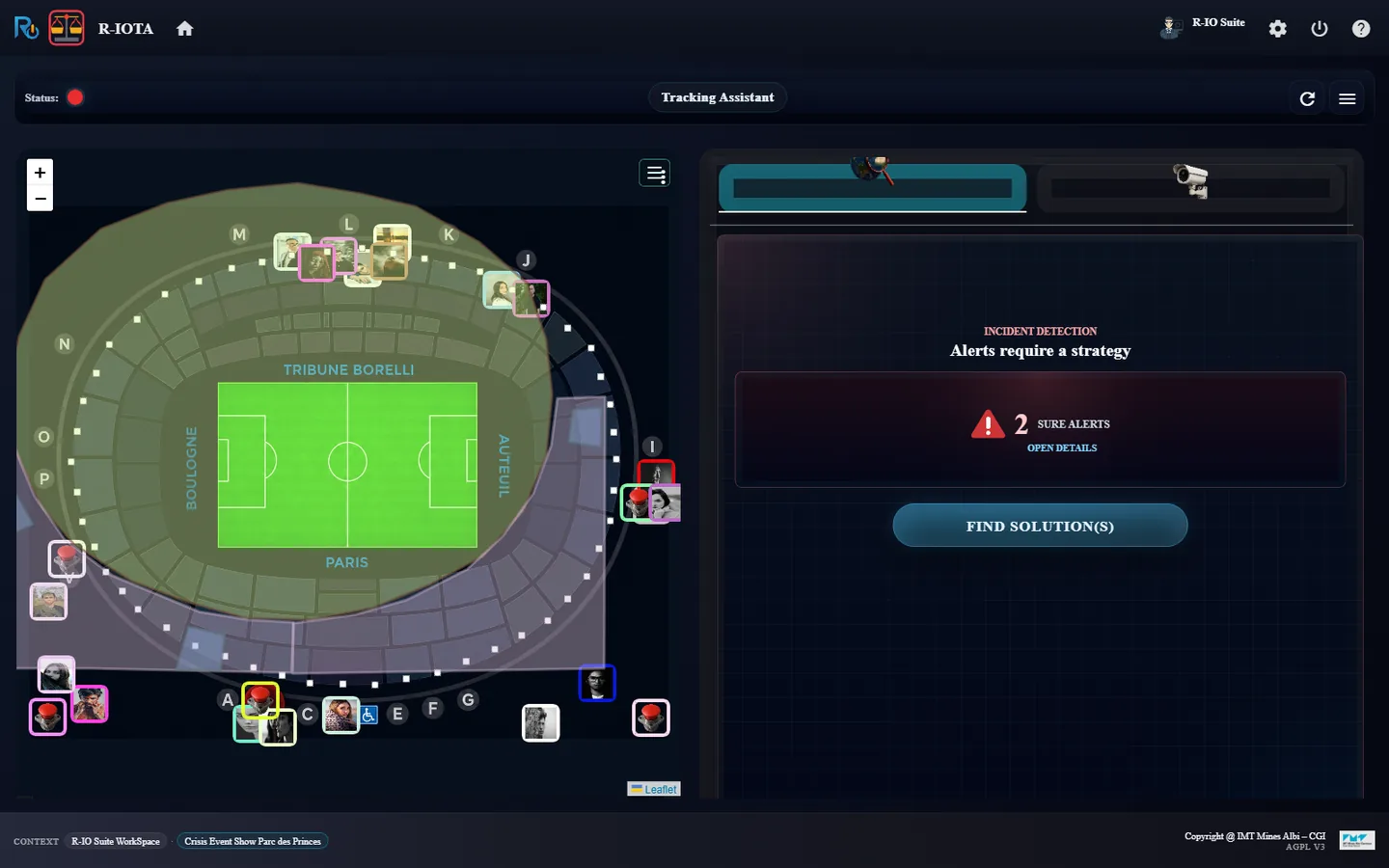
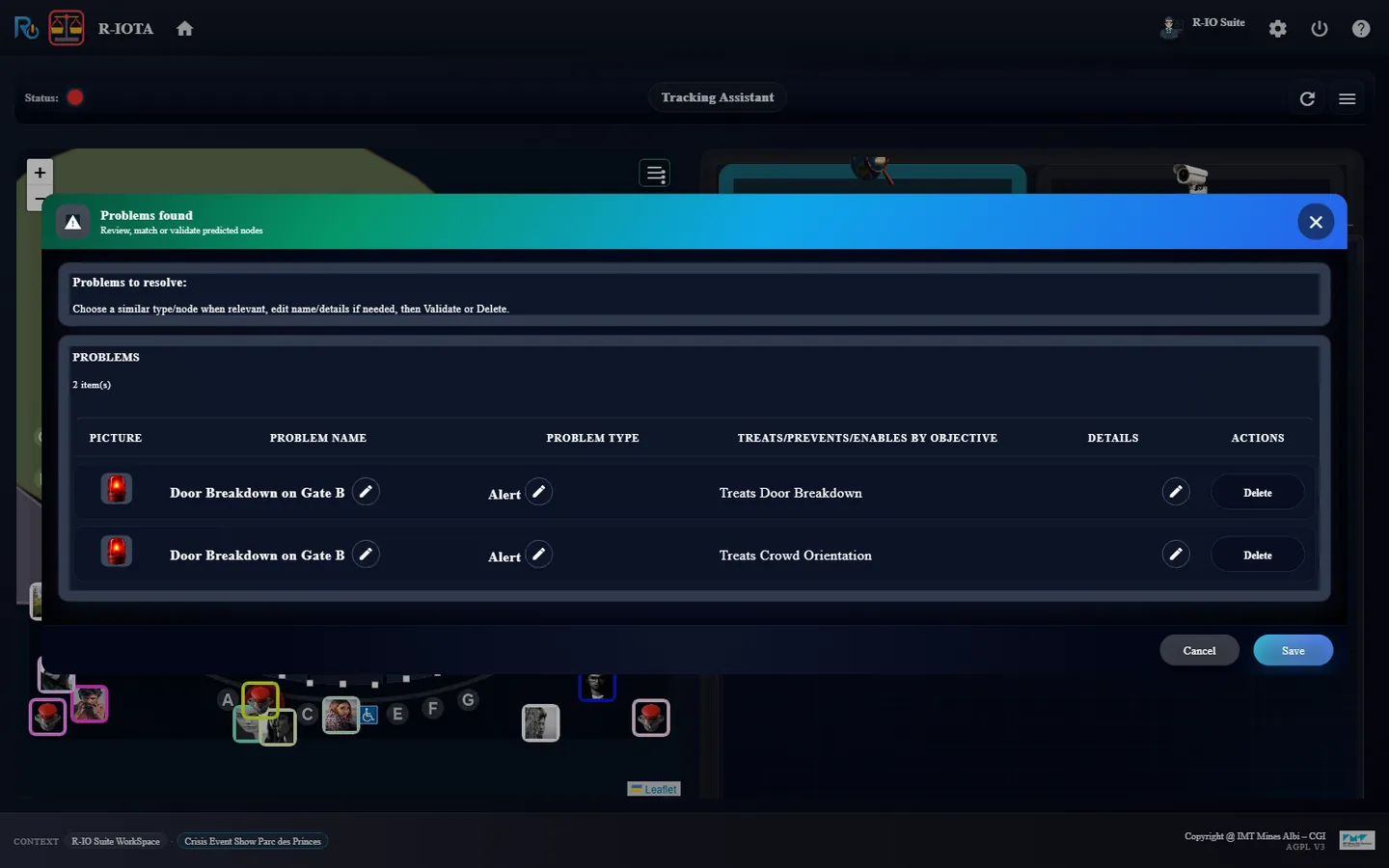
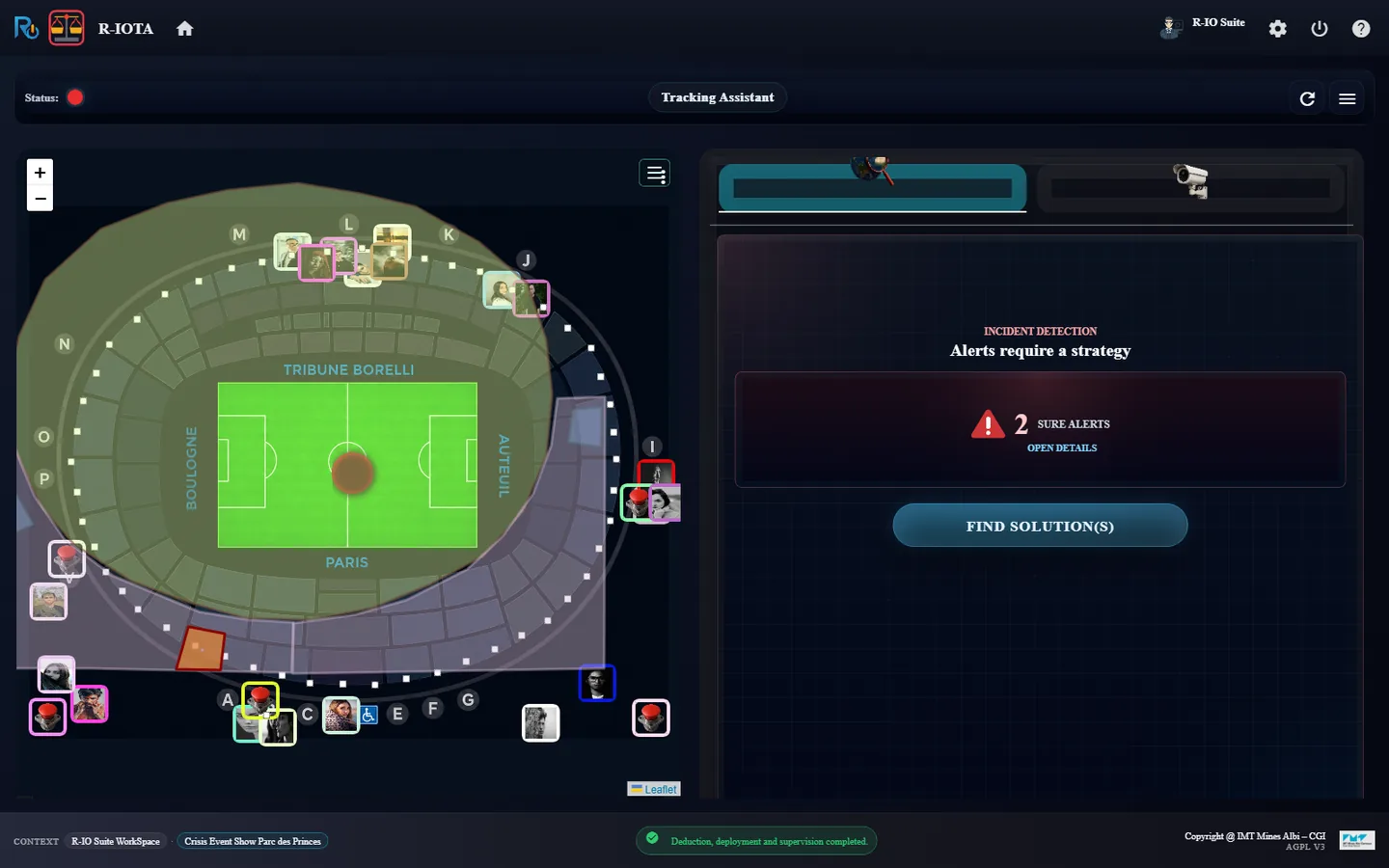
In r-iota, click OPEN DETAILS to read the problems, then Cancel.
r-iosemit: Full Scenario, three planned incidents.After Next step: the first date is played.r-iota: 2 SURE ALERTS, red status.Problems found: Door Breakdown on Gate B, treated by Treats Door Breakdown and Treats Crowd Orientation.
Resultr-iota shows 2 SURE ALERTS and a red status; two red pulsars blink on Gate B. The details list Door Breakdown on Gate B twice, once with Treats Door Breakdown, once with Treats Crowd Orientation.
06 · Step
Deduce, run and close the first incident
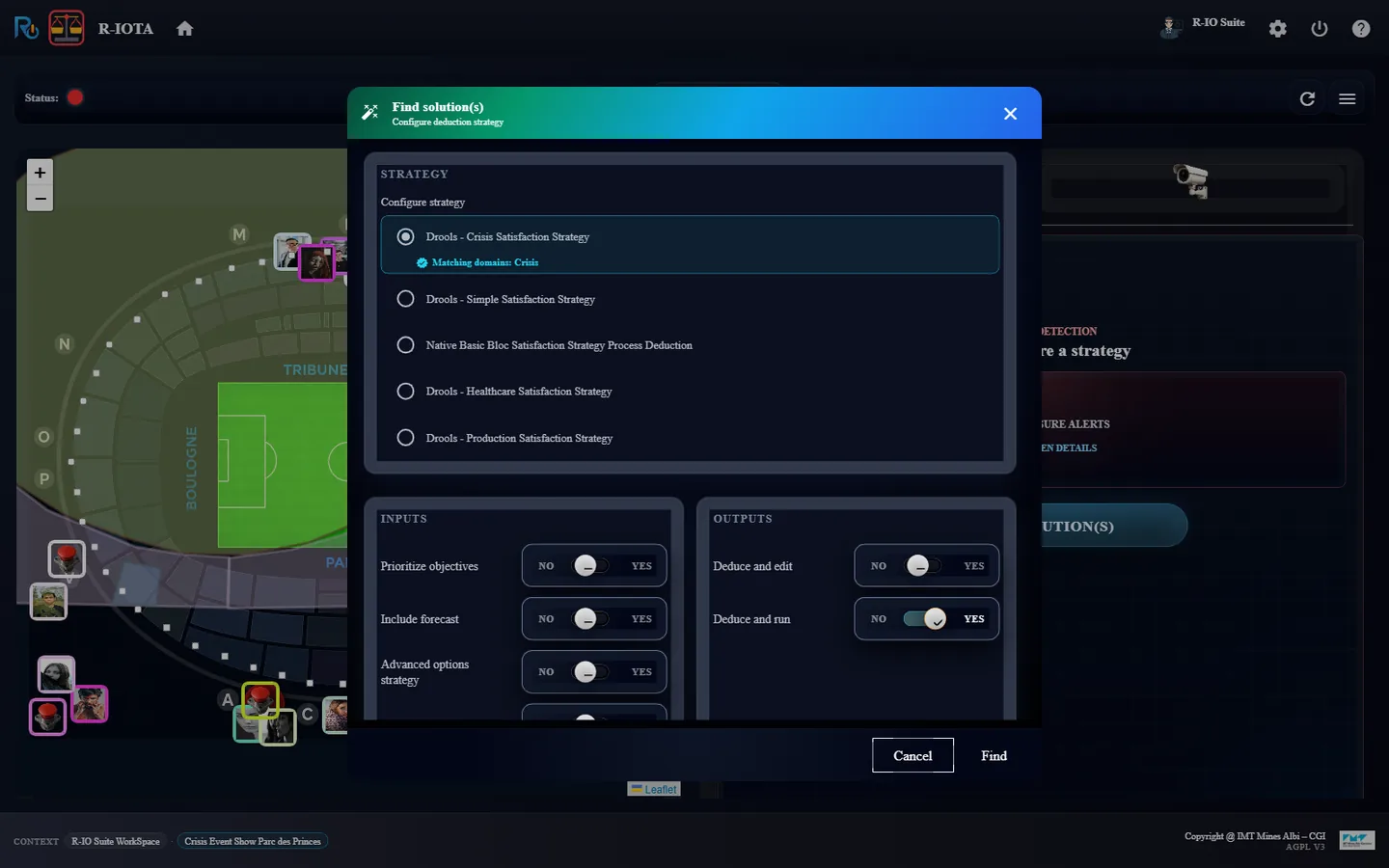
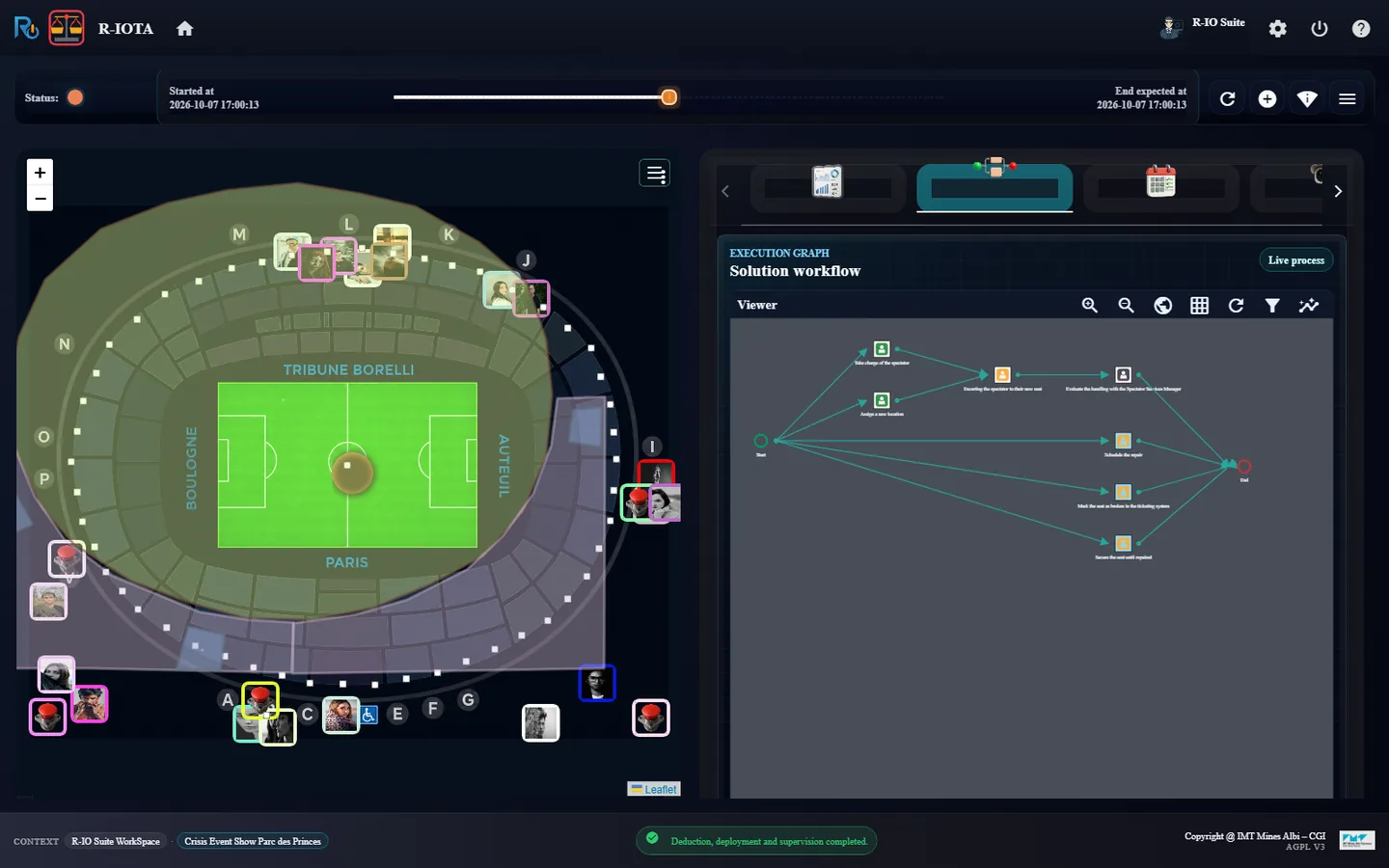
The Crisis strategy deduces a collaborative process for both objectives, deploys it and supervises it. Each task is a human task in the to-do list of r-ioga; r-iota follows the process live.
In r-iota, click FIND SOLUTION(S); keep the preselected strategy Drools - Crisis Satisfaction Strategy and click Find.
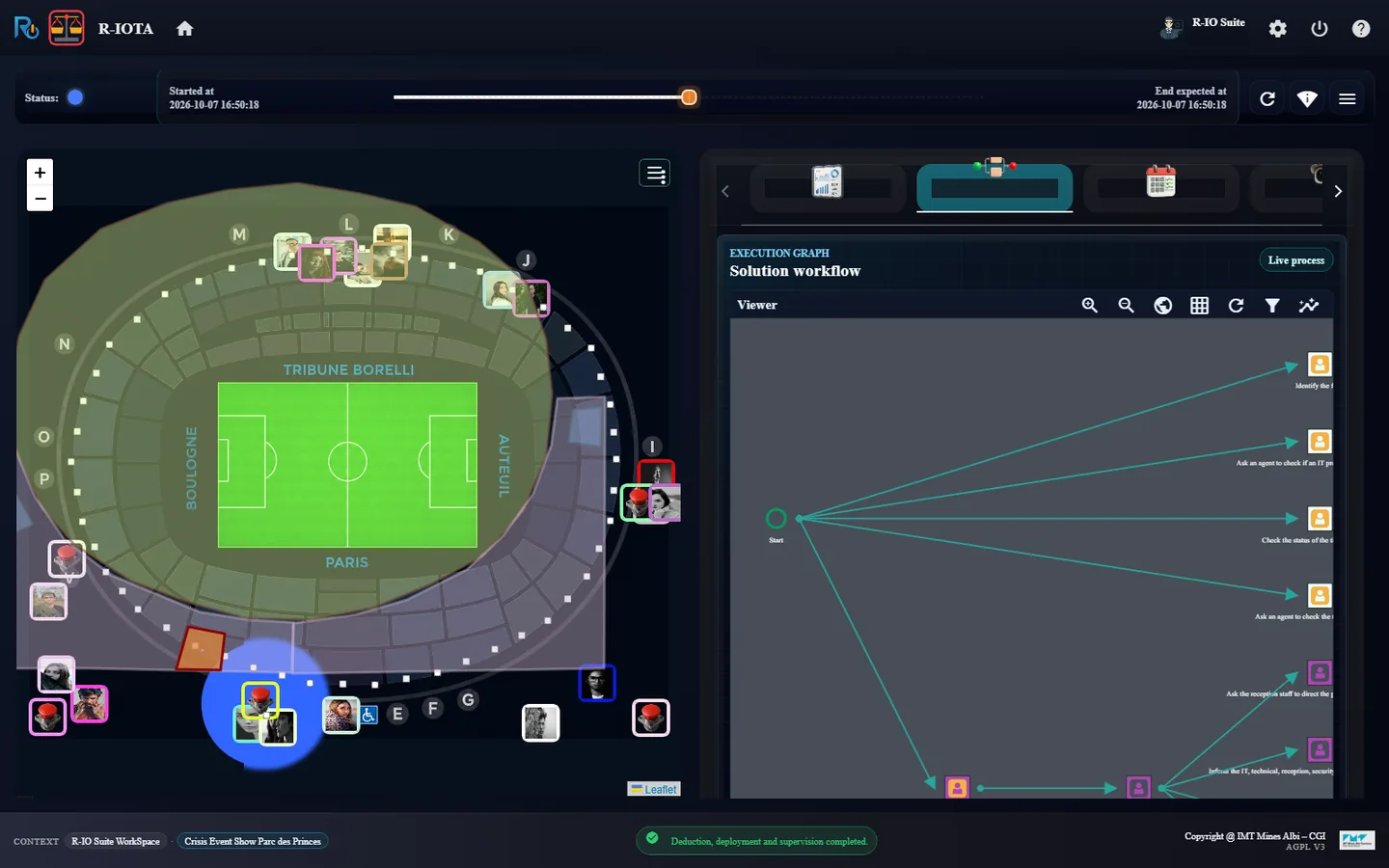
Open the Execution graph tab of r-iota.
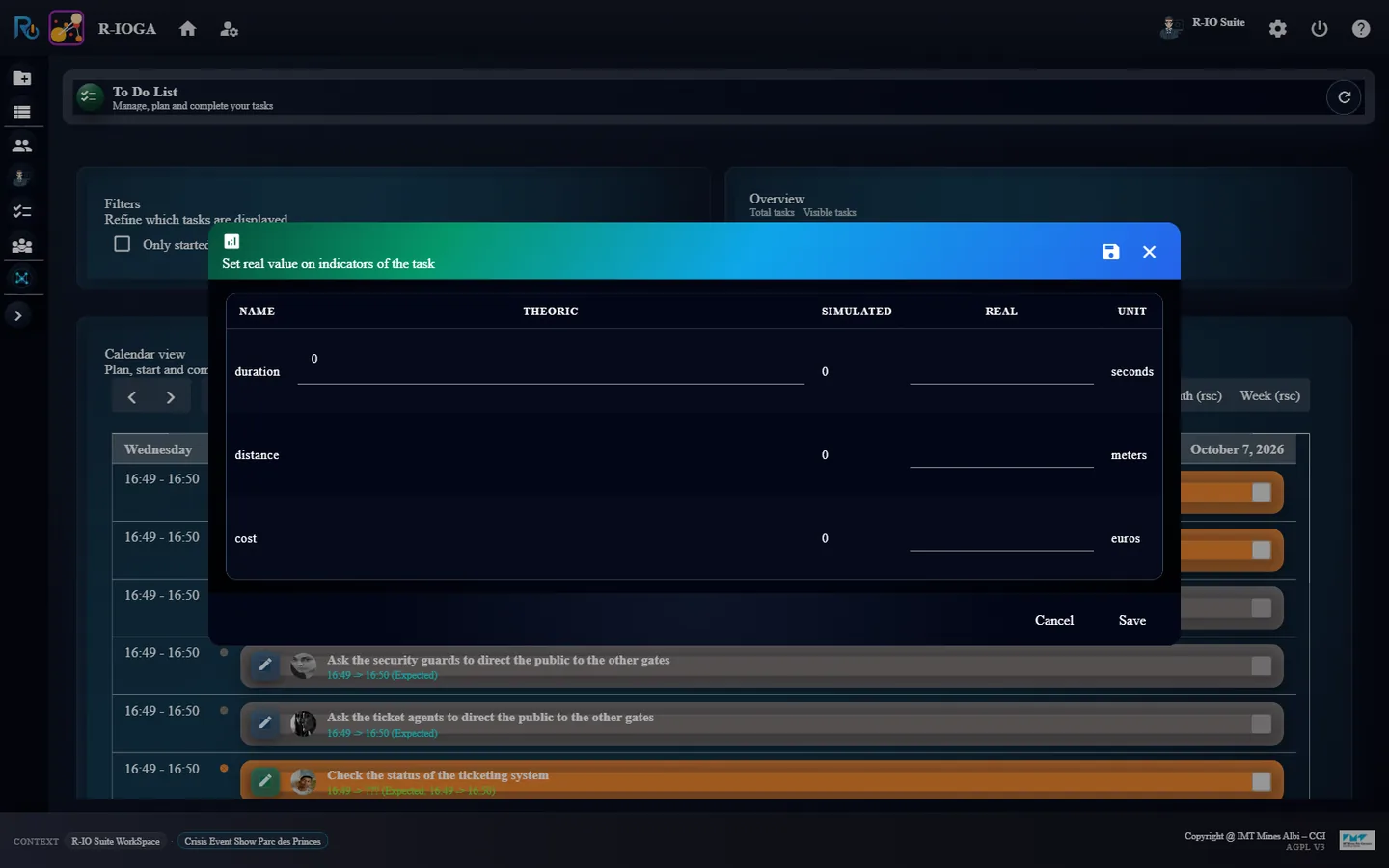
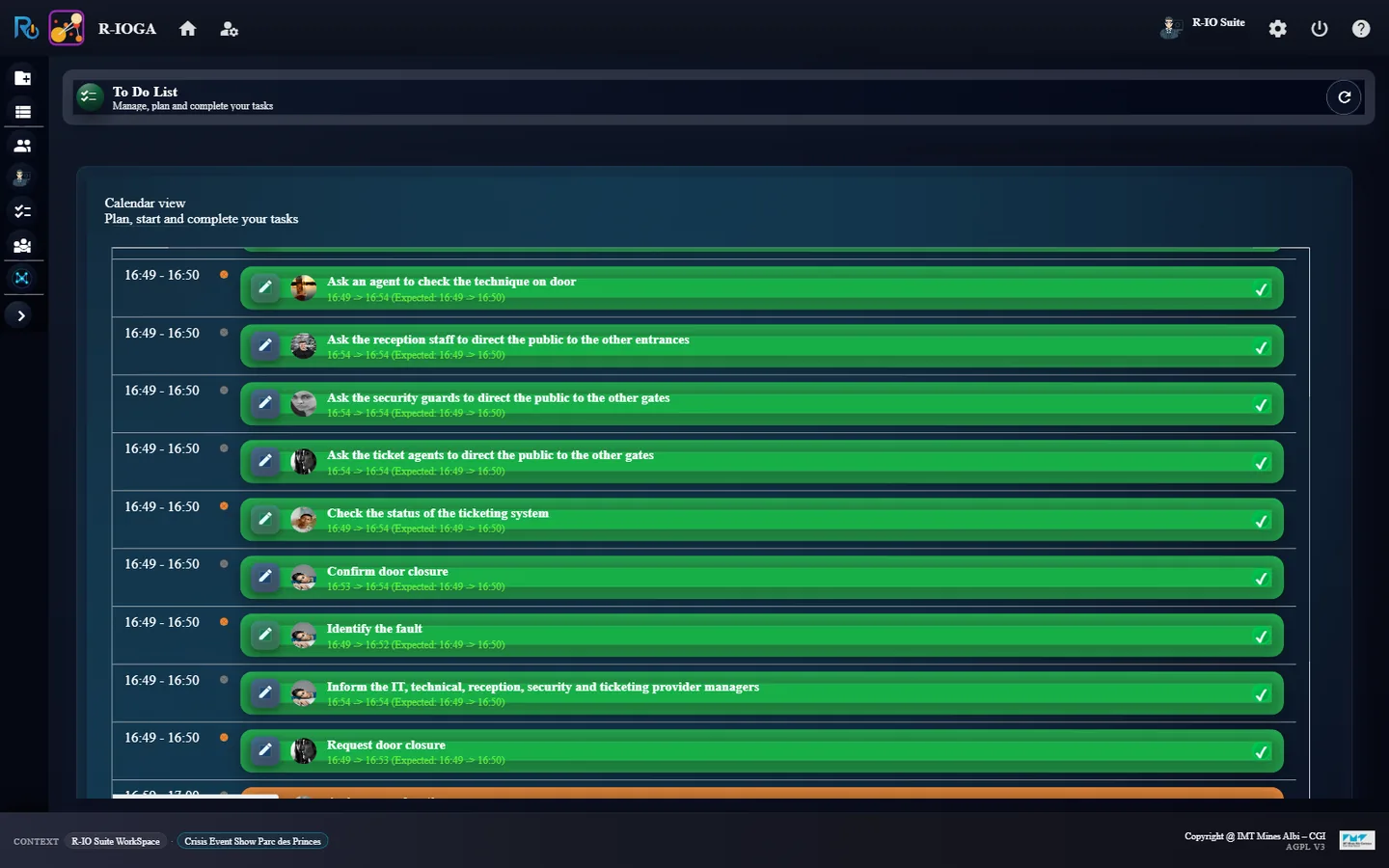
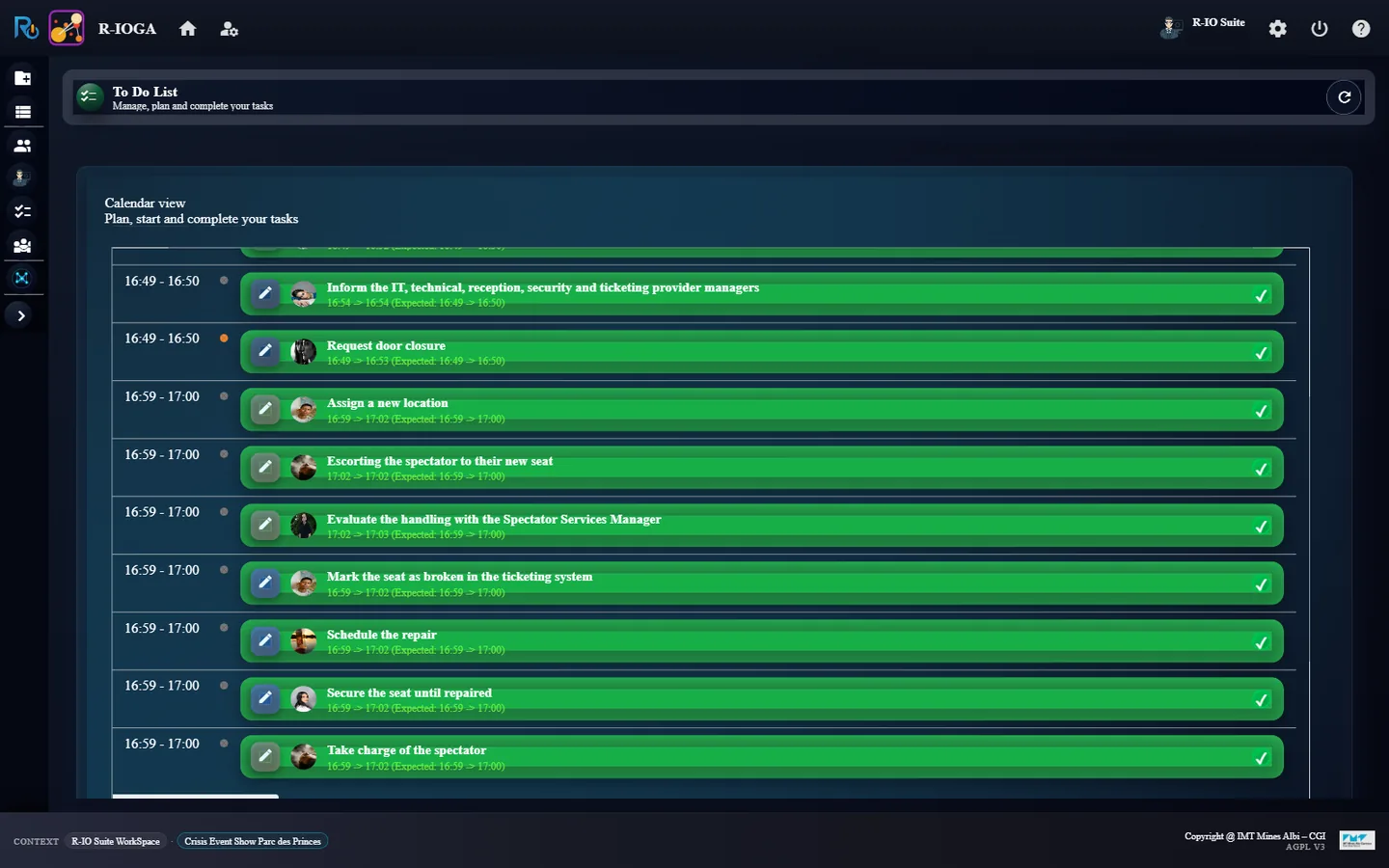
In r-ioga, open To Do List. For each task, tick its box, then click Save in Set real value on indicators of the task. (Since October 2026 the to-do list has no tick box: click the task, then Accept, then Done.) Follow the graph of r-iota between two tasks.
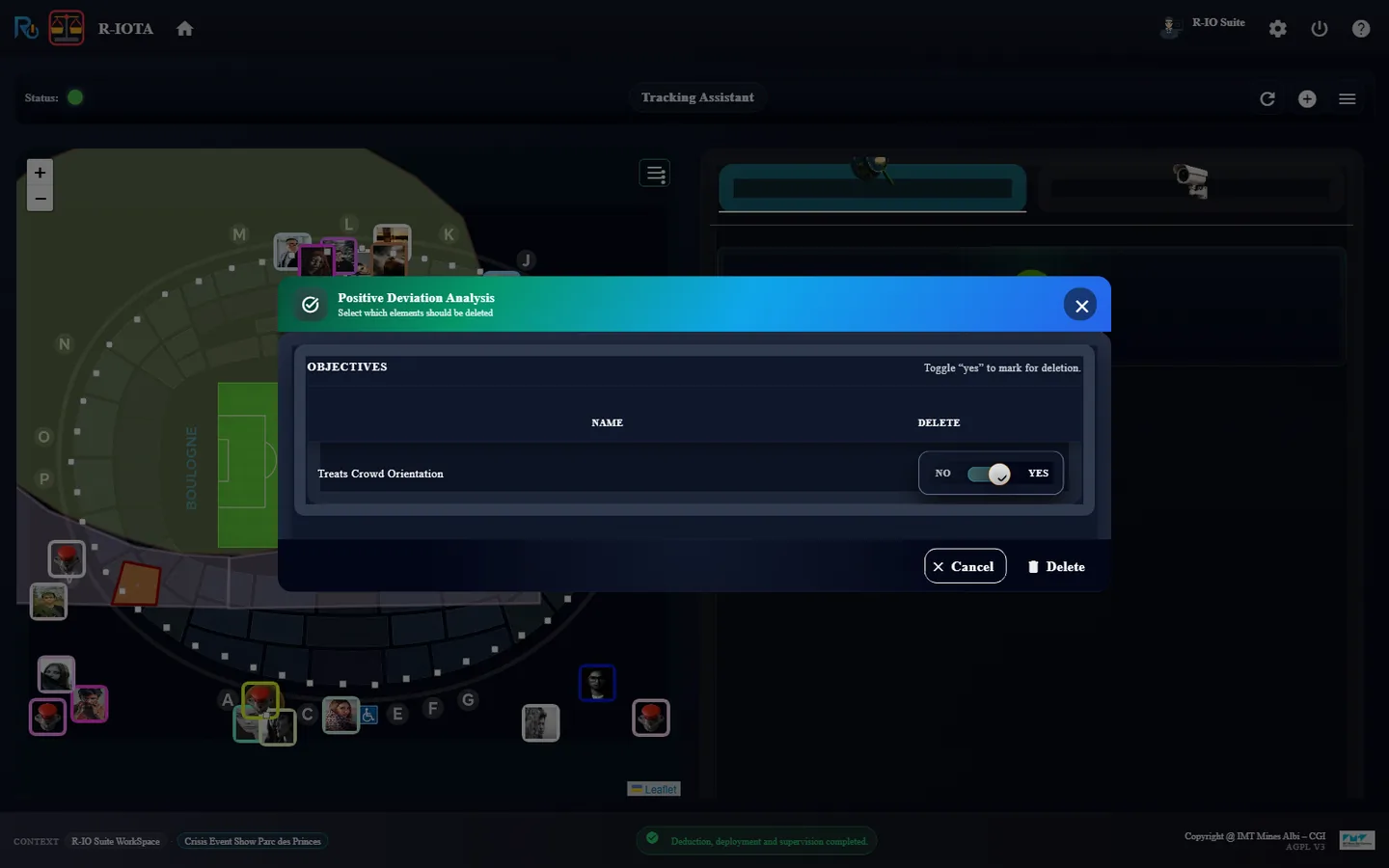
Back in r-iota, once every task is done, click Delete positive deviations (the add_circle button), leave the objectives on YES, click Delete, then Refresh.
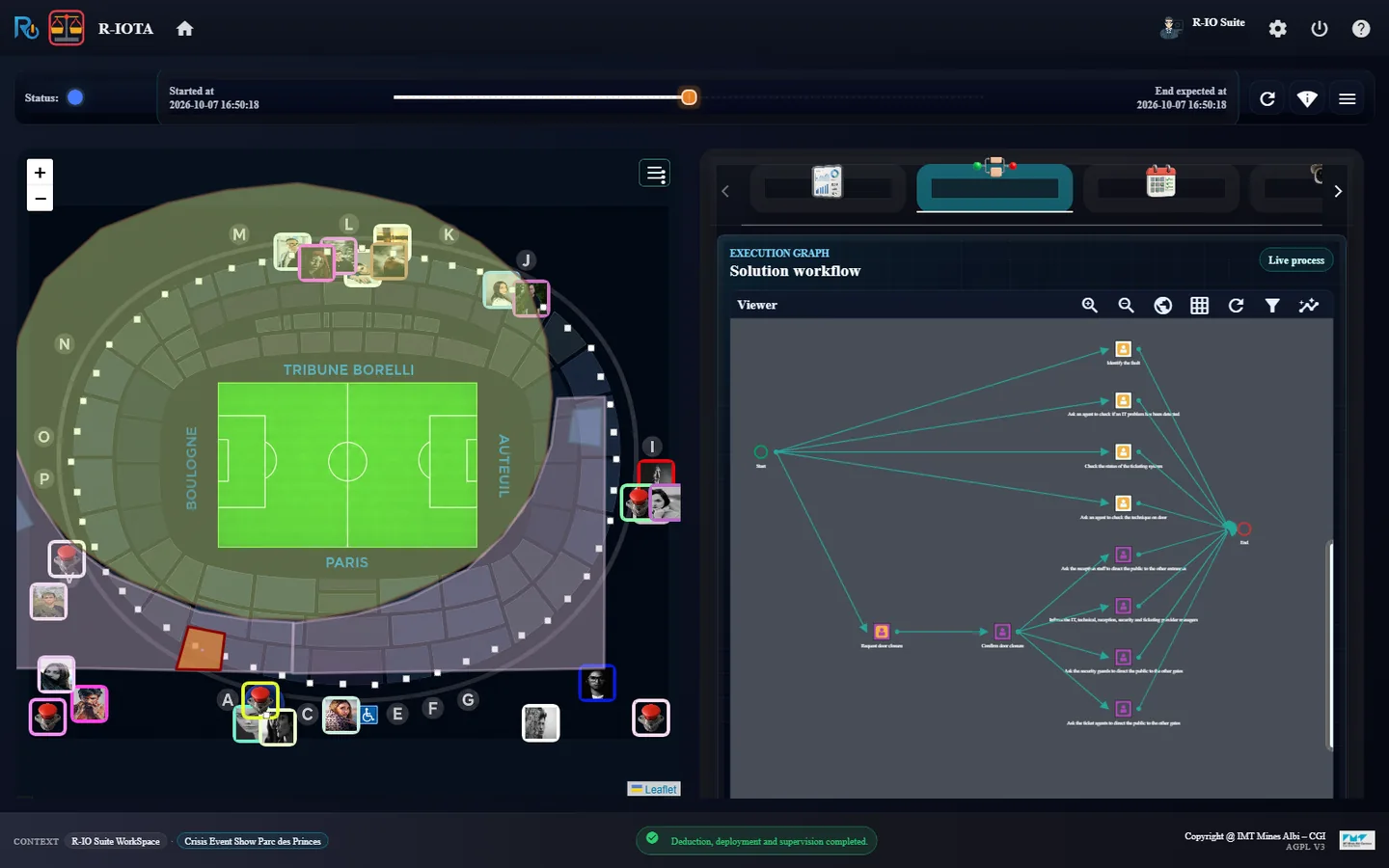
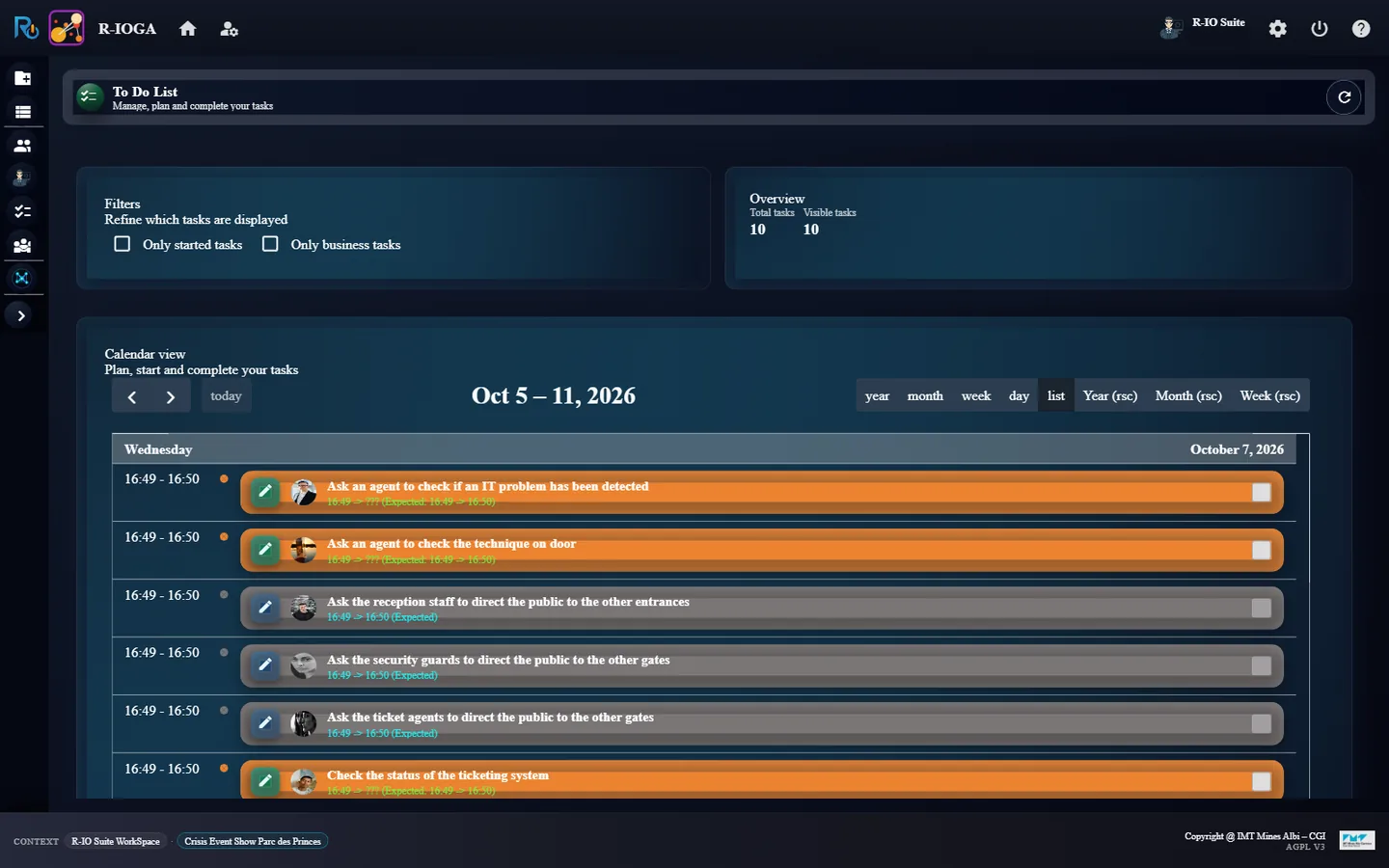
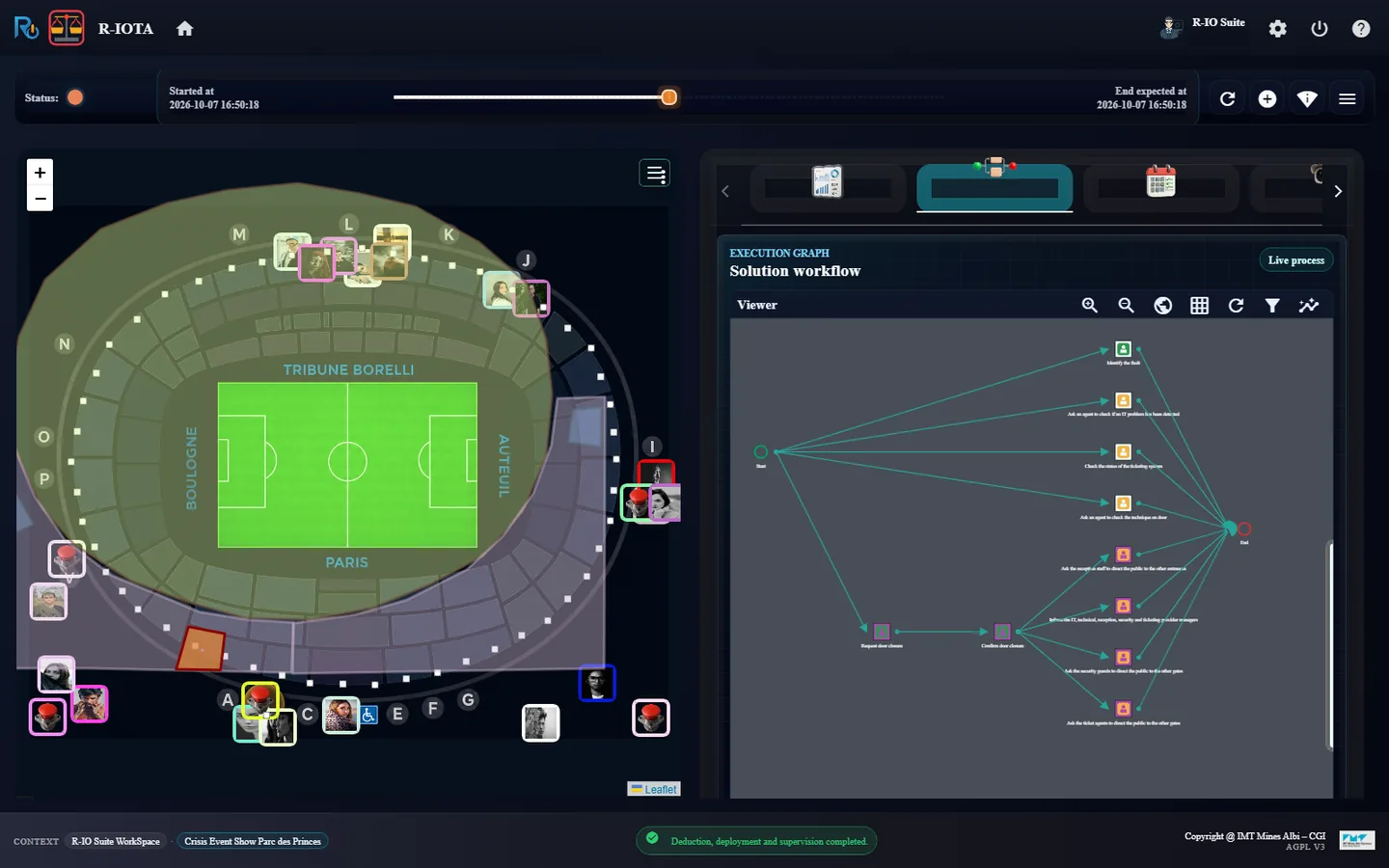
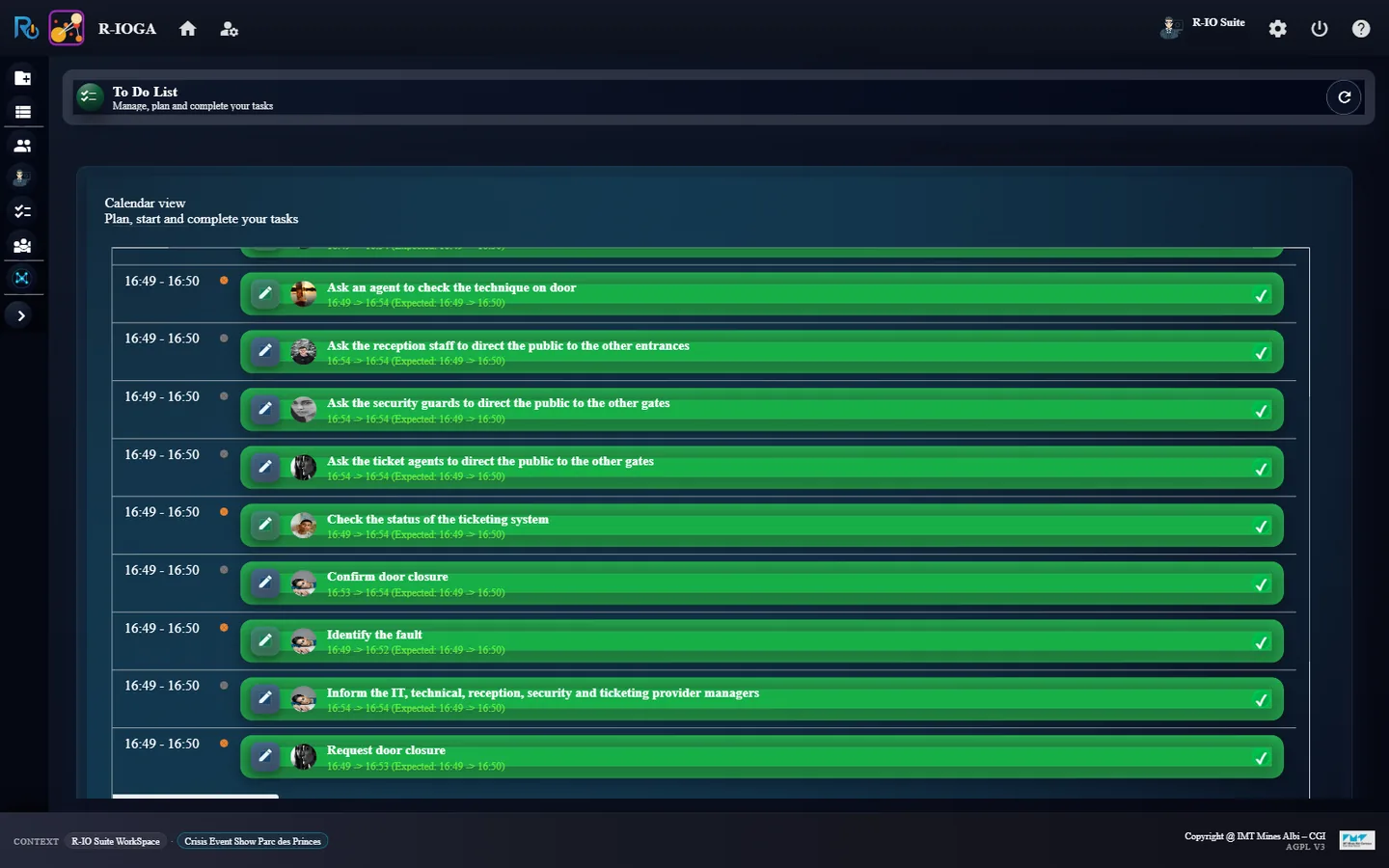
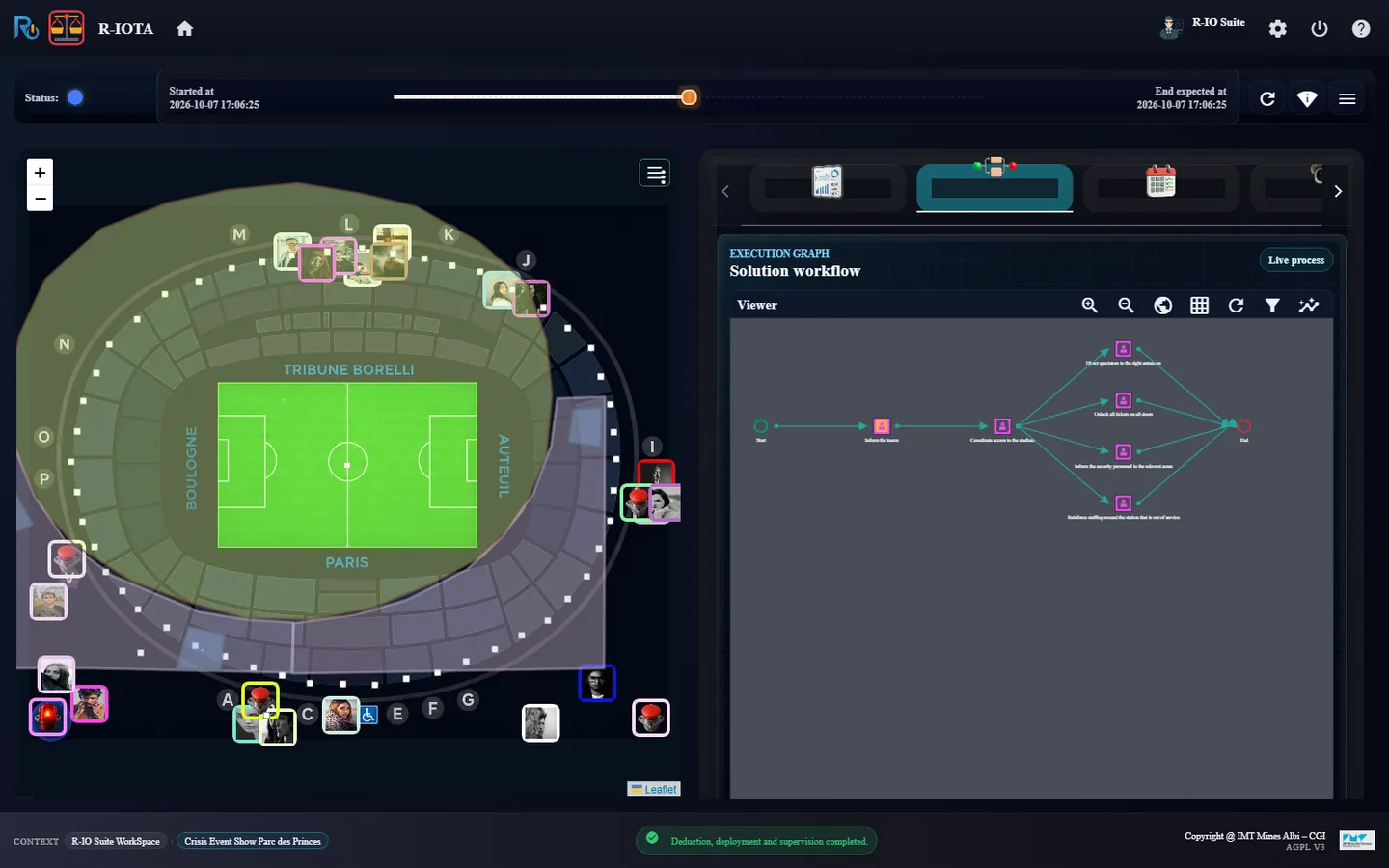
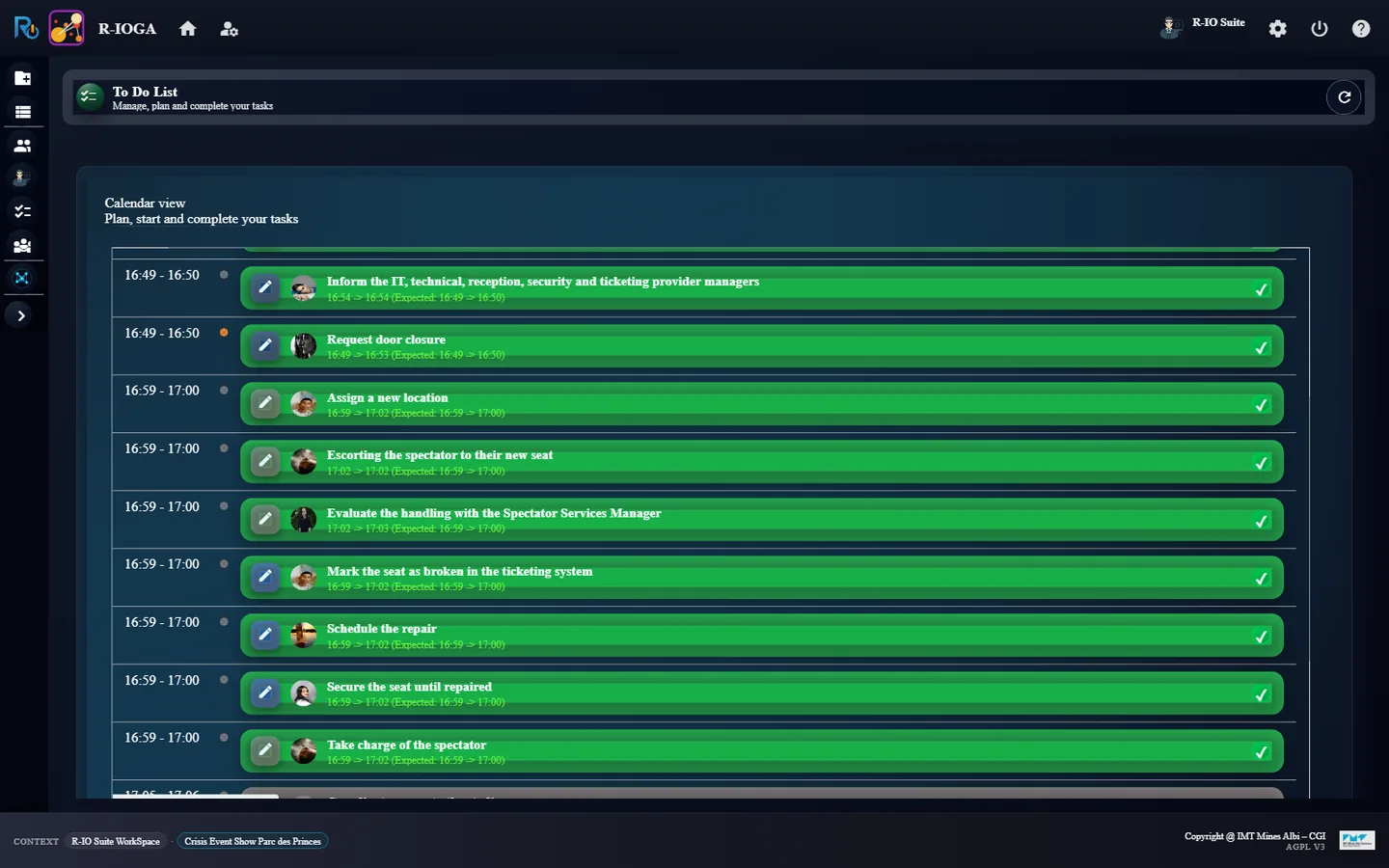
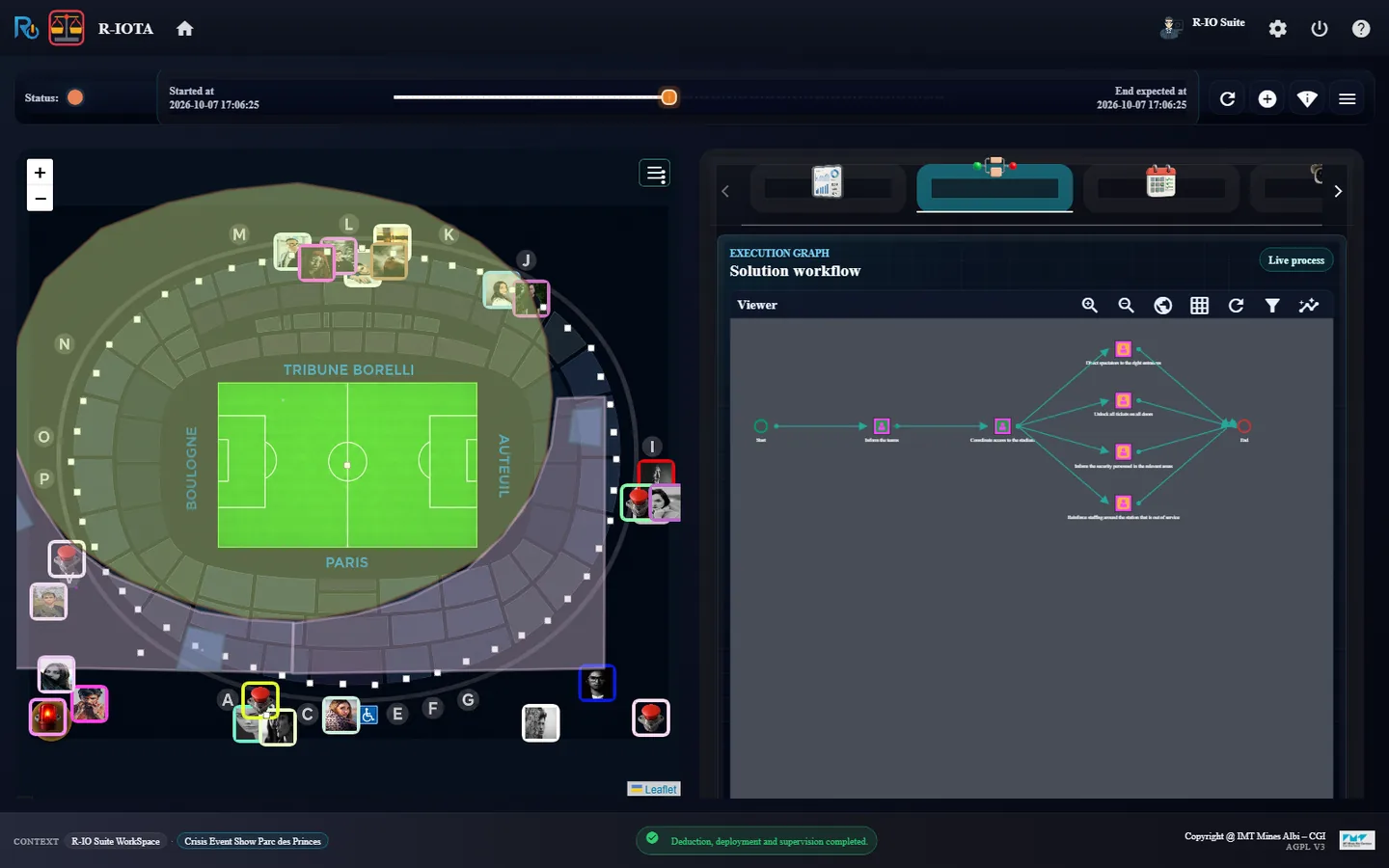
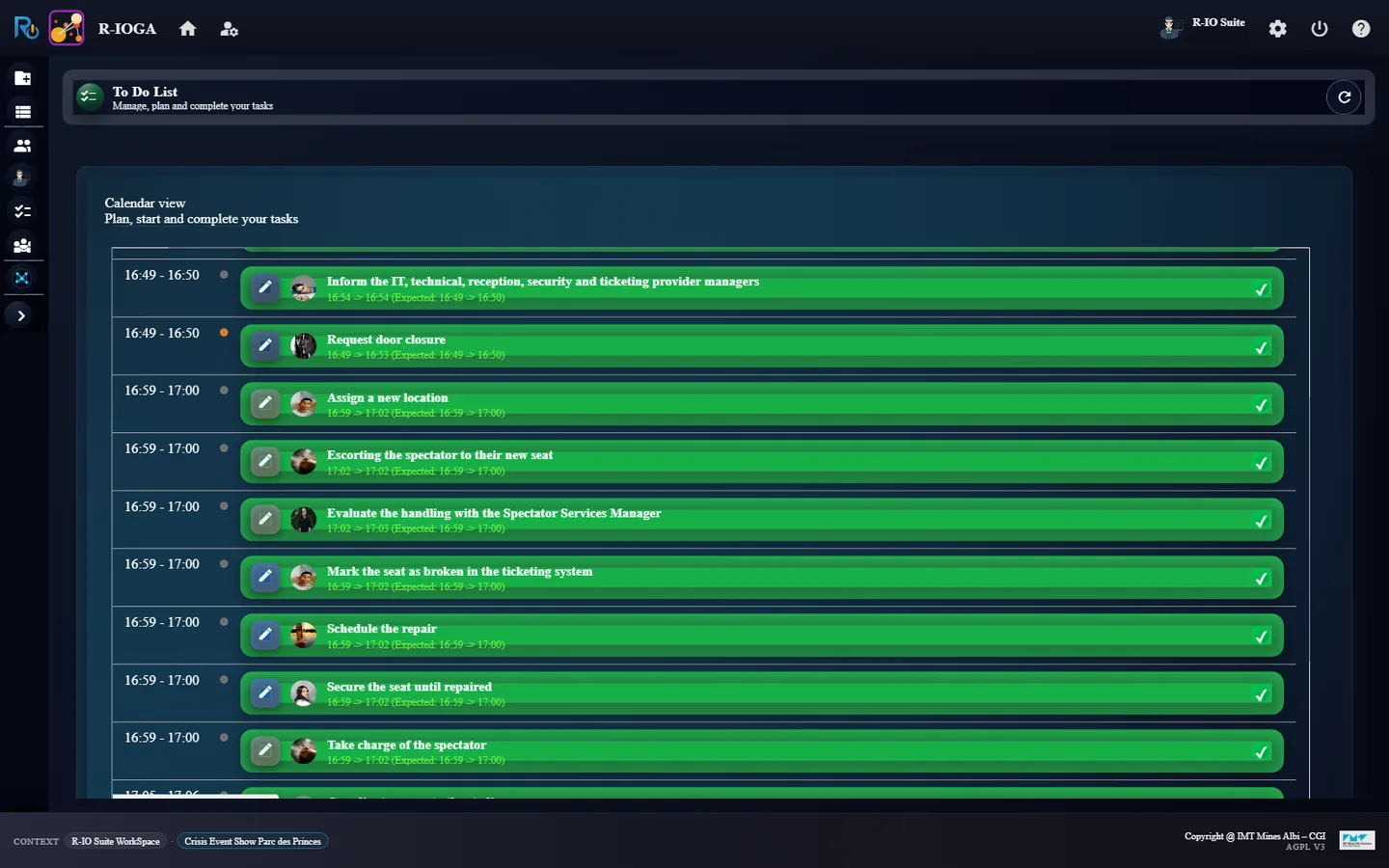
FIND SOLUTION(S): the Crisis strategy is preselected.Deduction, deployment and supervision completed: blue pulsar on Gate B.The execution graph: five tasks start in parallel (orange).r-ioga To Do List: 10 tasks, the started ones in orange.Completing a task: the indicators dialog, then Save.Halfway: the door is closed, the four redirection tasks start.All ten tasks are done (green).The process is over: the circle on Gate B turns orange, waiting for the expert.Positive Deviation Analysis: the objective is marked YES for deletion.
ResultThe deduction plans 10 tasks (total: 10 = Total tasks 10): five start at once (identify the fault, check the IT and ticketing systems, check the door, request its closure), then Confirm door closure unlocks the four tasks that redirect the public and inform the managers. At the end, RESOLVED / TARGET 2 / 2 and the pulsars turn orange. After Delete positive deviations, both objectives are deleted, the supervision ends and the pulsars disappear.
Known limitation
Known limitation (October 2026): when an actuality is treated by two objectives, the dialog opens once per objective and does not list the actuality, which stays active in the model. It is listed and deleted when a single objective treats it (third incident).
07 · Step
Incident 2: seat number 11 is broken
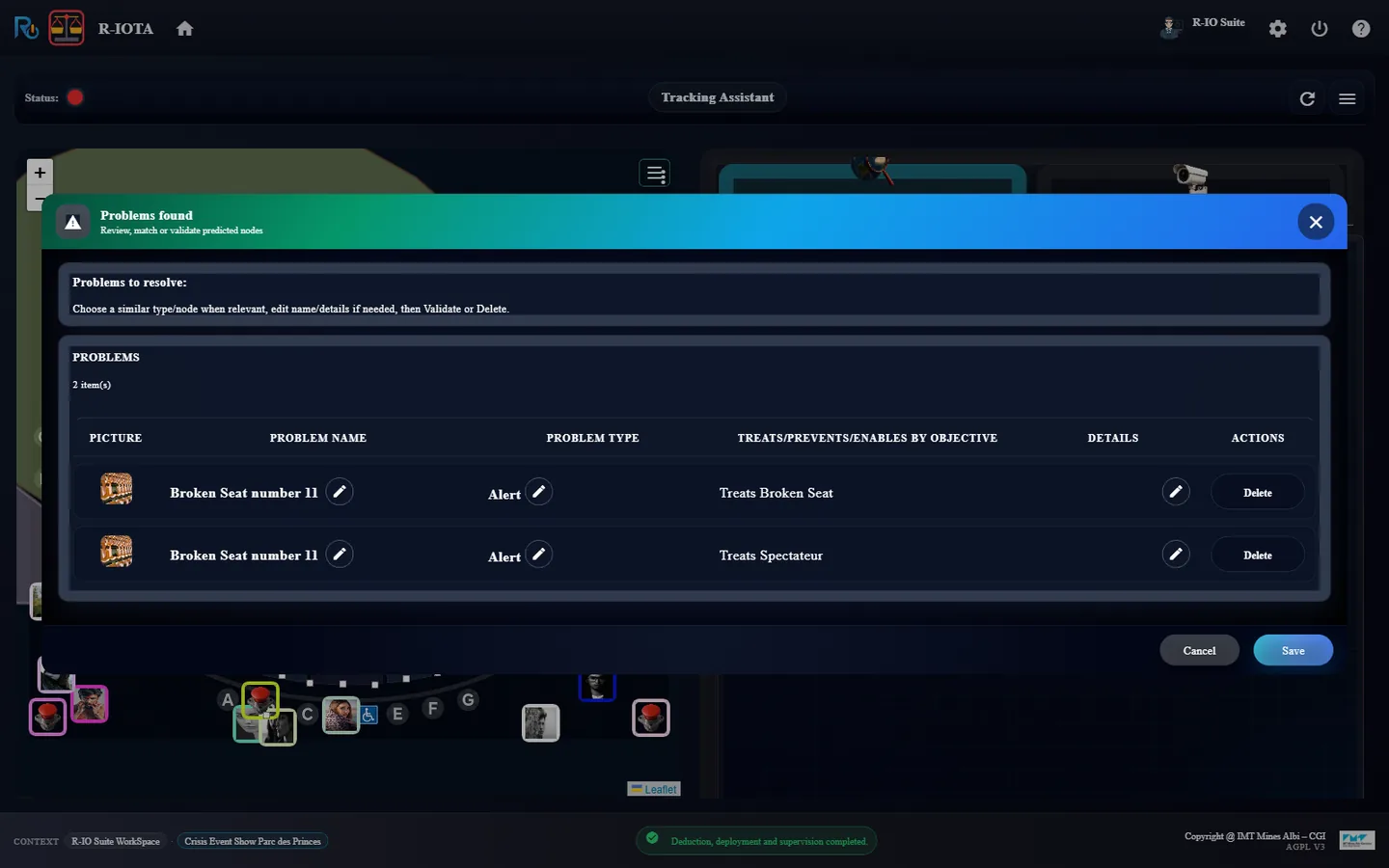
The second date references the frozen actuality Broken Seat of the stadium: r-iosemit creates an active clone, Broken Seat number 11, with its picture. Two objectives answer it: one for the seat, one for the spectator who sat on it.
In r-iosemit, click Next step (16:17:44).
In r-iota, OPEN DETAILS, then Cancel; then FIND SOLUTION(S) → Find.
In r-ioga, complete the seven new tasks as before, following the graph of r-iota.
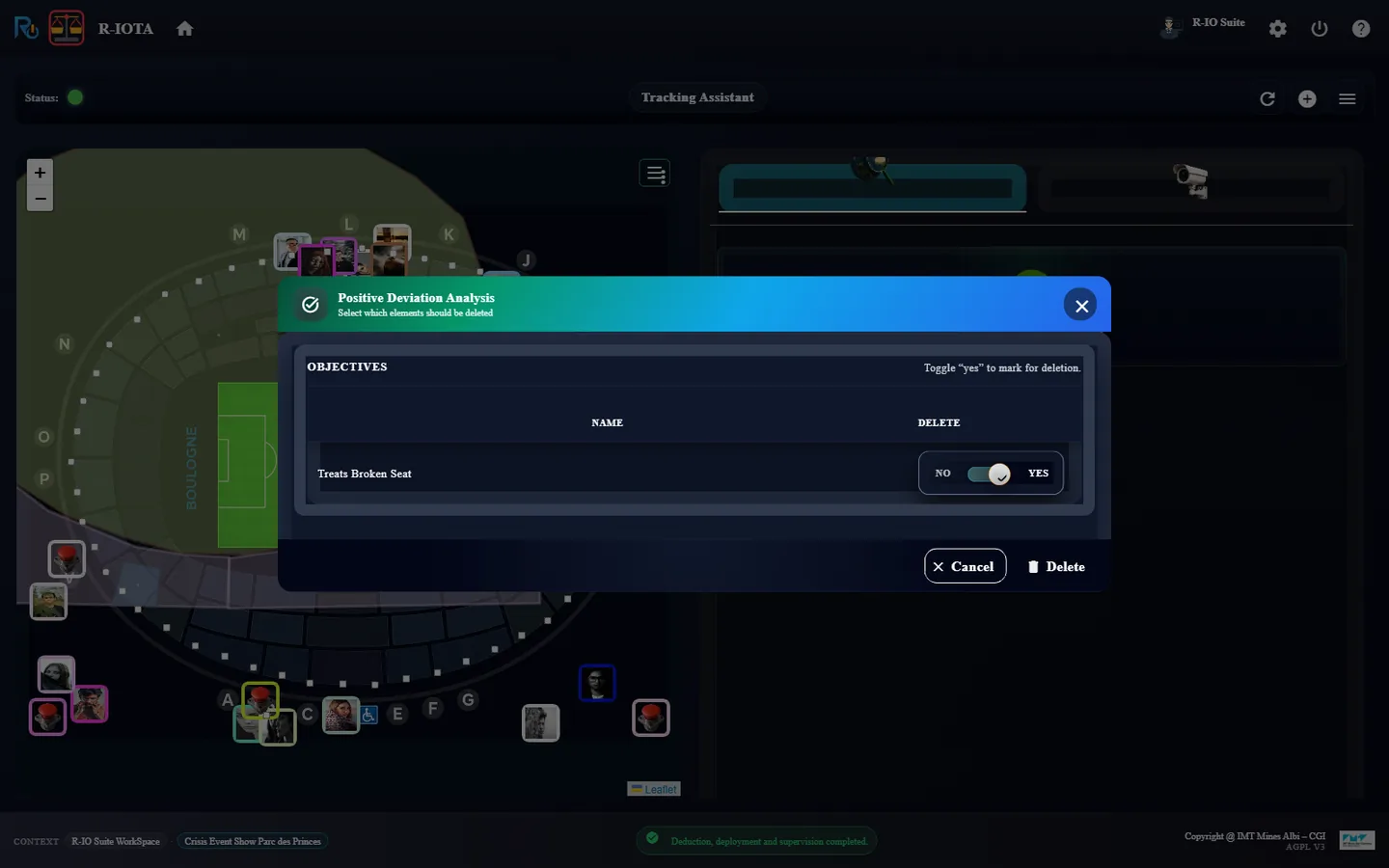
In r-iota, Delete positive deviations → Delete → Refresh.
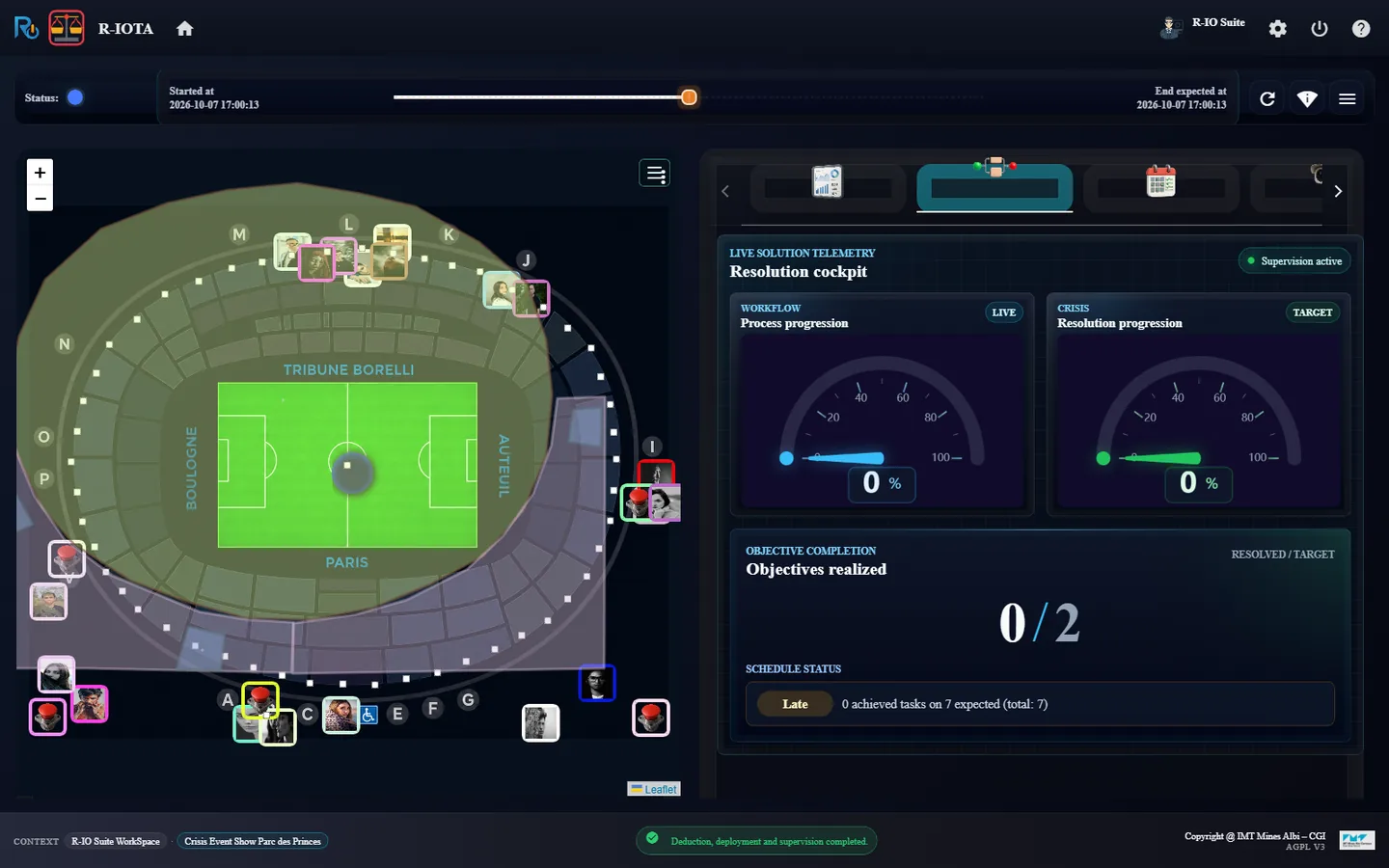
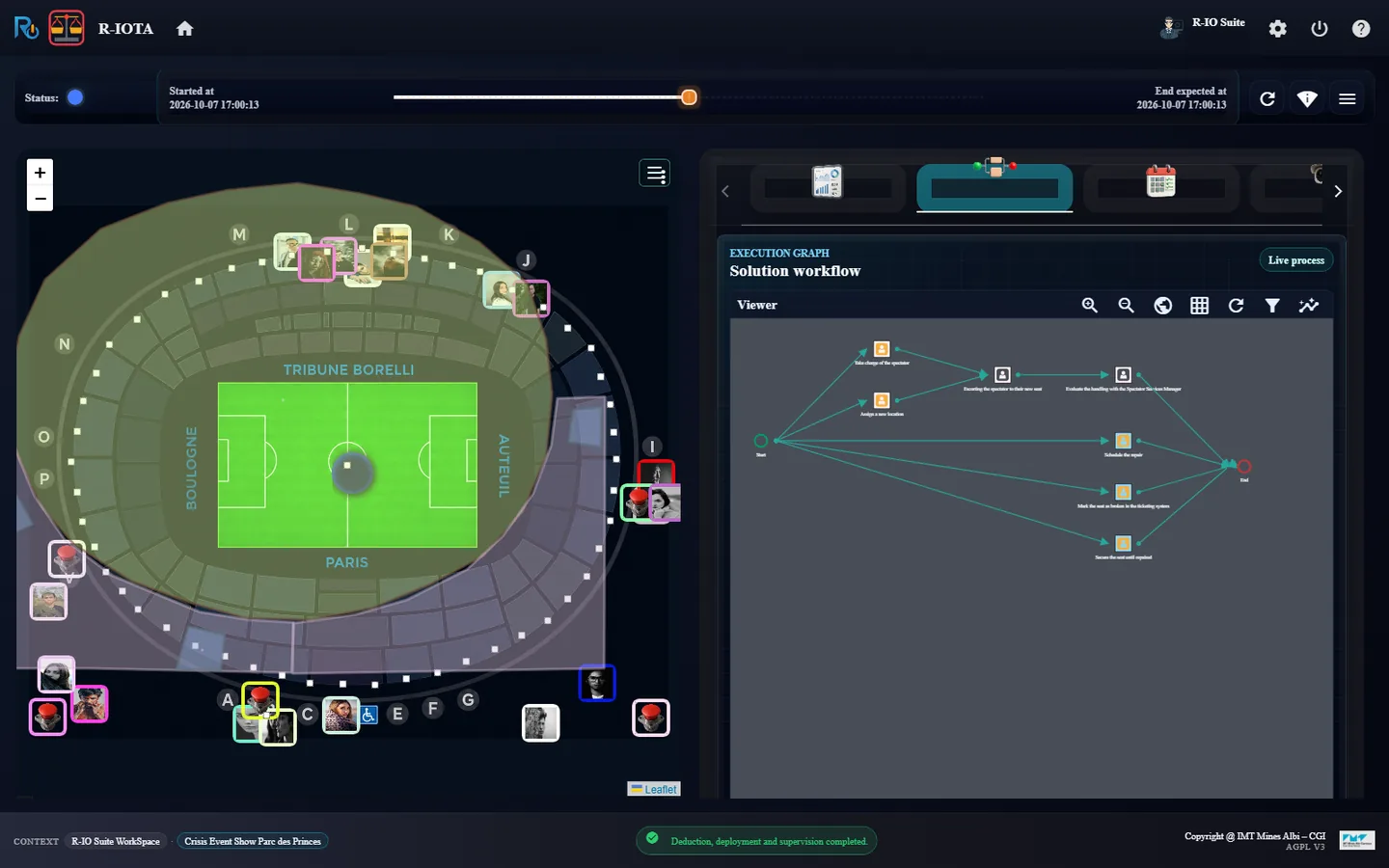
r-iosemit: the second date is played.r-iota: 2 SURE ALERTS, located on the stadium.Broken Seat number 11, treated by Treats Broken Seat and Treats Spectateur.The cockpit of the second solution: 0 of 7 tasks, 0 / 2 objectives.The graph: take charge of the spectator and secure the seat in parallel.r-ioga To Do List: 17 tasks, the 10 of the first incident already done.Halfway: the spectator is being escorted to a new seat.The seven tasks of the seat are done.The orange circle on the stadium.Positive Deviation Analysis for the seat objectives.
Resultr-iota shows 2 SURE ALERTS: Broken Seat number 11 with Treats Spectateur and with Treats Broken Seat. The deduction plans 7 tasks: take charge of the spectator, assign a new location, escort them, evaluate the handling with the Spectator Services Manager; mark the seat as broken in the ticketing system, secure it and schedule the repair. Once done, the pulsars turn orange, then Delete positive deviations removes both objectives.
Known limitation
As for the first incident, the actuality is treated by two objectives and stays active (known limitation).
08 · Step
Incident 3: a metro line breaks down
The last date raises Metro line breakdown at Aera 2, from the metro line sensor. A single objective answers it: reorganise the access to the stadium.
In r-iosemit, click Next step (16:36:02).
In r-iota, OPEN DETAILS, Cancel, then FIND SOLUTION(S) → Find.
In r-ioga, complete the six new tasks.
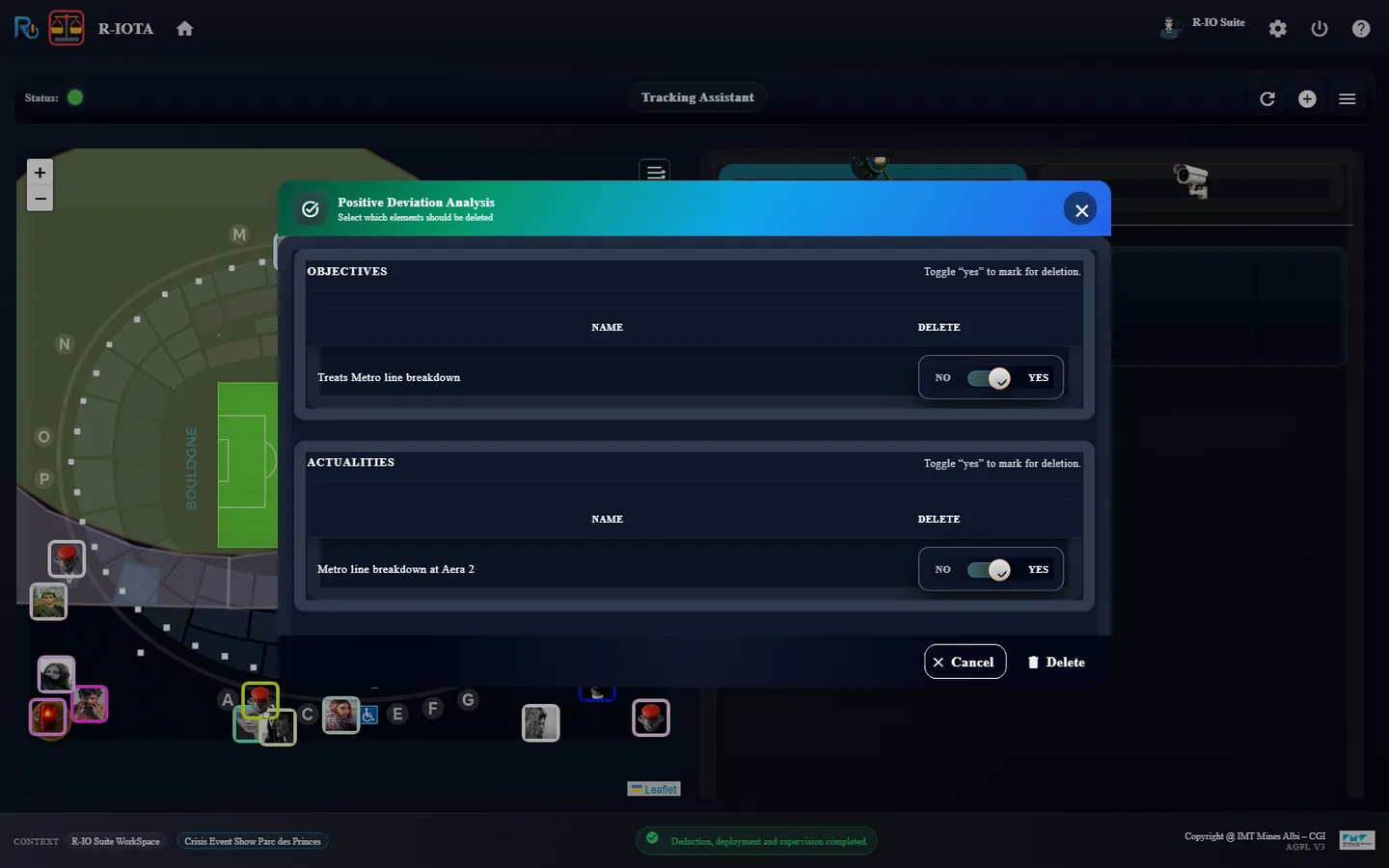
In r-iota, Delete positive deviations: this time the dialog lists the objective and the actuality. Delete, then Refresh.
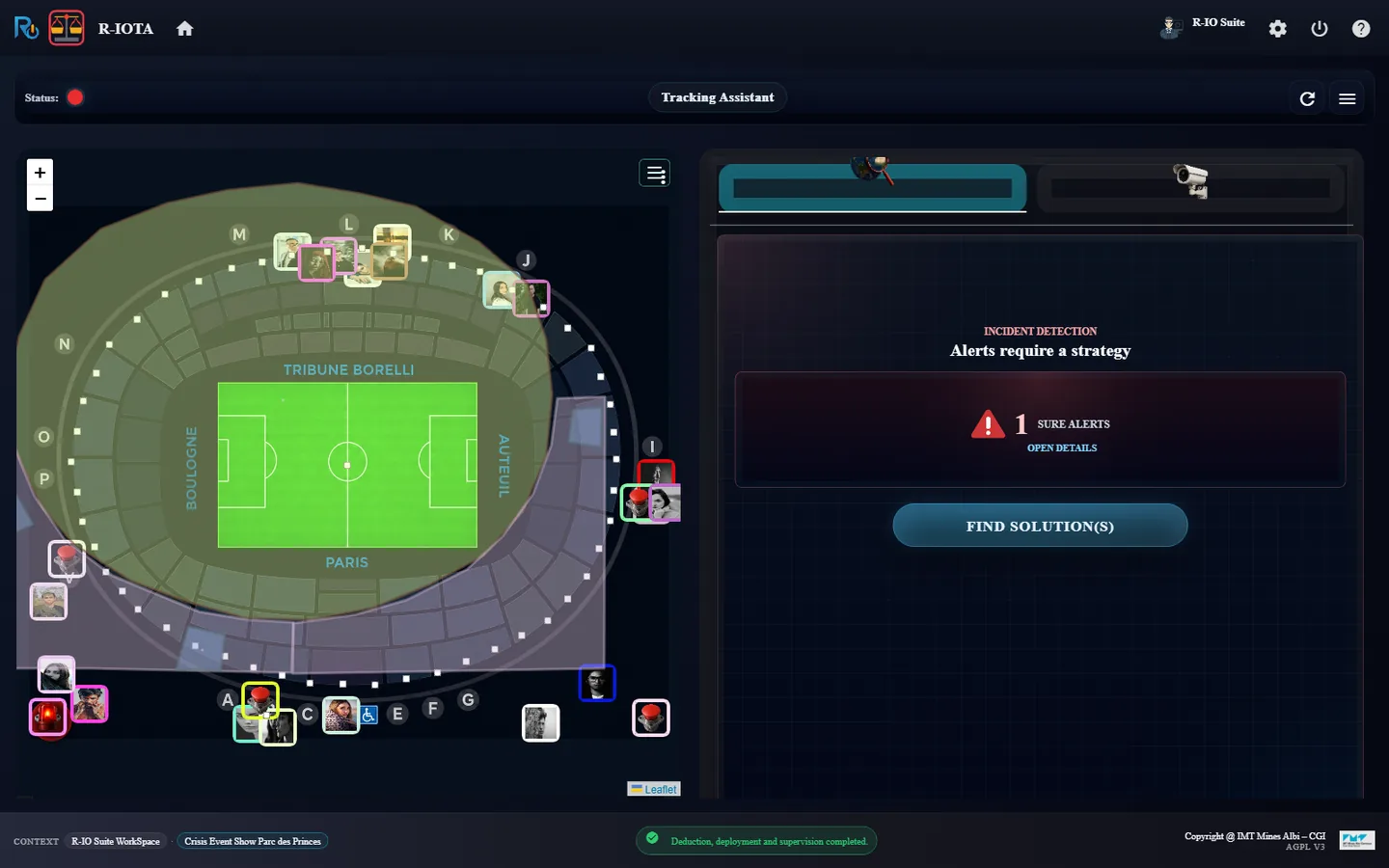
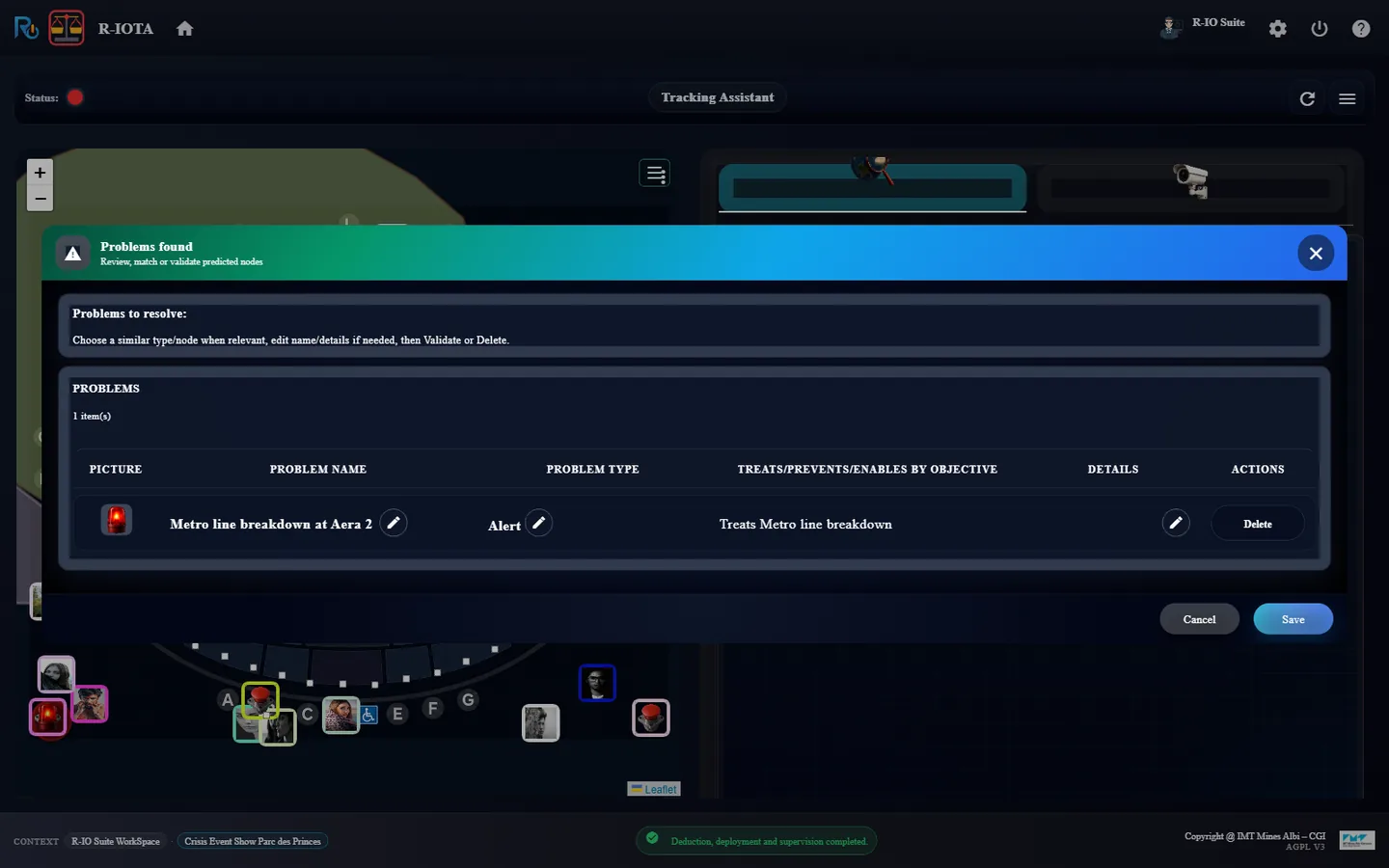
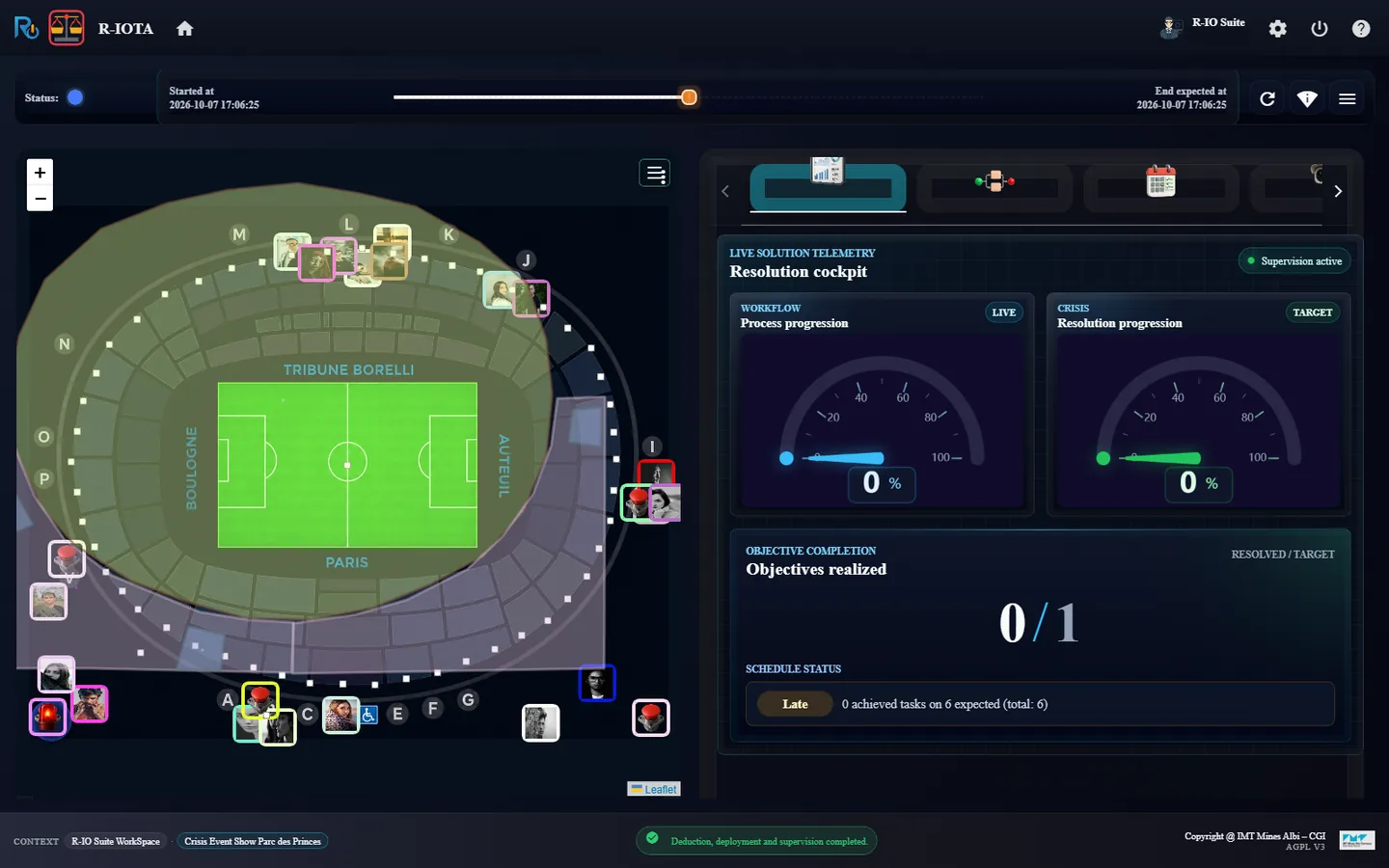
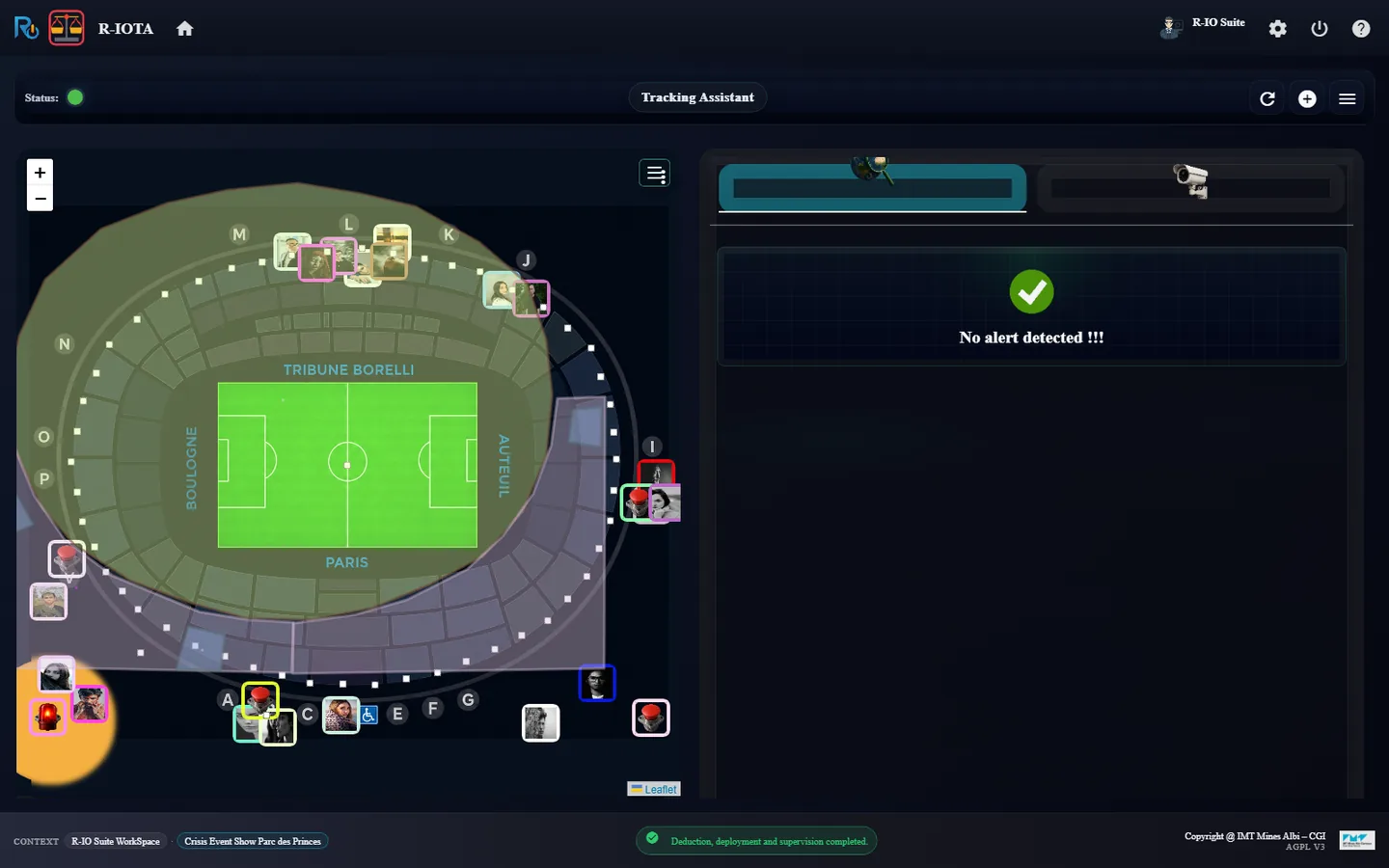
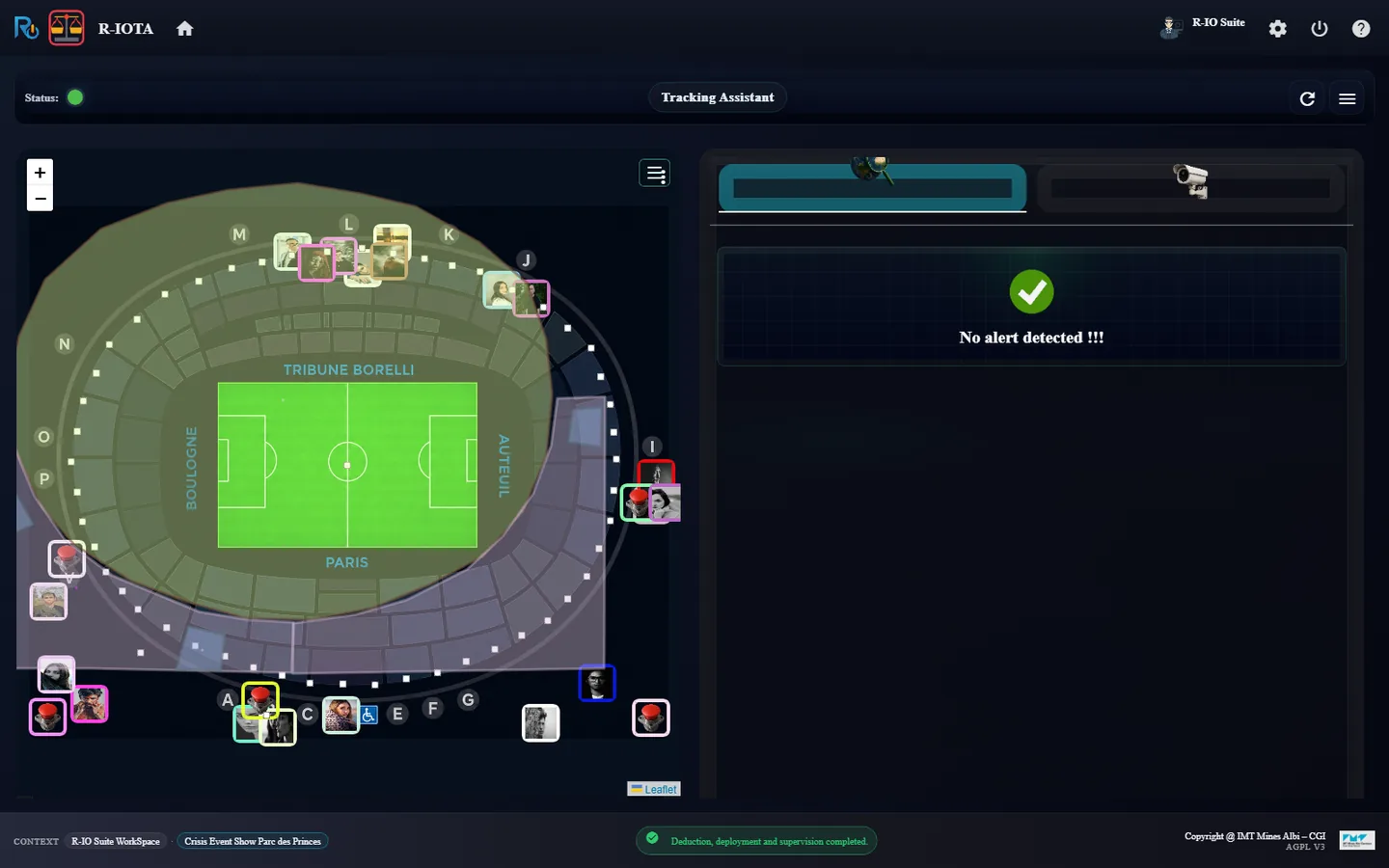
r-iosemit: the third and last date is played.r-iota: 1 SURE ALERTS.Metro line breakdown at Aera 2, treated by Treats Metro line breakdown.The third solution: 0 of 6 tasks, 0 / 1 objective.The graph: inform the teams, coordinate the access, then four actions in parallel.r-ioga To Do List: 23 tasks in all.Halfway: the four parallel actions are running.All tasks of the three incidents are done.The orange circle of the metro objective.Positive Deviation Analysis: the objective and the actuality, both on YES.End of the scenario: No alert detected.
Resultr-iota shows 1 SURE ALERTS: Metro line breakdown at Aera 2 with Treats Metro line breakdown. The deduction plans 6 tasks (inform the teams, coordinate access to the stadium, then direct spectators to the right entrances, unlock all tickets on all doors, inform the security personnel, reinforce staffing around the station). Once done, the pulsar turns orange; Delete positive deviations deletes the objective and the actuality, and r-iota is back to No alert detected.
Crisis Event Show Parc des Princes / Scénario guidé
Trois incidents au Parc des Princes
Le tour complet de r-io sur un événement au stade : charger le projet, regarder ses partenaires et ses cartes, puis jouer les trois incidents du scénario de jeu — une porte en panne, un siège cassé, une ligne de métro en panne. Chacun est détecté, résolu par un processus déduit et supervisé dont les tâches humaines se terminent dans r-ioga, puis clos par l’expert dans r-iota.
Ce que montre ce scénario
La boucle de base de r-io, trois fois de suite : détection (une règle CEP d’un capteur active une actualité), déduction (la stratégie Crisis construit un processus collaboratif pour les objectifs qui la traitent), orchestration (chaque tâche devient une tâche humaine de la todo-list) et supervision (r-iota suit le processus en direct et laisse l’expert clore l’incident). Les ronds de statut racontent l’histoire : rouge quand un incident est détecté, bleu pendant son traitement, orange quand le processus est terminé et attend l’expert.
01 · Étape
Charger le projet
Tout part de r-ioga : le cas d’usage est chargé dans l’espace de connaissance, puis chaque application est ouverte depuis la ligne du projet, pour travailler dans le contexte du projet.
Dans r-ioga, Projects workspace, cliquer sur la carte Crisis Event Show Parc des Princes.
Dans Use case loading options, cliquer sur Load sans rien modifier. À la question de créer une collaboration spécifique pour les utilisateurs prédéfinis, répondre No.
Fermer Use-case successfully loaded !!! par OK : r-ioga ouvre Project List.
r-ioga, Projects workspace : la carte Crisis Event Show Parc des Princes.Use case loading options : Load sans rien modifier.Le cas d’usage est chargé.Project List : la ligne du projet et ses douze lanceurs d’applications.
RésultatLa ligne du projet affiche les domaines Collaborative et Crisis, neuf extensions de modèle (Electronic Tools, Urban, Road Network, Furniture, Electrical Network, Water Network, Urban Rail Network, Animal, Industry) et douze lanceurs dans la colonne Applications.
02 · Étape
Regarder les partenaires dans r-ioda
Le contexte de l’événement est un stade parisien et le personnel qui le fait tourner : services aux spectateurs, sécurité, services techniques, accueil, billetterie, chaque personne avec un rôle.
Dans Project List, lancer r-ioda.
Ouvrir l’onglet Context And Partners, puis dézoomer avec la barre d’outils de l’éditeur.
r-ioda, Context And Partners : le stade, Parc des Princes, Paris et le personnel, chacun relié à son rôle.
RésultatLe diagramme montre Stade du Parc des Princes, le site Parc des Princes dans Paris, et le personnel autour (Marc Dubois, Spectator Services Staff ; Camille Leroy, Security Manager ; Lucas Bernard, Chief of Reception…).
03 · Étape
Parcourir les cartes dans r-ioplay
r-ioplay s’ouvre sur le plan du stade, avec ses portes (A à P), le personnel et les boutons poussoirs qui servent de capteurs. Le sélecteur MAP passe à la carte du monde ou aux vues 3D.
Lancer r-ioplay depuis Project List.
Dans le sélecteur MAP, choisir World.
Puis choisir 3D Parc des Princes et zoomer à la molette.
Le plan du Parc des Princes : portes, personnel et capteurs à bouton poussoir.World : Paris, avec le stade à sa lisière sud-ouest.3D Parc des Princes : la maquette du stade et ses abords.
RésultatLa carte suit le sélecteur sans recharger la page ; la vue 3D s’accompagne de son panneau MOVE / LOOK / ALT / ZOOM.
04 · Étape
Vérifier que tout est calme dans r-iota
Avant le premier incident, r-iota, le cockpit de suivi de crise, n’a rien à signaler.
Lancer r-iota depuis Project List et le garder ouvert pendant tout le scénario.
r-iota avant tout incident : No alert detected, statut vert.
Résultatr-iota affiche No alert detected !!! et un statut vert.
05 · Étape
Incident 1 : une porte tombe en panne à la Gate B
Le scénario de jeu Full scenario planifie trois incidents. Le premier est l’actualité Door Breakdown on Gate B, levée par la règle CEP du capteur de la Gate B. Deux objectifs y répondent : l’un traite la porte elle-même, l’autre réoriente la foule.
Lancer r-iosemit : la frise de Full Scenario affiche 3 dates et 6 pas DATA.
Cliquer sur Next step (16:03:33, Door Breakdown on Gate B).
Dans r-iota, cliquer sur OPEN DETAILS pour lire les problèmes, puis Cancel.
r-iosemit : Full Scenario, trois incidents planifiés.Après Next step : la première date est jouée.r-iota : 2 SURE ALERTS, statut rouge.Problems found : Door Breakdown on Gate B, traitée par Treats Door Breakdown et Treats Crowd Orientation.
Résultatr-iota affiche 2 SURE ALERTS et un statut rouge ; deux pulsars rouges clignotent sur la Gate B. Le détail liste deux fois Door Breakdown on Gate B, une fois avec Treats Door Breakdown, une fois avec Treats Crowd Orientation.
06 · Étape
Déduire, exécuter et clore le premier incident
La stratégie Crisis déduit un processus collaboratif pour les deux objectifs, le déploie et le supervise. Chaque tâche est une tâche humaine de la todo-list de r-ioga ; r-iota suit le processus en direct.
Dans r-iota, cliquer sur FIND SOLUTION(S) ; garder la stratégie présélectionnée Drools - Crisis Satisfaction Strategy et cliquer sur Find.
Ouvrir l’onglet Execution graph de r-iota.
Dans r-ioga, ouvrir la To Do List. Pour chaque tâche, cocher sa case, puis cliquer sur Save dans Set real value on indicators of the task. (Depuis octobre 2026, la liste de tâches n’a plus de case à cocher : cliquer sur la tâche, puis sur Accept, puis sur Done.) Suivre le graphe de r-iota entre deux tâches.
De retour dans r-iota, une fois toutes les tâches terminées, cliquer sur Delete positive deviations (bouton add_circle), laisser les objectifs sur YES, cliquer sur Delete, puis sur Refresh.
FIND SOLUTION(S) : la stratégie Crisis est présélectionnée.Déduction, déploiement et supervision terminés : pulsar bleu sur la Gate B.Le graphe d’exécution : cinq tâches démarrent en parallèle (orange).Todo-list r-ioga : 10 tâches, celles qui ont démarré en orange.Terminer une tâche : le dialogue des indicateurs, puis Save.À mi-parcours : la porte est fermée, les quatre tâches de réorientation démarrent.Les dix tâches sont terminées (vert).Le processus est terminé : le rond de la Gate B passe à l’orange, en attente de l’expert.Positive Deviation Analysis : l’objectif est marqué YES pour suppression.
RésultatLa déduction planifie 10 tâches (total: 10 = Total tasks 10) : cinq démarrent ensemble (identifier la panne, vérifier l’informatique et la billetterie, vérifier la porte, demander sa fermeture), puis Confirm door closure débloque les quatre tâches qui réorientent le public et informent les responsables. À la fin, RESOLVED / TARGET 2 / 2 et les pulsars passent à l’orange. Après Delete positive deviations, les deux objectifs sont supprimés, la supervision se termine et les pulsars disparaissent.
Limite connue
Limite connue (octobre 2026) : quand une actualité est traitée par deux objectifs, le dialogue s’ouvre une fois par objectif et ne liste pas l’actualité, qui reste active dans le modèle. Elle est listée et supprimée quand un seul objectif la traite (troisième incident).
07 · Étape
Incident 2 : le siège numéro 11 est cassé
La deuxième date référence l’actualité gelée Broken Seat du stade : r-iosemit en crée un clone actif, Broken Seat number 11, avec sa photo. Deux objectifs y répondent : l’un pour le siège, l’autre pour le spectateur qui y était assis.
Dans r-iosemit, cliquer sur Next step (16:17:44).
Dans r-iota, OPEN DETAILS, puis Cancel ; ensuite FIND SOLUTION(S) → Find.
Dans r-ioga, terminer les sept nouvelles tâches comme précédemment, en suivant le graphe de r-iota.
Dans r-iota, Delete positive deviations → Delete → Refresh.
r-iosemit : la deuxième date est jouée.r-iota : 2 SURE ALERTS, situées sur le stade.Broken Seat number 11, traitée par Treats Broken Seat et Treats Spectateur.Le cockpit de la seconde solution : 0 tâche sur 7, 0 / 2 objectifs.Le graphe : prendre en charge le spectateur et sécuriser le siège en parallèle.Todo-list r-ioga : 17 tâches, les 10 du premier incident déjà faites.À mi-parcours : le spectateur est raccompagné vers un nouveau siège.Les sept tâches du siège sont terminées.Le rond orange sur le stade.Positive Deviation Analysis pour les objectifs du siège.
Résultatr-iota affiche 2 SURE ALERTS : Broken Seat number 11 avec Treats Spectateur et avec Treats Broken Seat. La déduction planifie 7 tâches : prendre en charge le spectateur, lui attribuer une nouvelle place, l’y accompagner, évaluer la prise en charge avec le Spectator Services Manager ; signaler le siège cassé dans la billetterie, le sécuriser et planifier sa réparation. Une fois terminées, les pulsars passent à l’orange, puis Delete positive deviations supprime les deux objectifs.
Limite connue
Comme pour le premier incident, l’actualité est traitée par deux objectifs et reste active (limite connue).
08 · Étape
Incident 3 : une ligne de métro tombe en panne
La dernière date lève Metro line breakdown at Aera 2, depuis le capteur de la ligne de métro. Un seul objectif y répond : réorganiser l’accès au stade.
Dans r-iosemit, cliquer sur Next step (16:36:02).
Dans r-iota, OPEN DETAILS, Cancel, puis FIND SOLUTION(S) → Find.
Dans r-ioga, terminer les six nouvelles tâches.
Dans r-iota, Delete positive deviations : cette fois le dialogue liste l’objectif et l’actualité. Delete, puis Refresh.
r-iosemit : la troisième et dernière date est jouée.r-iota : 1 SURE ALERTS.Metro line breakdown at Aera 2, traitée par Treats Metro line breakdown.La troisième solution : 0 tâche sur 6, 0 / 1 objectif.Le graphe : informer les équipes, coordonner l’accès, puis quatre actions en parallèle.Todo-list r-ioga : 23 tâches en tout.À mi-parcours : les quatre actions parallèles sont en cours.Toutes les tâches des trois incidents sont terminées.Le rond orange de l’objectif du métro.Positive Deviation Analysis : l’objectif et l’actualité, tous deux sur YES.Fin du scénario : No alert detected.
Résultatr-iota affiche 1 SURE ALERTS : Metro line breakdown at Aera 2 avec Treats Metro line breakdown. La déduction planifie 6 tâches (informer les équipes, coordonner l’accès au stade, puis orienter les spectateurs vers les bonnes entrées, débloquer les billets sur toutes les portes, informer le personnel de sécurité, renforcer les effectifs autour de la station). Une fois terminées, le pulsar passe à l’orange ; Delete positive deviations supprime l’objectif et l’actualité, et r-iota revient à No alert detected.