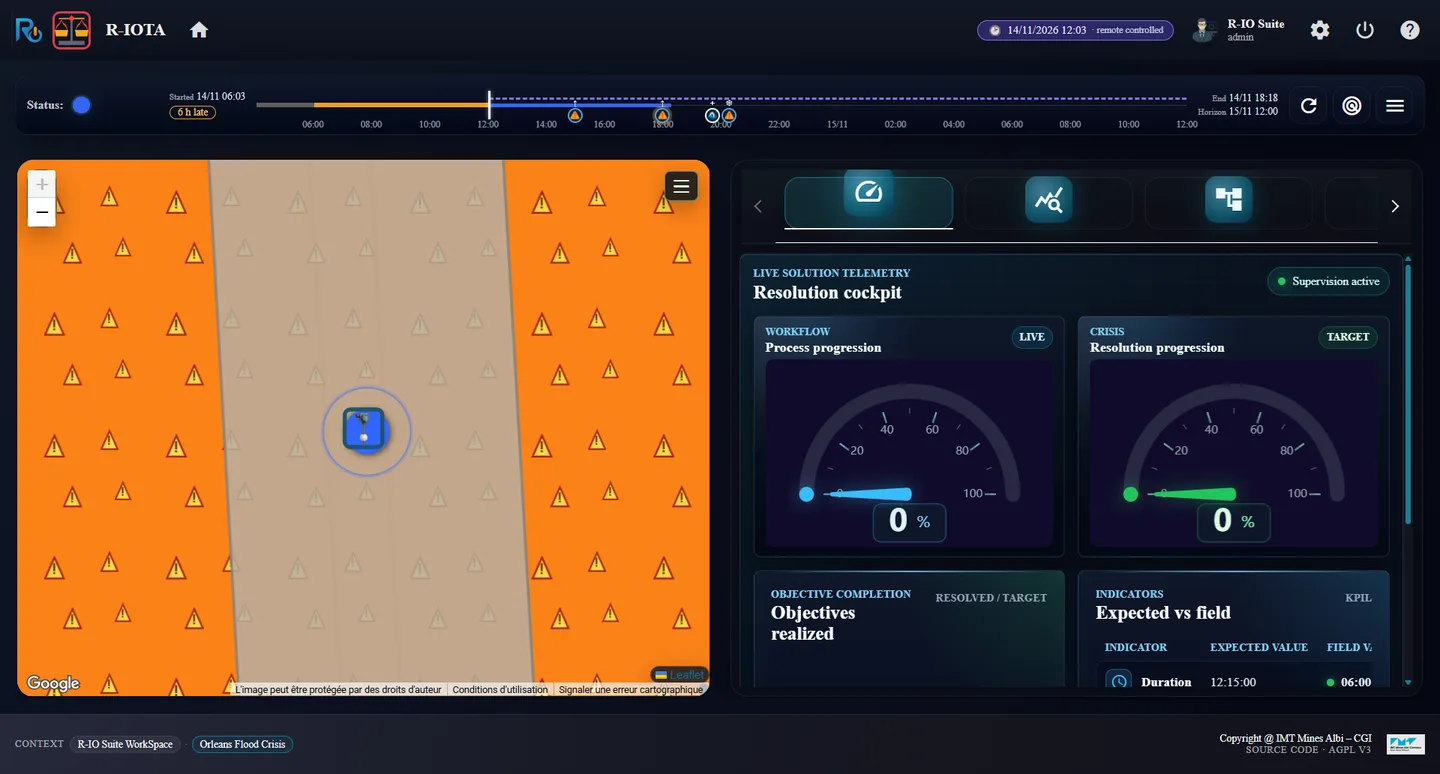
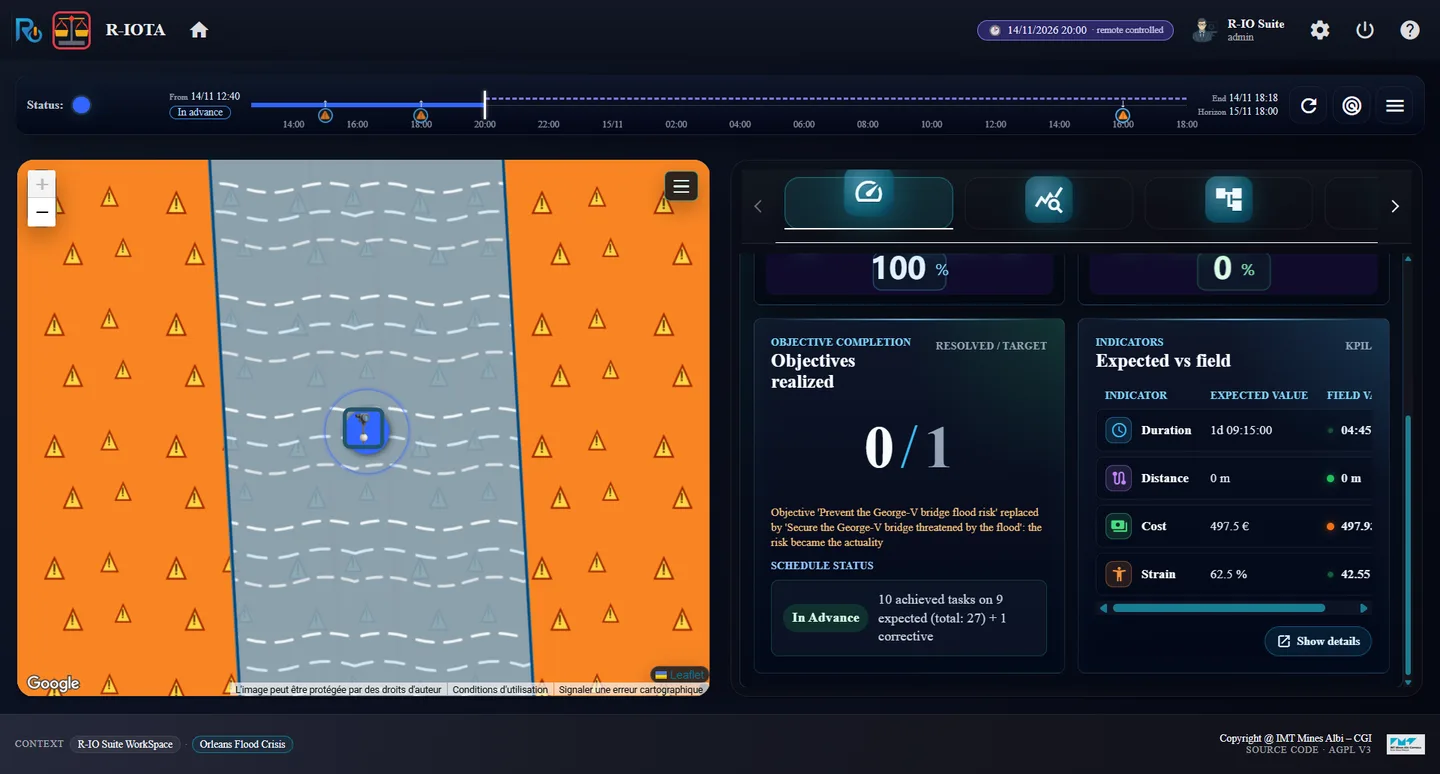
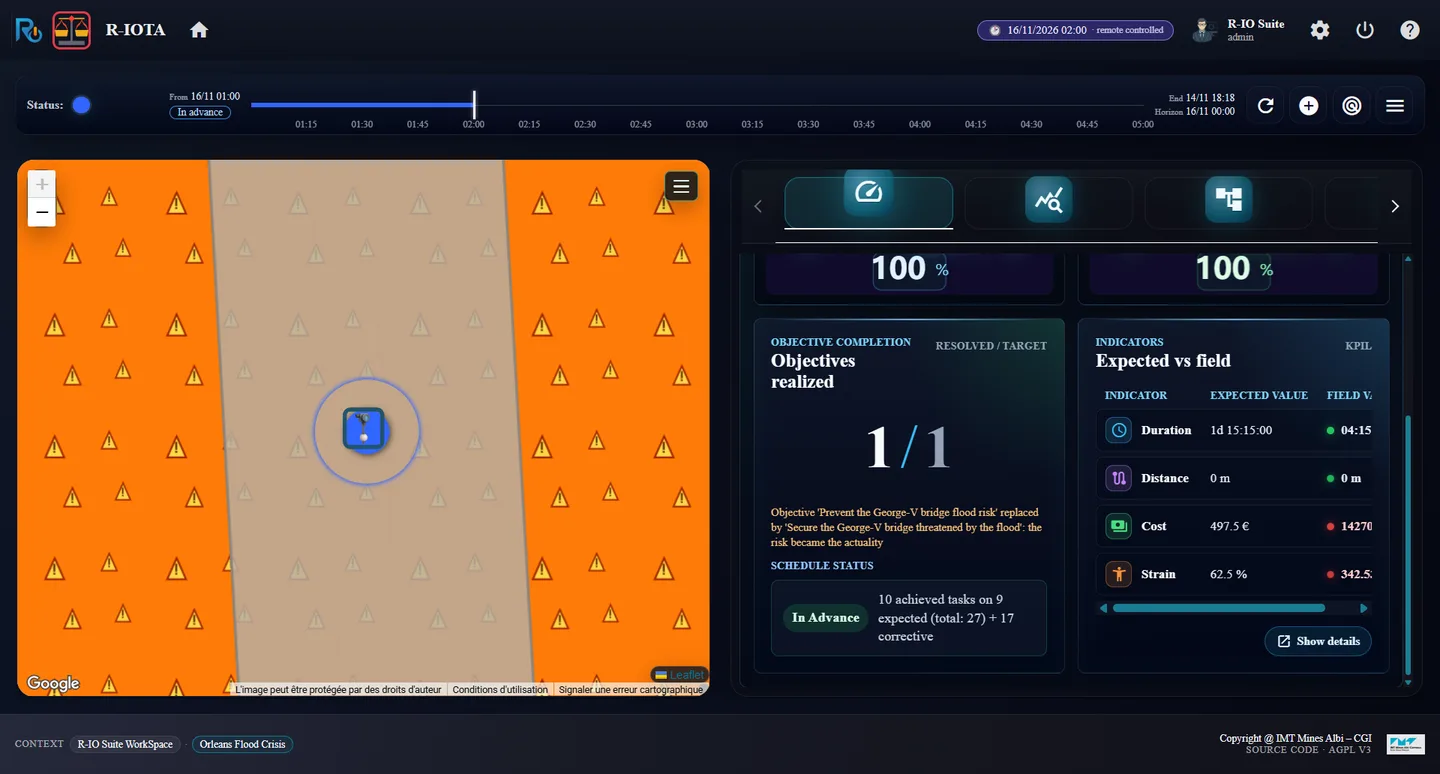
This time the operator acts on the very first forecast. At 06:00 nothing is wrong on the field, but the forecast sees the risk rise to 80 % at 21:00: a preventive closure alone is deployed. At 12:00 the revised forecast projects the flood itself at 20:00; the supervision warns that the running plan does not treat it. The operator adapts the plan at runtime: the corrective procedure is grafted into the running process, without stopping it, and takes over when the flood really comes.
What this act demonstrates
The forecasts let r-io act before the field: a plan is deployed on a projection. When a newer forecast changes the picture, the supervision compares the running plan with the projected world (alert Foreseen) and r-io can modify the running process: it deduces again from what was done, shows what is added and removed, and applies it to the process in progress, which goes on without interruption.
01 · Step
At 06:00, the first forecast
Each act starts from a fresh r-io: restart the distribution and load the use case again. The actors booked by a previous act would otherwise stay booked on the same dates. Keep the forecasts on.
Restart r-io, load Orleans Flood Crisis, open R-IOSEMIT and R-IOTA; in r-iosemit, ▶, Discrete, Start.
Click Next step until 14/11/2026 06:00 (step 2 / 20).
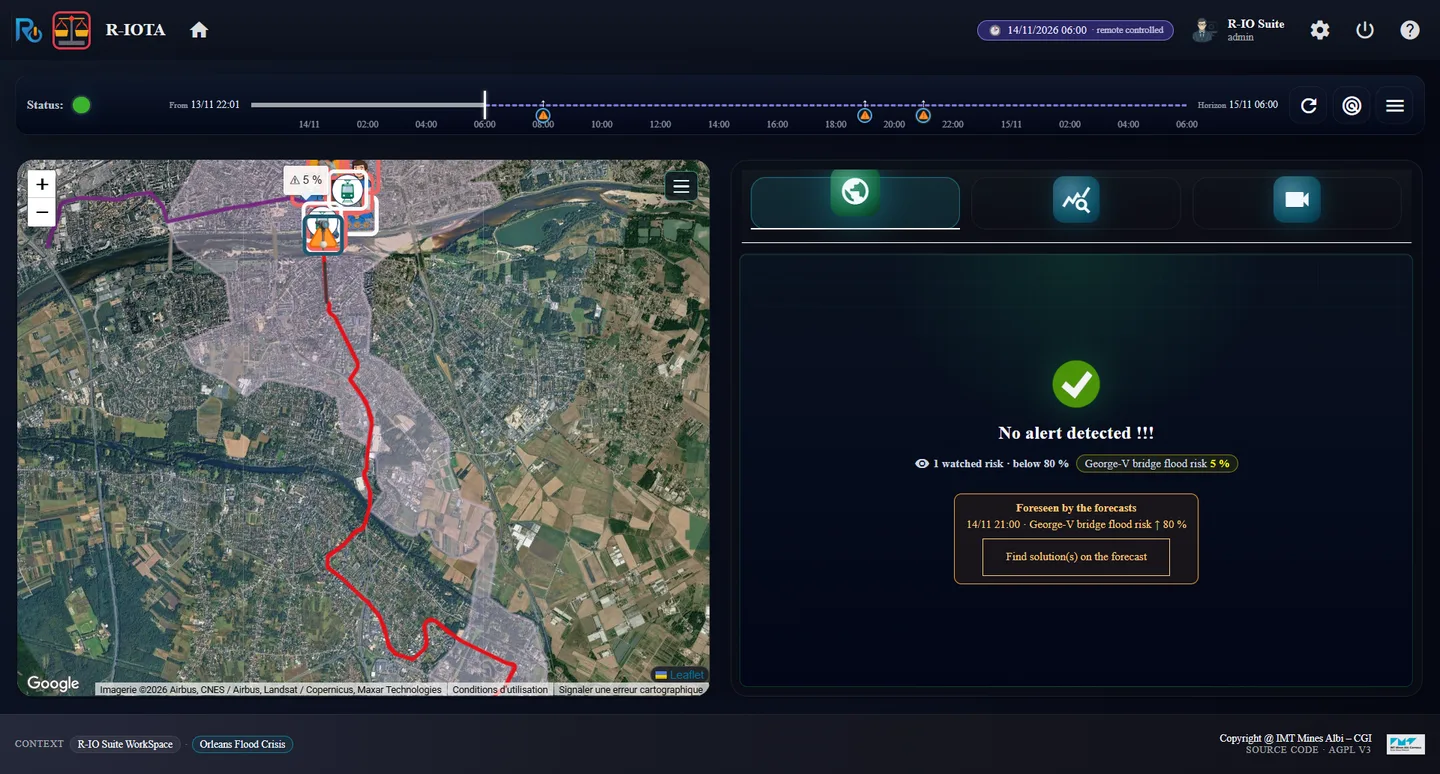
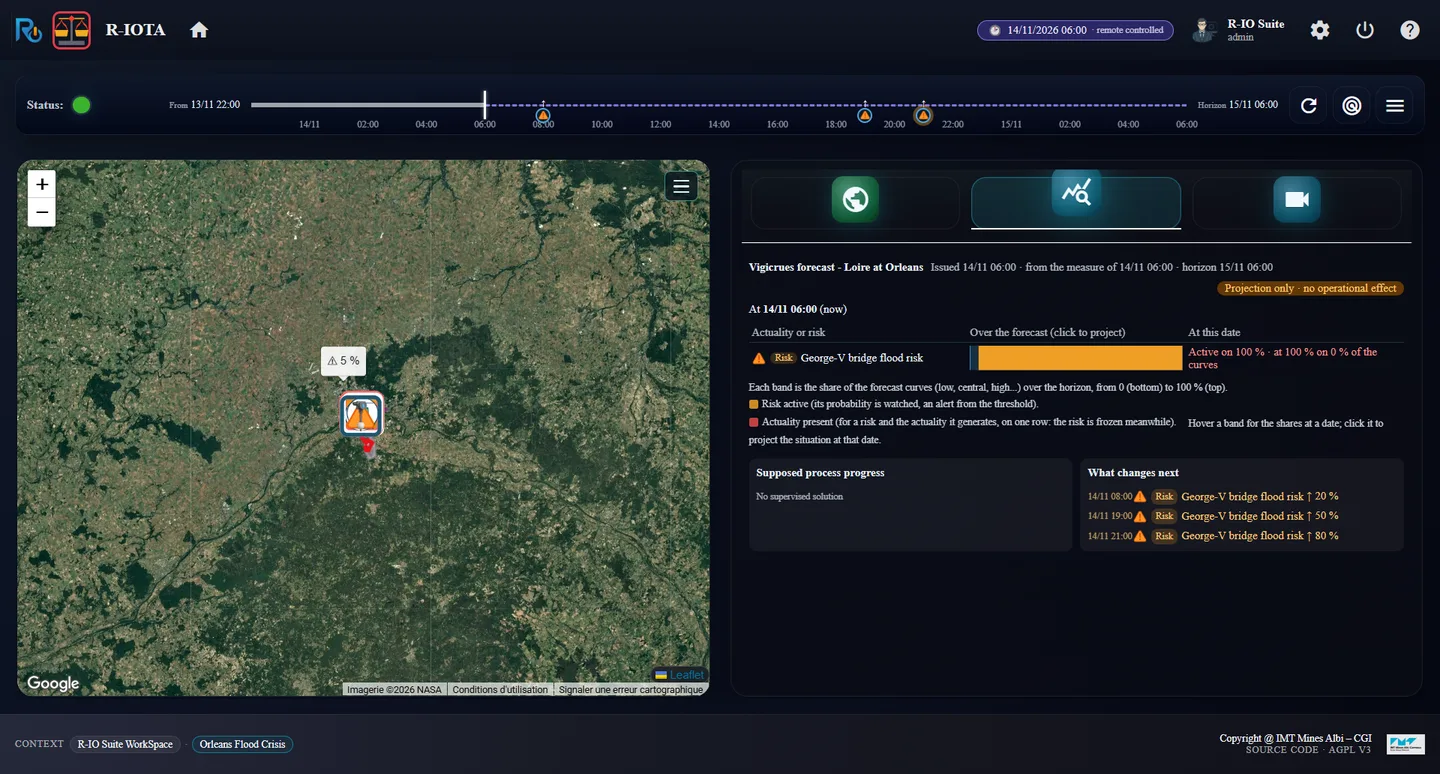
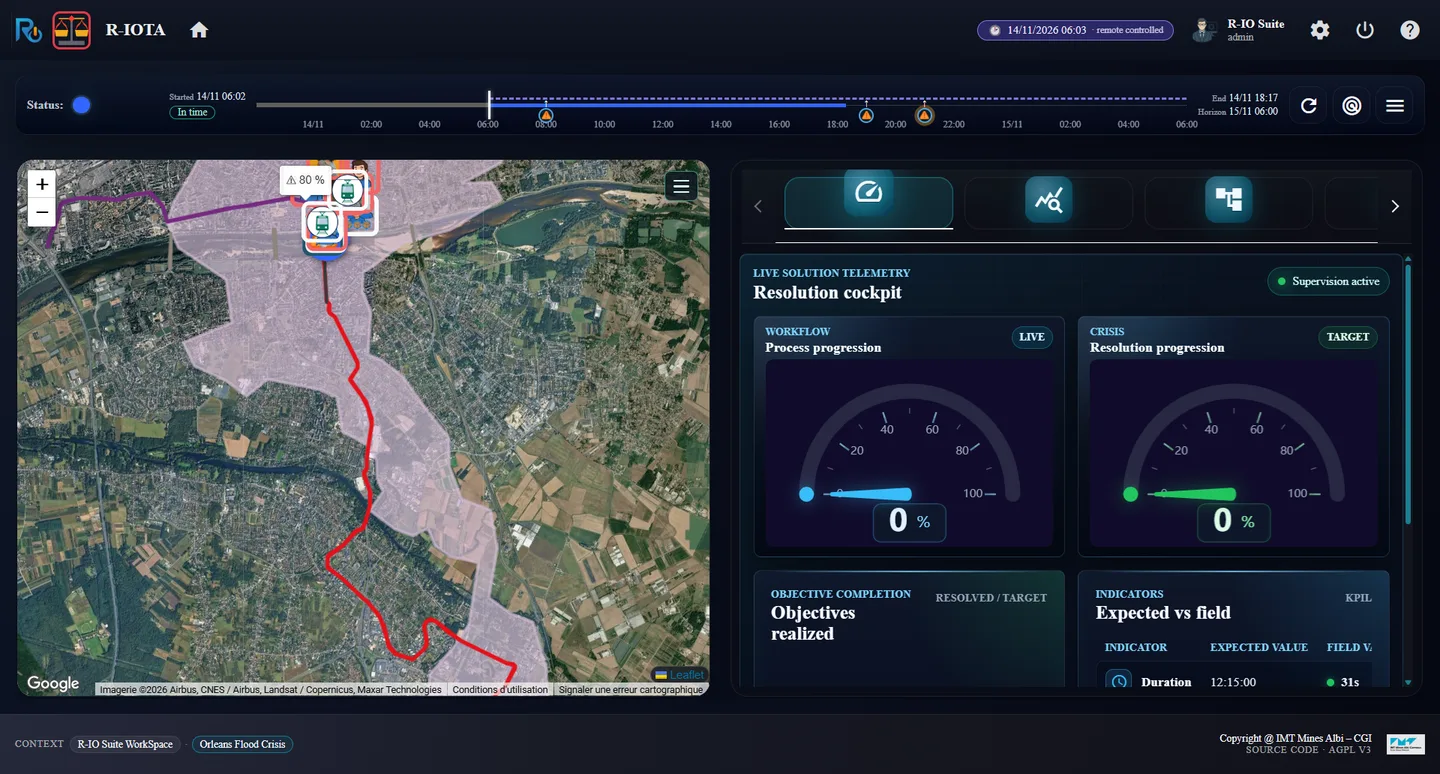
r-iota at 06:00: no alert, risk at 5 %, “Foreseen by the forecasts · 14/11 21:00 · risk ↑ 80 %”The Forecast tab at 06:00
ResultOn the field, nothing yet: No alert detected !!!, 1 watched risk · below 80 %, George-V bridge flood risk 5 %. The forecast of 06:00 already sees further: Foreseen by the forecasts · 14/11 21:00 · George-V bridge flood risk ↑ 80 %, with the button Find solution(s) on the forecast.
02 · Step
Deploy the preventive only
The flood risk is 15 hours away: there is time to close the bridge. The operator chooses the preventive procedure alone.
Click Find solution(s) on the forecast: Include forecast is at YES. Set Advanced options strategy to YES, click Find.
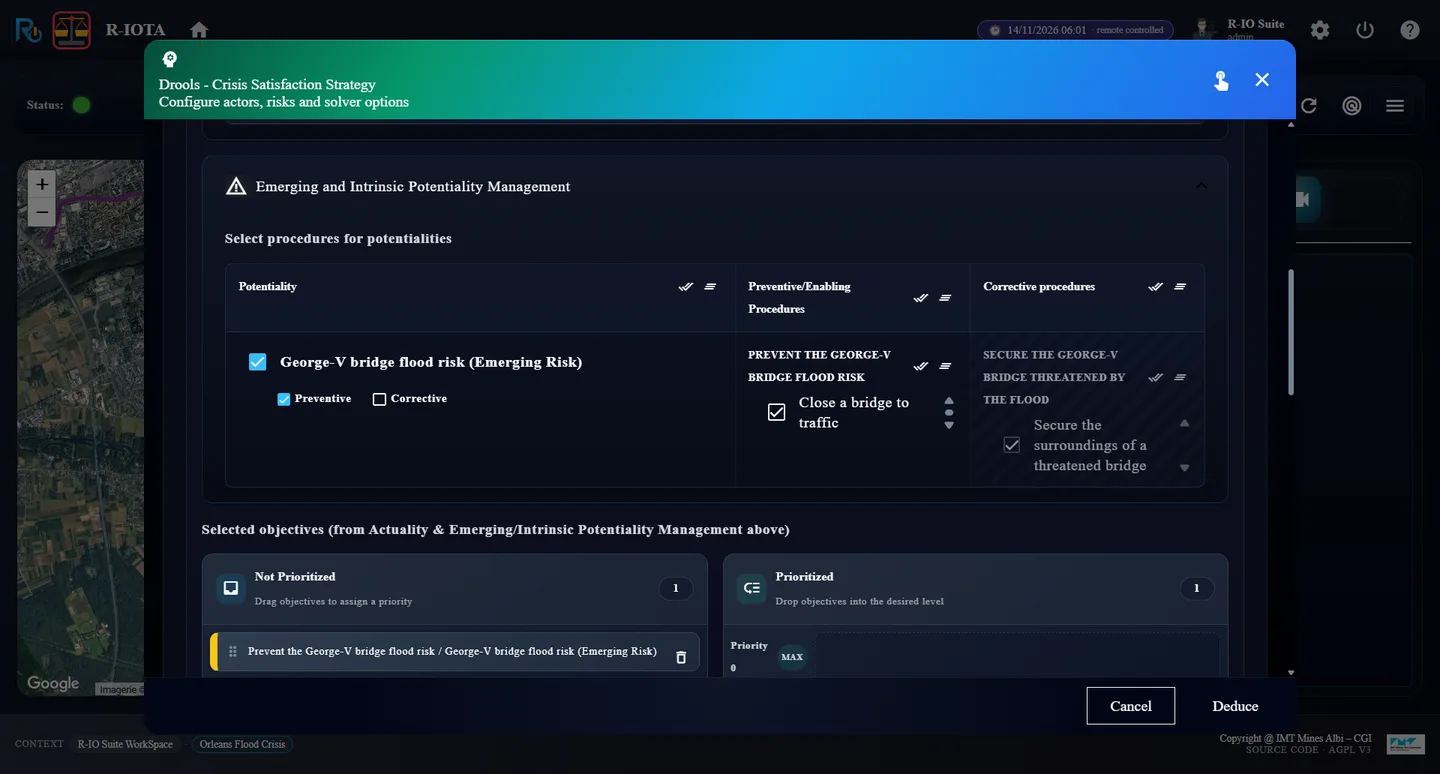
In the strategy, uncheck Corrective for the risk (keep Preventive), click Deduce.
Click Deploy and supervise. In r-iosemit, tab TASKS, leave AUTO unchecked for now.
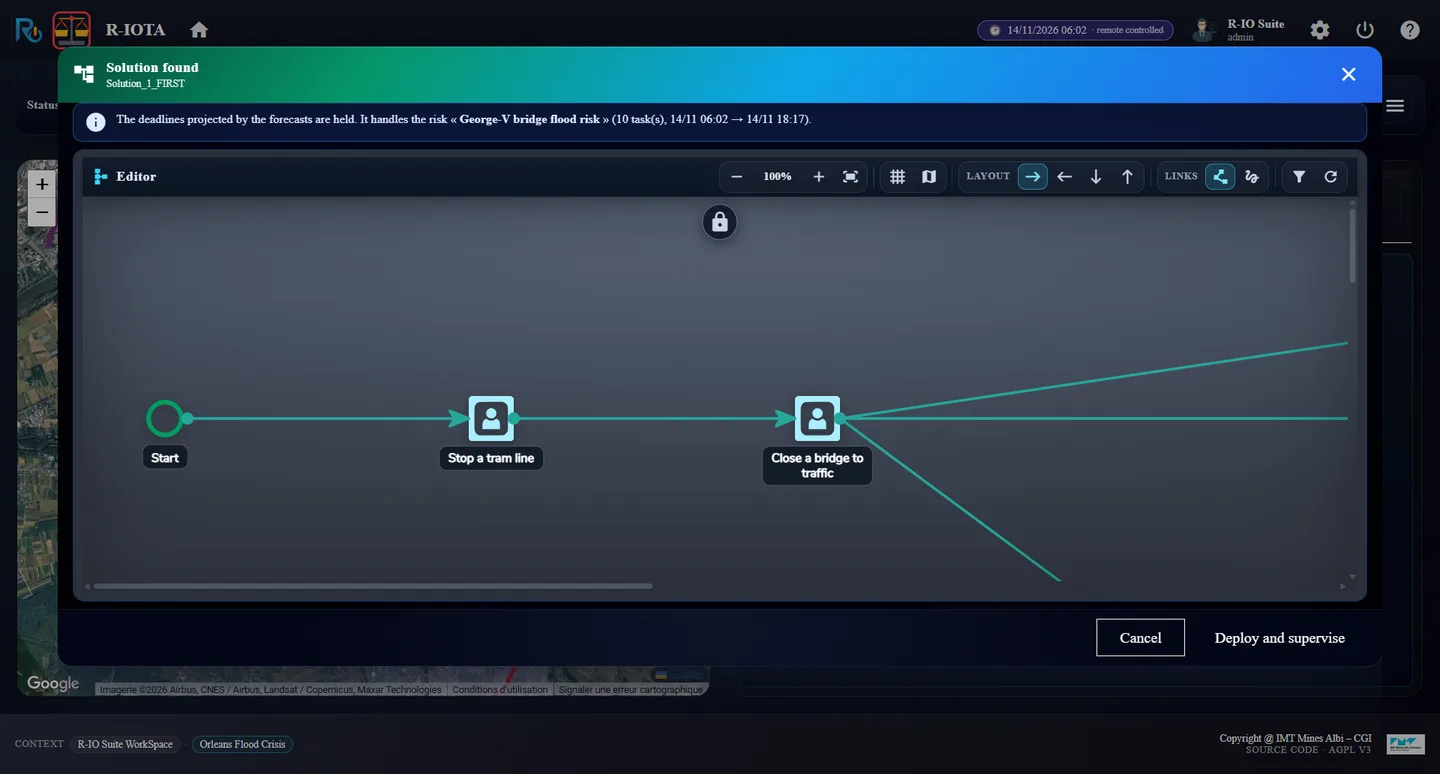
The strategy: Preventive checked, Corrective unchecked“The deadlines projected by the forecasts are held” — 10 tasks, 06:02 → 18:17Deployed: total 10, 0 / 1
ResultThe deadlines projected by the forecasts are held. It handles the risk « George-V bridge flood risk » (10 task(s), 14/11 06:02 → 14/11 18:17). r-iota: total: 10, 0 / 1.
03 · Step
At 12:00, the revised forecast: the plan is not enough
The forecast of 12:00 is revised upwards: the flood itself is now projected at 20:00. The supervision compares the running plan with this projected world.
In r-iosemit, tab TIMELINE, click Next step until 14/11/2026 12:00 (step 4 / 20).
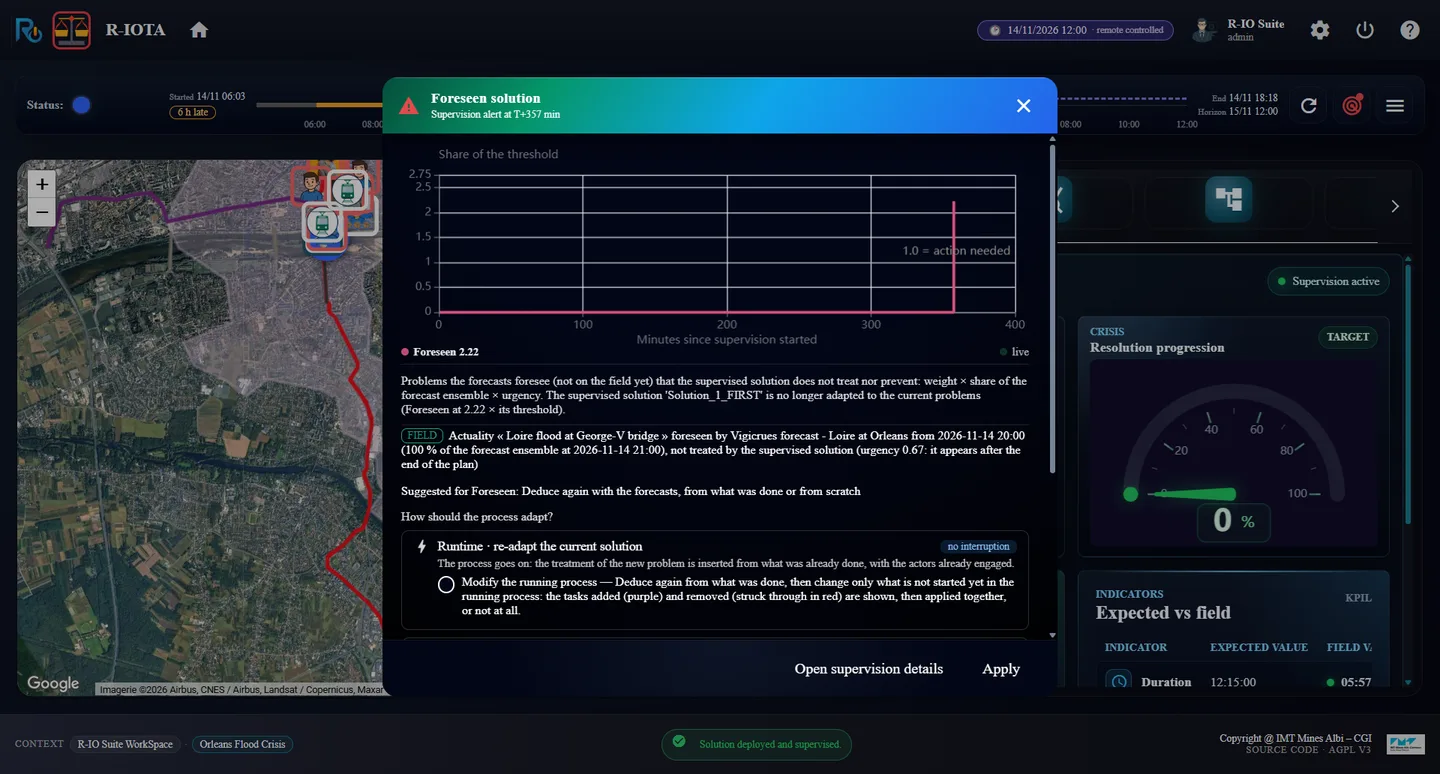
At 12:00: “Foreseen solution”, the projected flood is not treated by the supervised solution
Resultr-iota opens Foreseen solution · Supervision alert: Foreseen 2.22 × its threshold, and Actuality « Loire flood at George-V bridge » foreseen by Vigicrues forecast - Loire at Orleans from 2026-11-14 20:00 (100 % of the forecast ensemble at 2026-11-14 21:00), not treated by the supervised solution (urgency 0.67: it appears after the end of the plan). The dialog asks How should the process adapt?
04 · Step
Adapt the running process
Two ways are offered: Design time (deduce again and replace the solution) or Runtime (re-adapt the solution in progress). The runtime way keeps what is running and only changes what is not started yet.
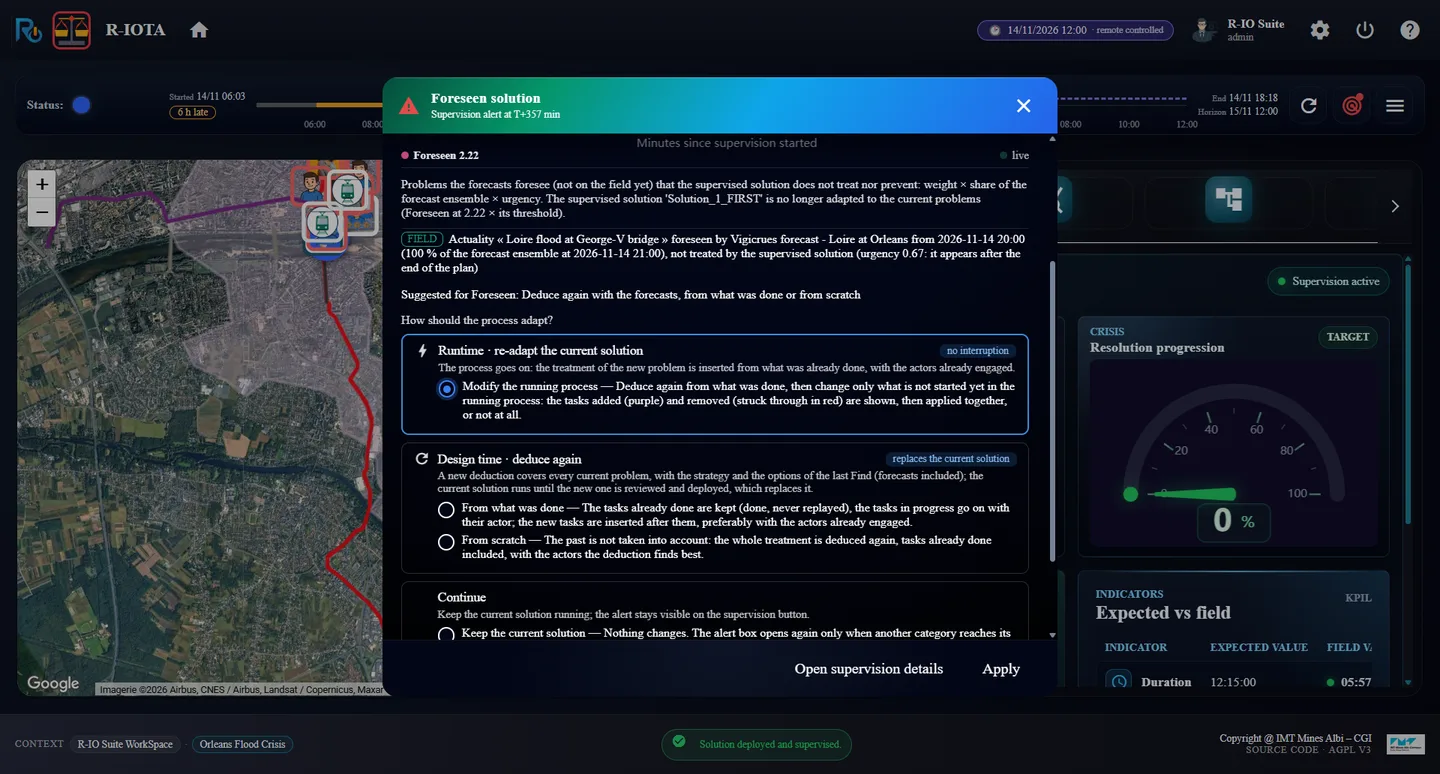
Under Runtime · re-adapt the current solution (no interruption), choose Modify the running process, then click Apply.
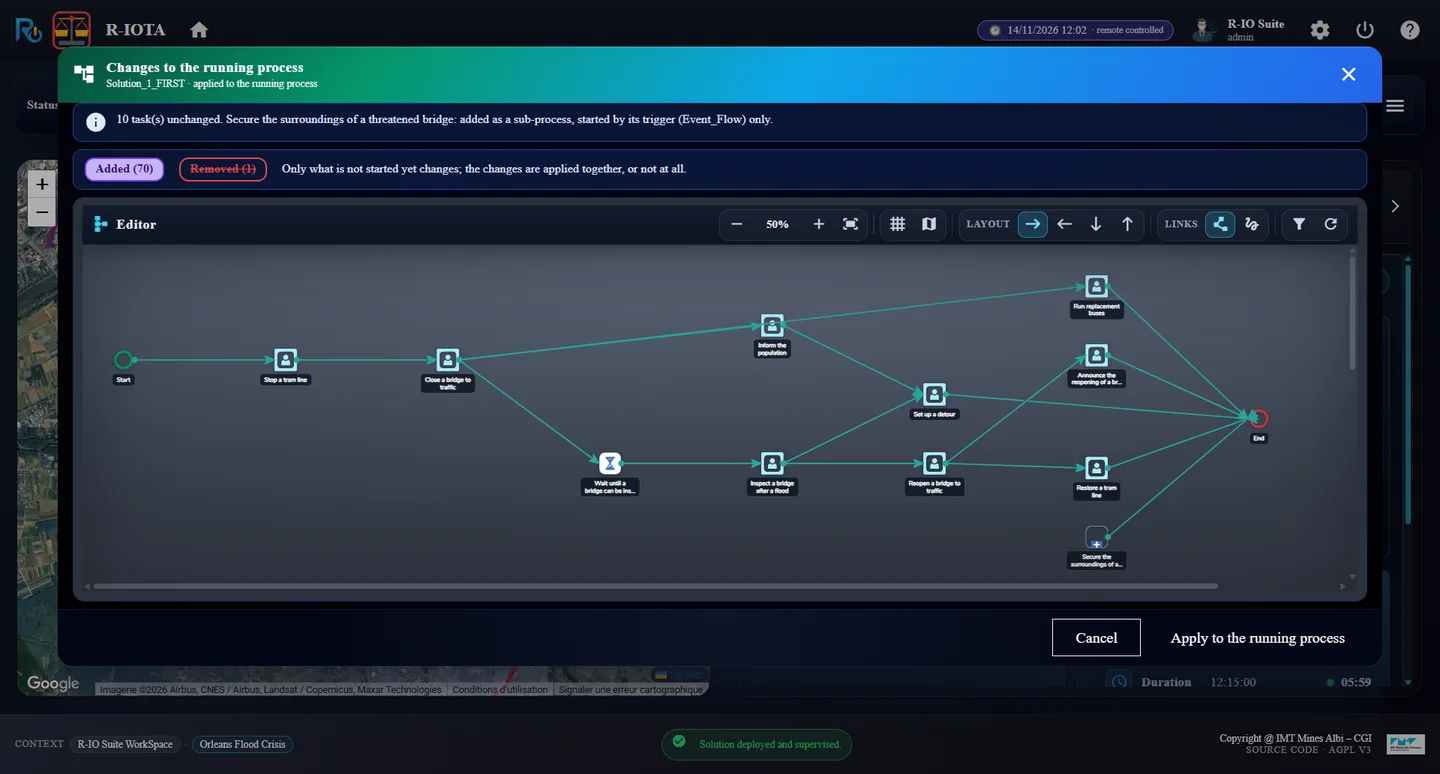
Read Changes to the running process, then click Apply to the running process.
Reload r-iota.
Runtime · re-adapt the current solution: “Modify the running process”Changes to the running process: 10 tasks unchanged, the corrective added as a sub-processAfter the graft: total 27, 0 / 2
Result10 task(s) unchanged. Secure the surroundings of a threatened bridge: added as a sub-process, started by its trigger (Event_Flow) only. — Added (70), Removed (1), Only what is not started yet changes; the changes are applied together, or not at all. Once applied, the process goes on and r-iota counts total: 27 and 0 / 2 objectives: the preventive and the grafted corrective.
05 · Step
The flood comes: the grafted corrective takes over
The grafted sub-process waits for its trigger. When the flood really appears, it starts and takes over, exactly like the recovery deduced from the start in act 1.
In r-iosemit, tab TASKS, check AUTO; tab TIMELINE, click Next step until 16/11/2026 00:00 (step 18 / 20).
The flood comes: the grafted corrective takes over the preventive objectiveThe end: 1 / 1, no alert
ResultAt the flood, r-iota shows Objective ‘Prevent the George-V bridge flood risk’ replaced by ‘Secure the George-V bridge threatened by the flood’: the risk became the actuality; Stop a tram line, already done by the preventive, is marked done. At the end, r-iota shows 1 / 1, the corrective tasks achieved and No alert detected !!!.
Cette fois l’opérateur agit dès la première prévision. À 06:00 rien ne va mal sur le terrain, mais la prévision voit le risque monter à 80 % à 21:00 : une fermeture préventive seule est déployée. À 12:00, la prévision révisée projette la crue elle-même à 20:00 ; la supervision prévient que le plan en cours ne la traite pas. L’opérateur adapte le plan à l’exécution : la procédure corrective est greffée dans le processus en cours, sans l’arrêter, et prend le relais quand la crue arrive vraiment.
Ce que montre cet acte
Les prévisions permettent à r-io d’agir avant le terrain : un plan est déployé sur une projection. Quand une prévision plus récente change la donne, la supervision compare le plan en cours au monde projeté (alerte Foreseen) et r-io peut modifier le processus en cours : il redéduit à partir de ce qui a été fait, montre ce qui est ajouté et retiré, et l’applique au processus en cours, qui continue sans interruption.
01 · Étape
À 06:00, la première prévision
Chaque acte part d’un r-io neuf : redémarrer la distribution et recharger le cas d’usage. Sinon, les acteurs réservés par l’acte précédent le restent sur les mêmes dates. Garder les prévisions.
Redémarrer r-io, charger Orleans Flood Crisis, ouvrir R-IOSEMIT et R-IOTA ; dans r-iosemit, ▶, Discrete, Start.
Cliquer Next step jusqu’à 14/11/2026 06:00 (étape 2 / 20).
r-iota à 06:00 : aucune alerte, risque à 5 %, « Foreseen by the forecasts · 14/11 21:00 · risk ↑ 80 % »L’onglet Forecast à 06:00
RésultatSur le terrain, rien encore : No alert detected !!!, 1 watched risk · below 80 %, George-V bridge flood risk 5 %. La prévision de 06:00 voit déjà plus loin : Foreseen by the forecasts · 14/11 21:00 · George-V bridge flood risk ↑ 80 %, avec le bouton Find solution(s) on the forecast.
02 · Étape
Déployer le préventif seul
Le risque de crue est à 15 heures : il y a le temps de fermer le pont. L’opérateur choisit la procédure préventive seule.
Cliquer Find solution(s) on the forecast : Include forecast est à YES. Mettre Advanced options strategy à YES, cliquer Find.
Dans la stratégie, décocher Corrective pour le risque (garder Preventive), cliquer Deduce.
Cliquer Deploy and supervise. Dans r-iosemit, onglet TASKS, laisser AUTO décoché pour l’instant.
La stratégie : Preventive coché, Corrective décoché« The deadlines projected by the forecasts are held » — 10 tâches, 06:02 → 18:17Déployé : total 10, 0 / 1
RésultatThe deadlines projected by the forecasts are held. It handles the risk « George-V bridge flood risk » (10 task(s), 14/11 06:02 → 14/11 18:17). r-iota : total: 10, 0 / 1.
03 · Étape
À 12:00, la prévision révisée : le plan ne suffit pas
La prévision de 12:00 est révisée à la hausse : c’est maintenant la crue elle-même qui est projetée à 20:00. La supervision compare le plan en cours à ce monde projeté.
Dans r-iosemit, onglet TIMELINE, cliquer Next step jusqu’à 14/11/2026 12:00 (étape 4 / 20).
À 12:00 : « Foreseen solution », la crue projetée n’est pas traitée par la solution supervisée
Résultatr-iota ouvre Foreseen solution · Supervision alert : Foreseen 2.22 × son seuil, et Actuality « Loire flood at George-V bridge » foreseen by Vigicrues forecast - Loire at Orleans from 2026-11-14 20:00 (100 % of the forecast ensemble at 2026-11-14 21:00), not treated by the supervised solution (urgency 0.67: it appears after the end of the plan). La boîte demande How should the process adapt?
04 · Étape
Adapter le processus en cours
Deux voies sont proposées : Design time (redéduire et remplacer la solution) ou Runtime (réadapter la solution en cours). La voie runtime garde ce qui tourne et ne change que ce qui n’a pas commencé.
Sous Runtime · re-adapt the current solution (no interruption), choisir Modify the running process, puis cliquer Apply.
Lire Changes to the running process, puis cliquer Apply to the running process.
Recharger r-iota.
Runtime · re-adapt the current solution : « Modify the running process »Changes to the running process : 10 tâches inchangées, le correctif ajouté en sous-processusAprès la greffe : total 27, 0 / 2
Résultat10 task(s) unchanged. Secure the surroundings of a threatened bridge: added as a sub-process, started by its trigger (Event_Flow) only. — Added (70), Removed (1), Only what is not started yet changes; the changes are applied together, or not at all. Une fois appliqué, le processus continue et r-iota compte total: 27 et 0 / 2 objectifs : le préventif et le correctif greffé.
05 · Étape
La crue arrive : le correctif greffé prend le relais
Le sous-processus greffé attend son déclencheur. Quand la crue apparaît vraiment, il démarre et prend le relais, exactement comme le recouvrement déduit d’emblée à l’acte 1.
Dans r-iosemit, onglet TASKS, cocher AUTO ; onglet TIMELINE, cliquer Next step jusqu’à 16/11/2026 00:00 (étape 18 / 20).
La crue arrive : le correctif greffé reprend l’objectif préventifLa fin : 1 / 1, aucune alerte
RésultatÀ la crue, r-iota affiche Objective ‘Prevent the George-V bridge flood risk’ replaced by ‘Secure the George-V bridge threatened by the flood’: the risk became the actuality ; Stop a tram line, déjà faite par le préventif, est marquée faite. À la fin, r-iota affiche 1 / 1, les tâches correctives réalisées et No alert detected !!!.