
TIMELINE: plan and play
TIMELINE is where a game scenario is written and played. Each item sits at a date between the start and the end of the scenario; the player brings the clock of the use case to each date and plays what is planned there. The 3D scene of the site, under the timeline, shows the field as r-io suite knows it.
What can be planned
A click on the timeline opens the planning box at that date. It offers:
| Item | What it does at its date |
|---|---|
| Sensor actuality | Activates or deactivates an actuality triggered by a CEP rule of a sensor: the sensor crosses the threshold of the rule. Actualities of the same rule go together; reflex photos can be attached for the cameras the sensor pilots. |
| Risk level | Sets the probability of a risk of Potentialities Management, up or down: 0 %, the alert threshold of r-iota (Alert · 50 % by default), 100 % (its actualities are generated) or any value. |
| Message | A social message published by a messaging sensor, with a text and pictures. |
| Referenced actuality | Pushes a FREEZE actuality to ACTIVE, or clones a REFERENCE actuality into a new ACTIVE one Near it, optionally impacting a resource, without any sensor. |
| Sensor value | A number, a state (true / false) or a GPS position, held until the next planned value. A GPS takes an altitude in metres above the ground and its position is typed, placed on an element of the model or picked on a map. |
| GPS trajectory | A resource carrying a GPS goes to another one, or to a point of the map, by the shortest way, at a speed in m/s, reporting a position every so many seconds. |
| Value curve | A sensor goes from its current value to a target in a given time, reporting a value at a chosen interval. When the curve crosses CEP thresholds, forks can be created on them. |
| Forecast | Publishes, after the sensor values of the date, the curves of an ACTIVE Forecast node linked to its sensor by Predicts (plannedForecast), typed or generated from the values planned further on, with an uncertainty. |
| Stop | Nothing is emitted: the player stops there, optionally with the 3D camera in front of a resource. |
| Fork | The story goes one way or another from this date: see Forks and tracks. |
Every item can be muted: it stays on the timeline with its settings, struck through, and is not played. The Forecasts on / off button mutes or unmutes all the forecasts not played yet.
Edit the timeline
- Zoom: − / + or Ctrl + wheel; Fit to window shows the whole timeline again.
- Dates / Steps label the steps by date or by number; with forks, the Tracks view shows every track and the Flat view the way the playback takes. Moves are shown Hidden, as Segments (a click draws the path on the scene) or as Points.
- Right click on a card: Next event(s), Remove this event, Edit. Right click on the timeline: show the empty spaces, hatched, and remove them one by one.
- Adjust the timeline removes the empty start, the empty end and the gaps chosen, on all the tracks, keeping a few seconds (30 s by default); a gap crossed by a GPS move is flagged, since cutting it makes the walker faster.
- Editing during playback: items after the playhead can be added, removed or muted while the story plays, without losing the position. A change to a date already played is refused: go back first.
Play
The use-case clock must be under remote control: the operator ticks Allow remote clock control in r-ioga, Edit project › Use case clock; otherwise r-iosemit refuses to play. Before the events of a step, the clock is brought to its date. Play opens a box:
- Run name, made from the scenario and the supervision settings of r-iota until it is typed in (see RUNS).
- Tasks: By their actors (each task waits in a to-do list) or Auto (each task is accepted and done as soon as it is reached), with the field values As expected, Random, Always below or Always above within a margin (see TASKS).
- Continuous: the playhead moves on with time at ×1 (real time), ×10, ×60, ×360 or ×1440 and plays each step it reaches; Pause stops it. Discrete: the playhead stays still and Next step plays the steps one by one; with stops, Next can go from stop to stop, Fast or Smooth.
- Deduction and deployment time (Continuous): Real (the story goes on while r-io suite deduces), None (the clock of the use case stands still from the alert to the deployment) or Given (the story goes on for a given time, then waits).
Before playing a step, r-iosemit lists the tasks late that should have ended by its date: Cancel, Play the step anyway, or Finish them first. At the end of the story, The run is over leads to RUNS.
Go back
Before each step, the server keeps a checkpoint of the knowledge space. Previous step, or the playhead dragged back on the ruler, restores it; dragged forward, it plays the steps in between. Restart ends the run, resets the sensors, restores checkpoint 0, puts back the risk levels, the frozen actualities and the forecasts, and returns the use case to the server time. Checkpoints live in server memory: they disappear when the server stops. Details: Scenario timelines › Advance, acknowledge, restart.
The 3D scene under the timeline
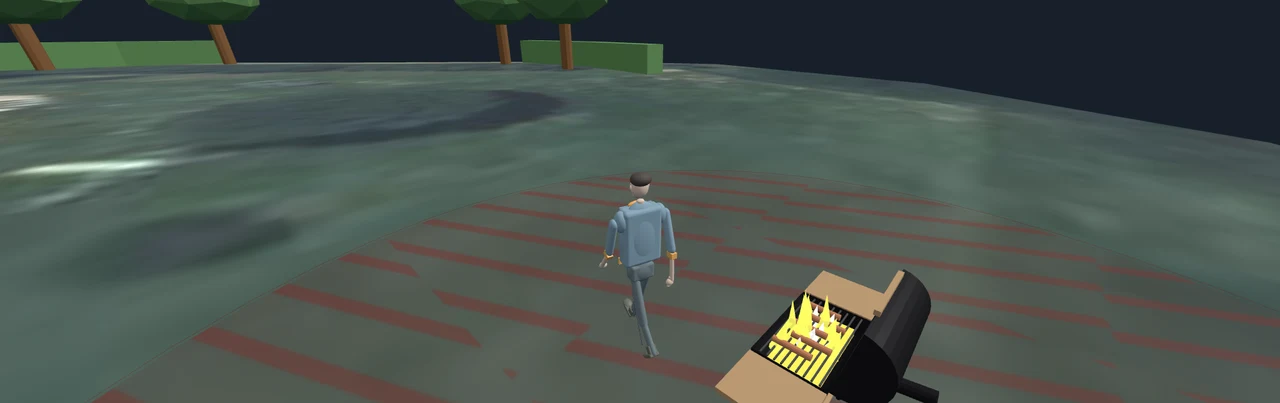
Under the timeline, the Scene shows the site as it is on the field, read from r-io suite: resources in their states, people moving, danger zones as hatched ground. A stop can put the camera in front of a resource. Film the runs films it during a run (see RUNS).
Use case: Orléans Flood Crisis
The Loire flood at Orleans scenario of Orléans Flood Crisis plans 20 dates over a day: the level of the Loire every three hours, as sensor values, and four forecasts (06:00, 12:00, 18:00 and 00:00). Act 1 mutes the four forecasts with one button and plays the measures step by step; act 2 plays them; act 3 adapts the running process when a forecast announces the flood. The clock of the use case follows the playhead all along.
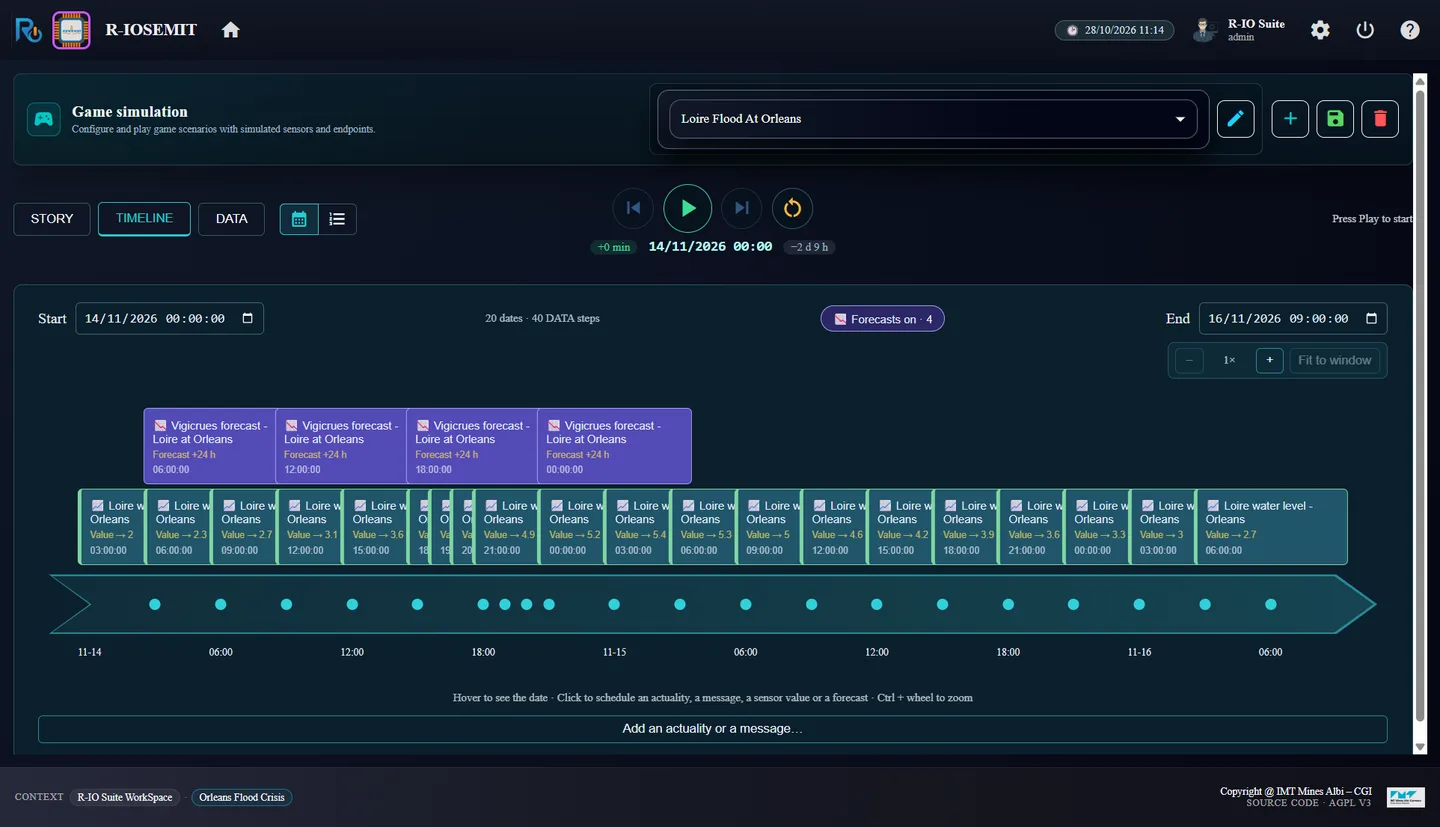
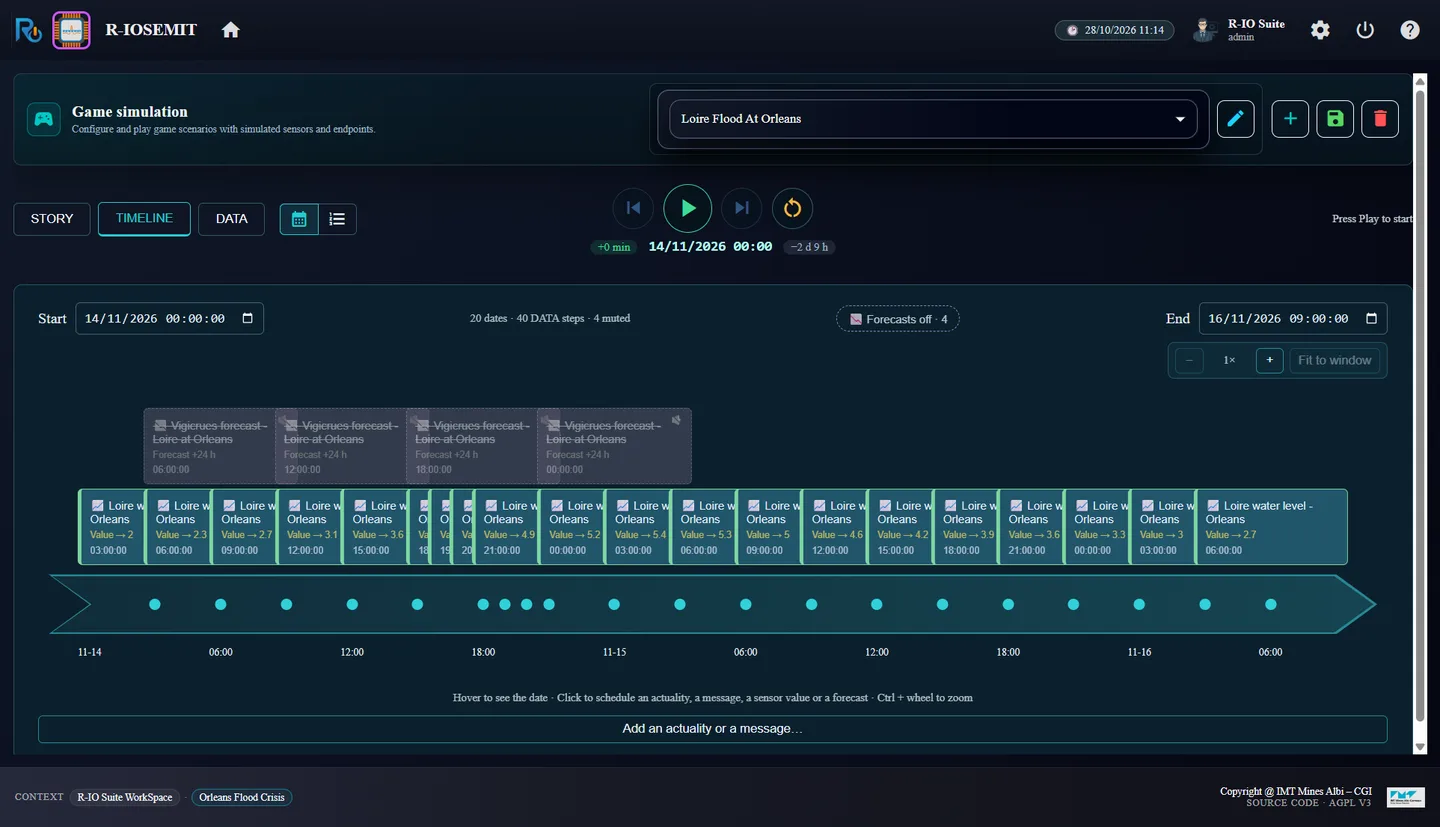
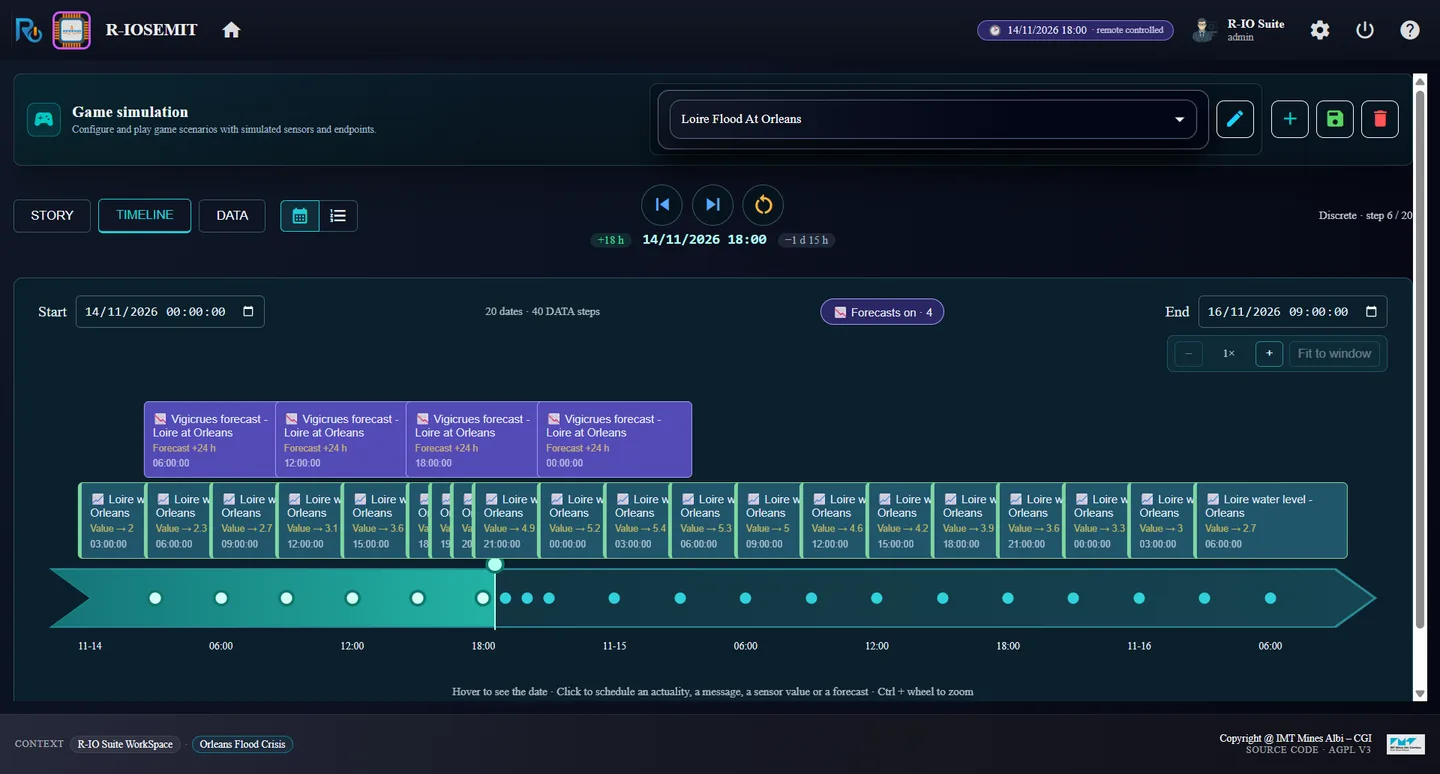
Walkthroughs: act 1, act 2, act 3. Reference: Scenario timelines, use-case clock and planned forecasts, authoring tools.
Apart from r-io suite
r-iosemit plays the field, not r-io suite. No r-io suite application calls it or knows that it exists: for r-io suite, every event it plays is a real one. It reads the knowledge base of r-io suite (states, positions, alerts, risks, tasks) to choose its tracks and to record its runs, without ever writing what it reads. It acts only through the channels of the field: the sensors (their datasets, planned values, GPS moves and forecasts published as a provider would), the messaging sensors, the human-task service for the simulated tasks, and the clock API of the use case once the operator opened it in r-ioga (Edit project › Use case clock › Allow remote clock control).
A few authoring items act on the knowledge space directly, and the dialogs say so: a planned risk level (like the Potentialities Management slider), a referenced actuality (a FREEZE actuality made ACTIVE, or a clone of a REFERENCE one), Previous step and Restart (they restore a checkpoint of the knowledge space kept by the server) and Replay (it writes the supervision settings of a run back, after a warning).